GPT-Image-2 All-Scene Creation Handbook: 240+ Practical Prompts (Part 2)
GPT-Image-2 All-Scene Creation Handbook: 240+ Practical Prompts (Part 2)
Part 2 Guide: Part 1 provided 134 scene prompts (Prompt 1-134), covering 18 major categories including portraits, products, food, illustrations, and more. Part 2 teaches you "how to fish" — prompt remodeling techniques, 17 professional-level advanced tips, ten tested new scenes (50+ viral prompts), commercial batch workflows, FAQ, and a complete quick reference appendix.
Reading Guide: Start with "Prompt Remodeling Workshop" to master core methods → Browse "Ten New Scenes" for inspiration → Reference "Advanced Tips" as needed → Check "Commercial Workflow" and "FAQ" → Bookmark the "Quick Reference Appendix".
Table of Contents
| Chapter | Core Content |
|---|---|
| 5. Prompt Remodeling Workshop | Variable substitution, style transfer, scene grafting, element add/subtract, library building guide |
| 6. Advanced Tips & Tricks | 17 professional-level techniques (including API developer guide) |
| 7. Ten Tested New Scenes | 50+ brand new prompts, covering infographics, vintage posters, fantasy maps, etc. |
| 8. Commercial Workflow | Batch e-commerce, brand consistency, multi-platform adaptation |
| 9. FAQ | 7 frequently asked questions |
| 10. Quick Reference Appendix | Aspect ratios, styles, lighting, lenses, negative prompts |
5. Prompt Remodeling Workshop: From Copying to Creating
This is one of the most important chapters in this article. The 134 prompts from Part 1 are the "fish" — this chapter teaches you "how to fish." Once you master remodeling techniques, any prompt can become an infinite source of variations.
5.1 Variable Substitution: The Fastest Way to Remodel
Core Concept: Identify key variables in a prompt using [brackets] and swap them out to create new works.
Steps:
Step 1: Choose a base prompt and identify replaceable variables
Using Part 1 Prompt 1 (LinkedIn Business Headshot) as an example:
Professional medium-shot portrait of a confident [Asian woman] in her [early 30s] wearing a [tailored navy blue blazer]. [Neutral grey studio] background. Soft three-point lighting with key light at camera-left. Realistic skin texture. Shot on [85mm lens] at [f/2.8]. [Clean corporate] headshot style. Aspect ratio [1:1].Step 2: Replace variables for batch generation
| Original Variable | Replacement Options | Effect |
|---|---|---|
| Asian woman | African man / Middle Eastern woman / Elderly Caucasian | Switch demographic |
| early 30s | late 40s / early 20s / 60s | Switch age range |
| tailored navy blue blazer | gray suit / white shirt / turtleneck sweater | Switch clothing style |
| Neutral grey studio | city skyline / bookshelf / green plant wall | Switch background |
| 85mm lens | 35mm wide-angle / 135mm telephoto | Switch lens language |
| 1:1 | 3:4 / 9:16 / 16:9 | Switch platform format |
Step 3: Build your variable library
After each remodeling session, record your replacement schemes. After three months, you'll have:
- Demographic variable library (20+ options)
- Clothing variable library (50+ options)
- Background variable library (30+ options)
- Lens variable library (15+ options)
- Style variable library (25+ options)
Pro Tip: This is the foundation of your personal prompt library. Each creation session becomes "choose template → replace variables → fine-tune details," boosting efficiency 10x or more.
5.2 Style Transfer: Change the Style, Change the Vibe
Core Concept: Keep the subject and composition unchanged, only modify the style description to get completely different visual vibes.
Demo: The same cup of coffee, five different styles
Base Subject: A cup of latte with rosetta latte art on a marble table
| Style | Complete Prompt | Effect |
|---|---|---|
| Japanese Minimalism | ... soft diffused natural light, wabi-sabi aesthetic, muted earth tones, shot on medium format film |
Zen, tranquil |
| Nordic Fresh | ... bright morning light, Scandinavian design elements, clean white background, hygge atmosphere |
Warm, cozy |
| Cyberpunk | ... neon-lit cafe interior, holographic menu board, cyan and magenta lighting, rain on window |
Futuristic, edgy |
| Vintage Film | ... warm tungsten lighting, Kodak Portra 400 film grain, vintage cafe setting, 1970s aesthetic |
Nostalgic, warm |
| Ink Wash | ... sumi-e ink wash style, rice paper texture, minimal brushstrokes, traditional Chinese aesthetic |
Eastern, poetic |
Pro Tip: Build your "style library" by collecting 20 of your most-used style descriptions. Mix and match them like a color palette for each creation.
5.3 Scene Grafting: A's Background + B's Subject = C's New Creation
Core Concept: "Graft" elements from different prompts to create entirely new scenes.
Grafting Formula:
New Prompt = [Prompt A's Subject] + [Prompt B's Background/Environment] + [Prompt C's Lighting/Atmosphere] + [Your Own Creativity]Demo:
| Source | Extracted Element | Original Prompt |
|---|---|---|
| Part 1 P16 | Minimalist desktop product style | matte black ceramic coffee cup on warm walnut wood desktop, soft window light |
| Part 1 P29 | Sushi food texture | premium sushi platter, each grain of rice visible, Michelin restaurant photography |
| Part 1 P63 | Minimalist living room environment | light oak hardwood floors, warm white plaster walls, large windows |
Grafting Result:
A minimalist product scene: premium Japanese tea set on a light oak table in a modern living room. Each ceramic piece shows realistic glaze texture. Soft natural light from large windows, warm white walls, clean Scandinavian aesthetic. Professional product photography with lifestyle context, shallow depth of field. Aspect ratio 1:1.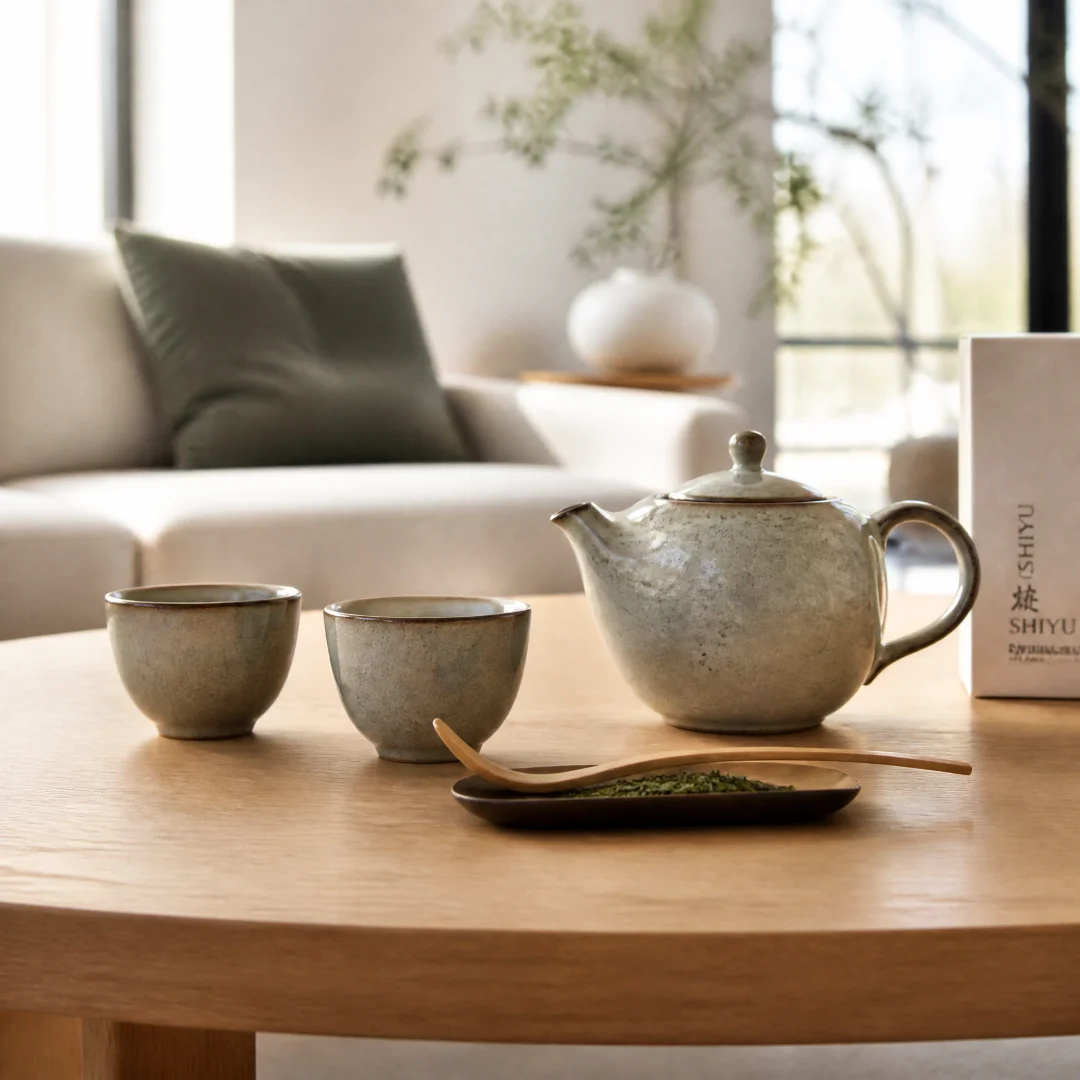
Pro Tip: Break down your favorite prompts into categories (subject/background/lighting/style) and combine them freely like LEGO bricks.
5.4 Element Add/Subtract: From Simple to Complex, or Complex to Simple
Core Concept: Systematically add or remove elements to control the information density of the image.
Addition Path (Simple to Rich):
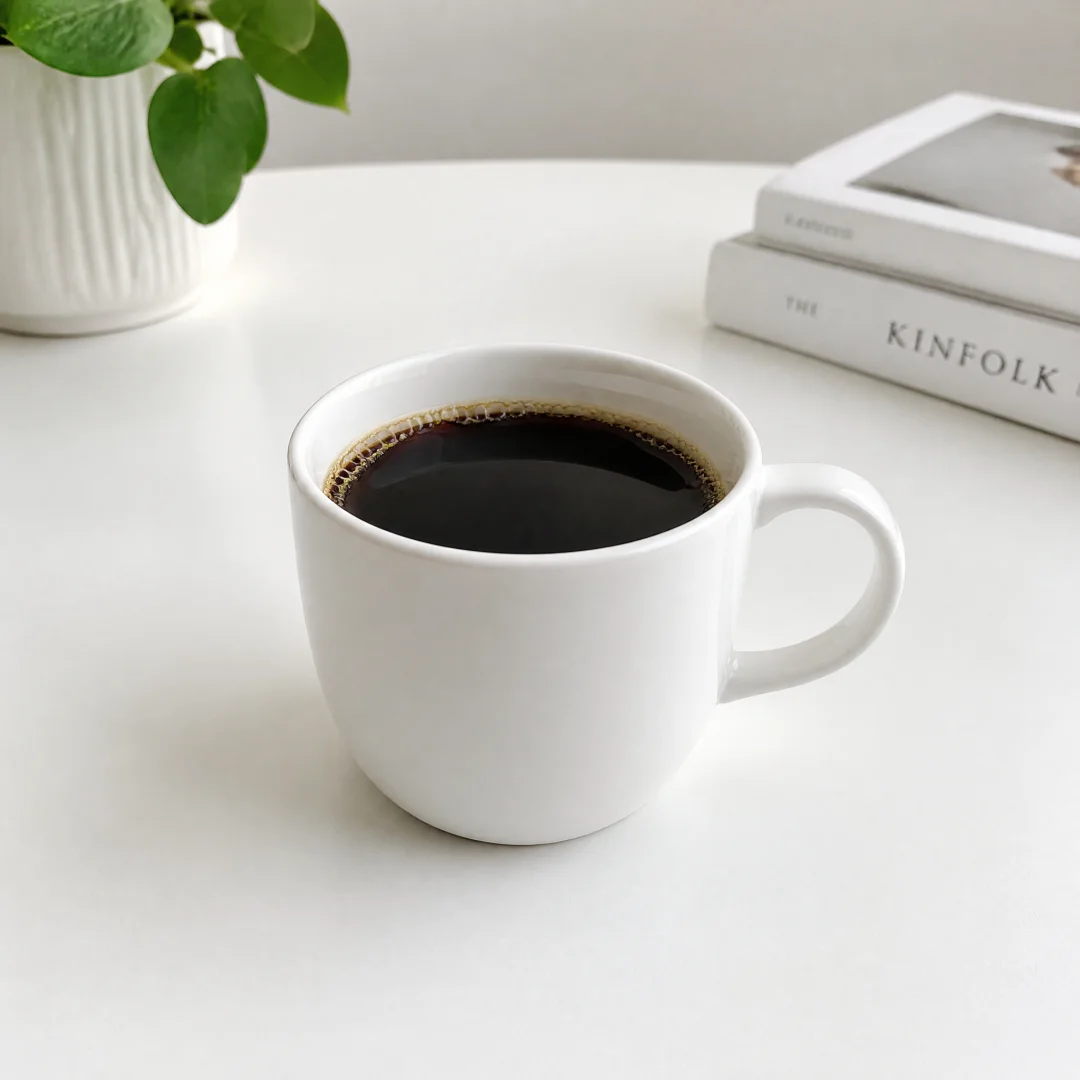
Level 1 - Base: A cup of coffee on a white table.
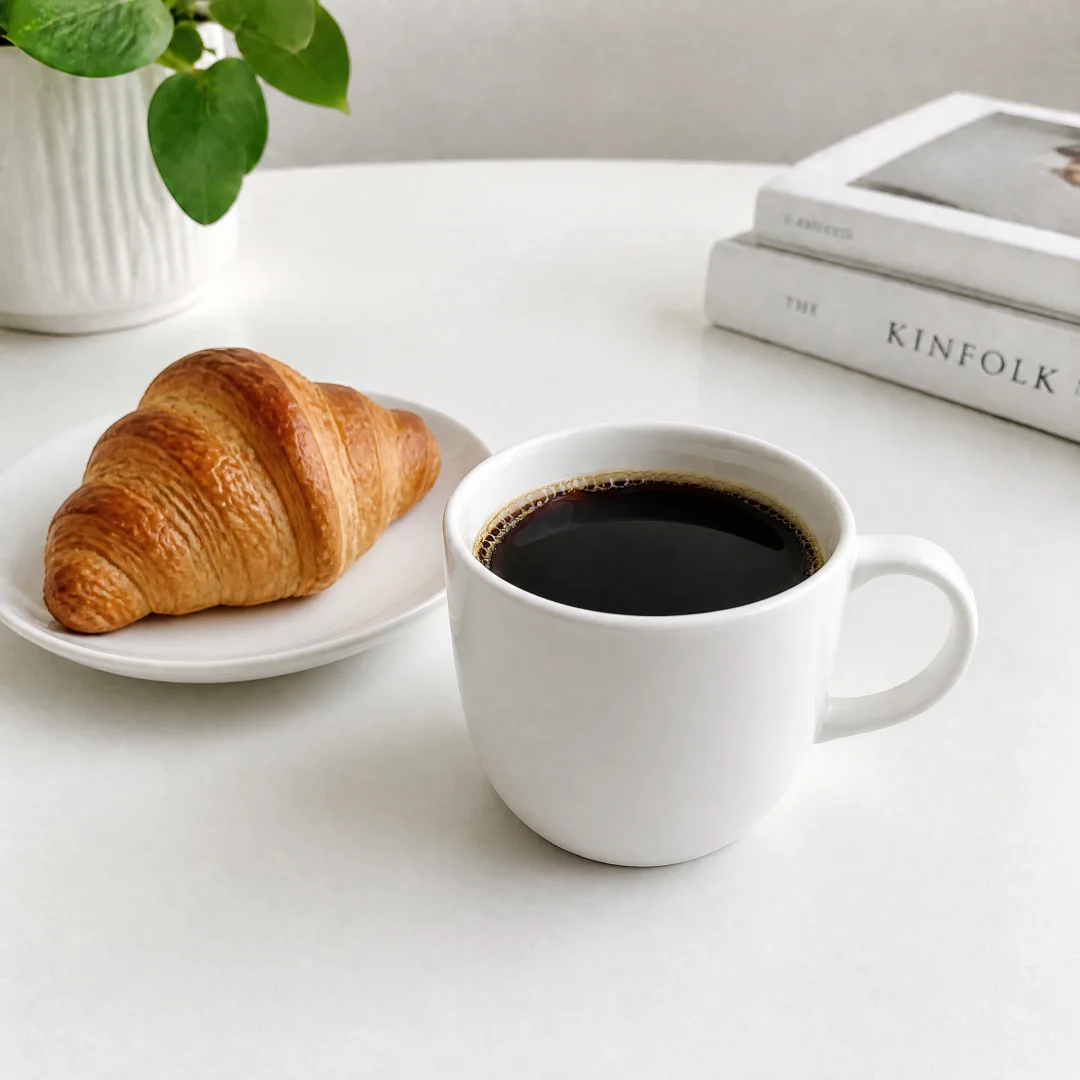
Level 2 - Add Subject: A cup of coffee on a white table, a croissant on a small plate beside it.
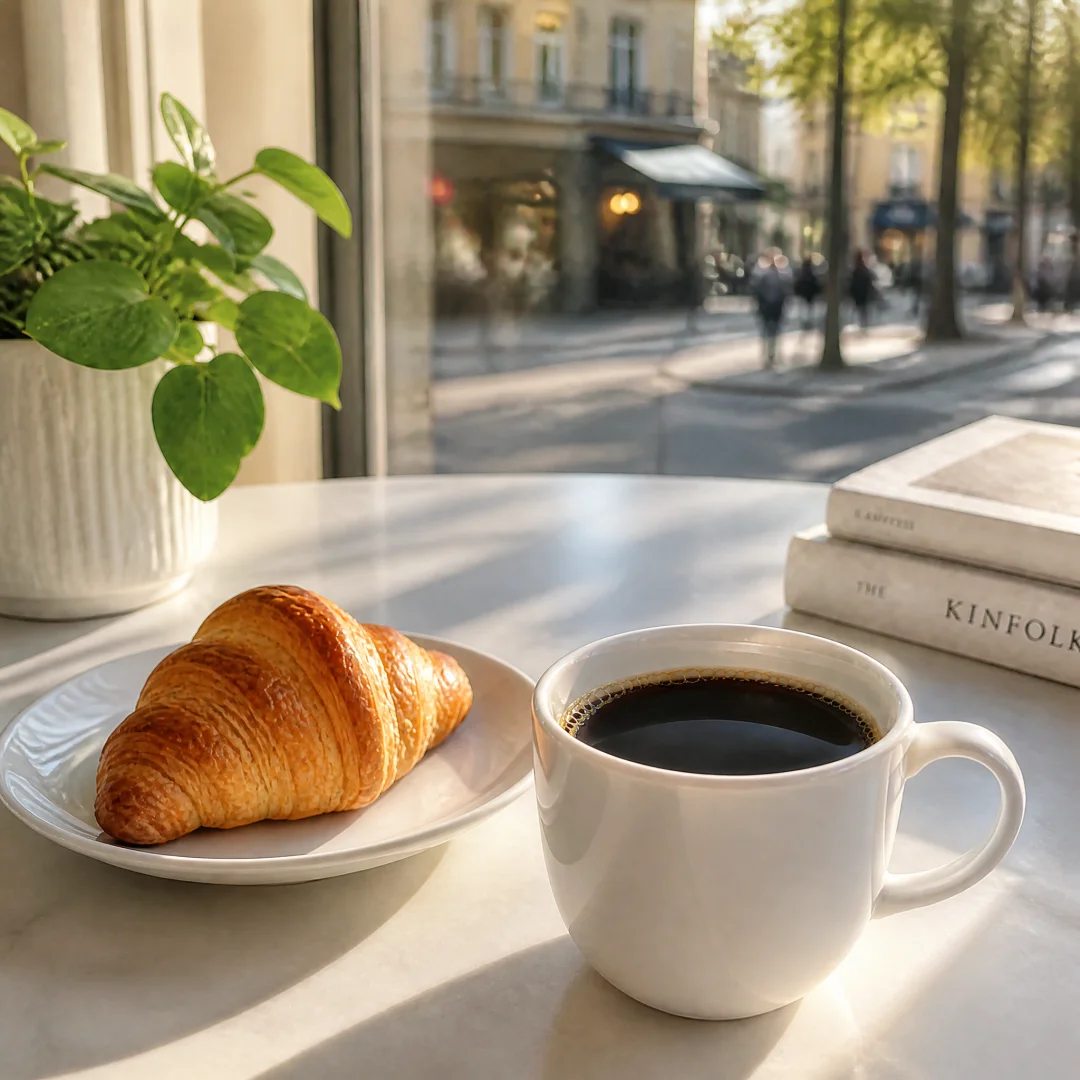
Level 3 - Add Environment: A cup of coffee and croissant on a white marble cafe table, morning sunlight streaming through window, blurred street scene outside.
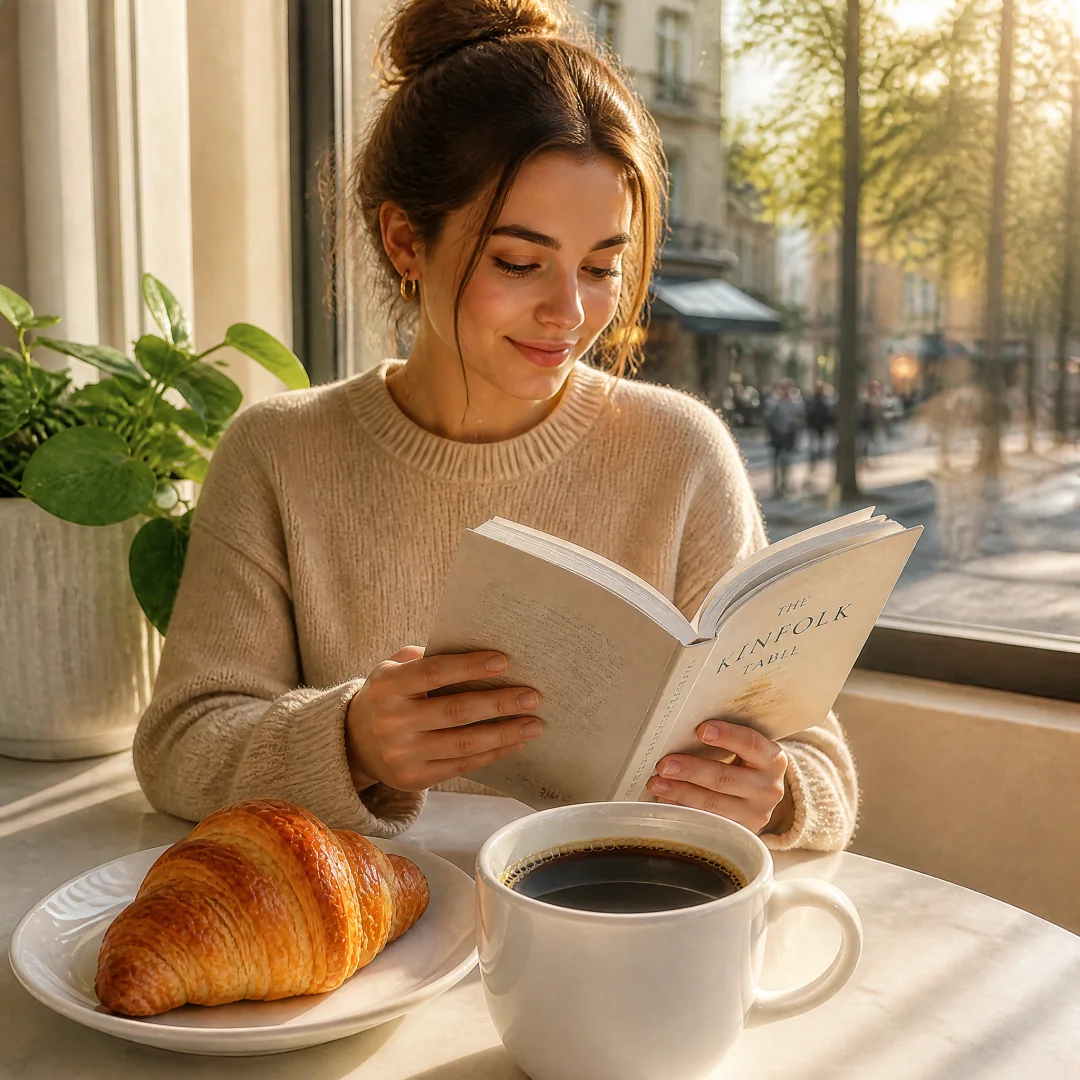
Level 4 - Add Person: A young woman in a beige sweater sitting at a cafe table with coffee and croissant, reading a book, morning sunlight, warm and cozy atmosphere.
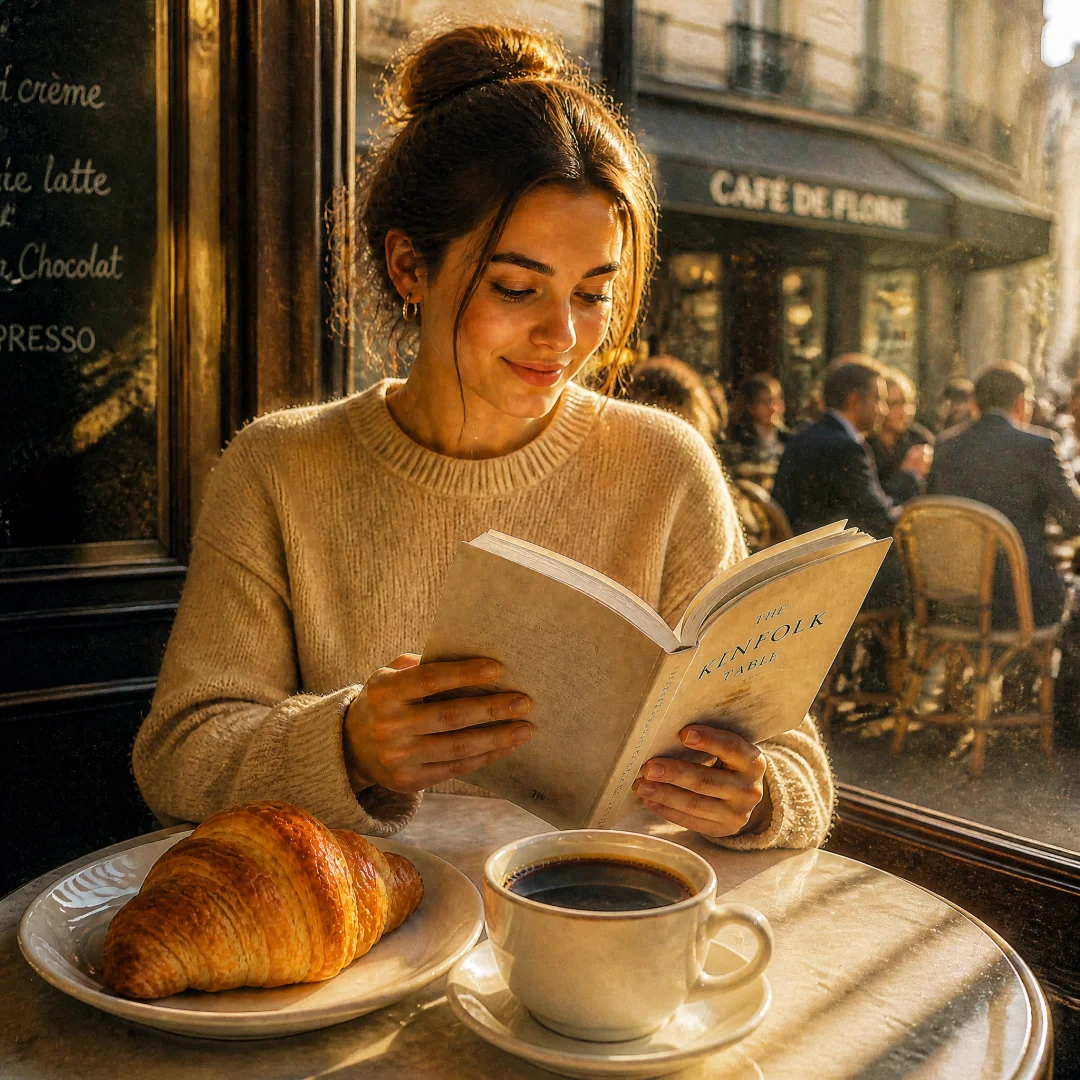
Level 5 - Add Atmosphere: A young woman in a beige sweater sitting at a Parisian cafe table with coffee and croissant, reading a novel, soft morning light with golden tones, film grain texture, shot on 35mm lens, warm and nostalgic atmosphere, other patrons blurred in background.
Subtraction Path (Complex to Simple): Reverse the process, removing non-essential elements level by level for different use cases:
- Level 5 → Social media story-telling image
- Level 3 → Product promotional image
- Level 1 → Icon/illustration asset
Pro Tip: One creative concept can produce 5 different types of assets. Write the richest version first, then subtract as needed.
5.5 Build Your Personal Prompt Library: Long-term Practice Guide
The techniques above are the "tactics" — this section is the "strategy." Learn how to turn these techniques into long-term assets.
Step 1: Categorize and Store (using this article's classification system)
Create folders/documents by scene:
Personal Prompt Library/
  01-Portrait Photography/
    Template-Business Headshot.md
    Template-Film Portrait.md
    Template-Street Documentary.md
  02-Product E-commerce/
    Template-Minimalist White Background.md
    Template-Lifestyle Scene.md
    Template-Flat Lay Top-down.md
  03-Food & Beverage/
    ...
Step 2: Mark Replaceable Variables
In each template, mark all replaceable variables with [brackets]:
Professional portrait of a [gender/age] wearing [clothing],
[background] background, [lighting type],
Shot on [lens] at [aperture],
[style tag]. Aspect ratio [ratio].
Step 3: Accumulate Variable Options
Each time you use a template, record new variable combinations below it:
--- Variable Log ---
2026-05-10: Business headshot - replaced blazer with turtleneck, friendlier vibe
2026-05-12: Product shot - replaced white background with concrete surface, more texture
Step 4: Regular Review and Optimization
Review your prompt library monthly:
- Which templates have the highest usage? → Optimize details
- Which variable combinations work best? → Add to defaults
- Which prompts need updating? → Adjust based on model iterations
Recommended Tools:
| Tool Type | Recommendation | Best For |
|---|---|---|
| Note-taking | Notion / Obsidian / Feishu Docs | Individual creators |
| Spreadsheets | Excel / Google Sheets / Feishu Sheets | Team collaboration |
| Code Management | Git + Markdown | Developers / Power users |
| Simplest | One Markdown file, sections by scene | Everyone |
Pro Tip: Your personal prompt library doesn't need to be built all at once. Each time you use prompts from this article, record your remodeled versions. After three months, you'll be amazed at how many unique assets you've accumulated.
6. Advanced Tips & Tricks
17 professional-level techniques covering multi-image consistency, editing workflows, text rendering, style locking, composition control, iterative feedback, cost optimization, and API development.
Usage Tip: Reference as needed — no need to read everything at once. Come back to specific techniques when you encounter relevant problems.
6.1 Multi-Image Consistency Workflow
GPT-Image-2's Thinking Mode can generate up to 8 images in a single prompt while maintaining character and style consistency.
Example A: 6-Panel Travel Journal (Multi-Image Consistency)
Generate a 6-panel travel journal page for a weekend trip to Kyoto. Consistent style throughout: soft watercolor illustration with warm earth tones, rice paper texture background, delicate ink outlines, handwritten-style captions in English at bottom of each panel.

(1) Title panel: "Kyoto in Autumn" in elegant brush script, small map icon, decorative cherry blossom border, warm golden background.

(2) Morning at Fushimi Inari: thousands of orange torii gates forming tunnels up the mountain path, early morning mist, small self-portrait silhouette of traveler with backpack.

(3) Afternoon tea ceremony: interior of traditional tea room with tatami mats, steam rising from matcha bowl, bamboo whisk and sweets on lacquer tray, soft diffused window light.

(4) Golden Hour at Kinkaku-ji: the golden pavilion reflected in mirror pond, autumn maple leaves in foreground, a few tourists as tiny silhouettes for scale.

(5) Evening in Gion: narrow alley with traditional wooden machiya houses, paper lanterns glowing warm orange, geisha figure walking in distance, rain-slicked cobblestones.

(6) Food memory grids: 4 small illustrations of ramen bowl, matcha ice cream, yakitori skewers, mochi, each with tiny price tag and Japanese name label.

Overall: cohesive warm autumn palette (gold, amber, crimson, moss green), consistent hand-drawn watercolor aesthetic, nostalgic and peaceful mood. Aspect ratio 16:9 for each panel.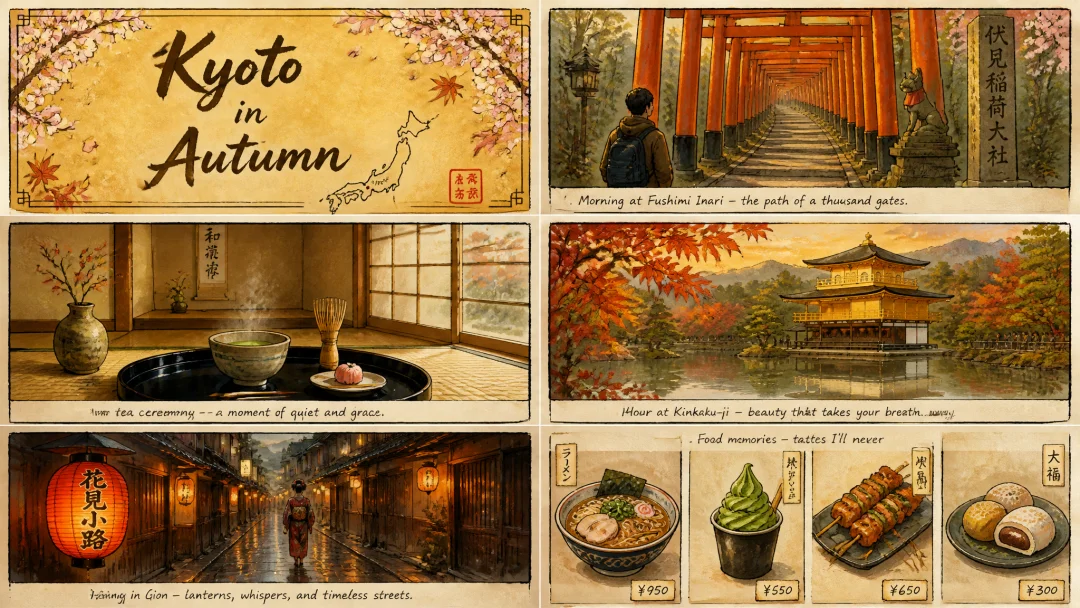
6.2 Reference Image + Editing Workflow
Uploading reference images for precise editing is one of GPT-Image-2's core strengths:
Example A: Product Color Change
Step 1 — Generate the reference product image:
A matte black wireless over-ear headphones centered on clean white background. Professional studio product photography, even soft diffused lighting, subtle shadow beneath. E-commerce catalog style, sharp detail on ear cushions and hinges. No logos, no text. Aspect ratio 1:1.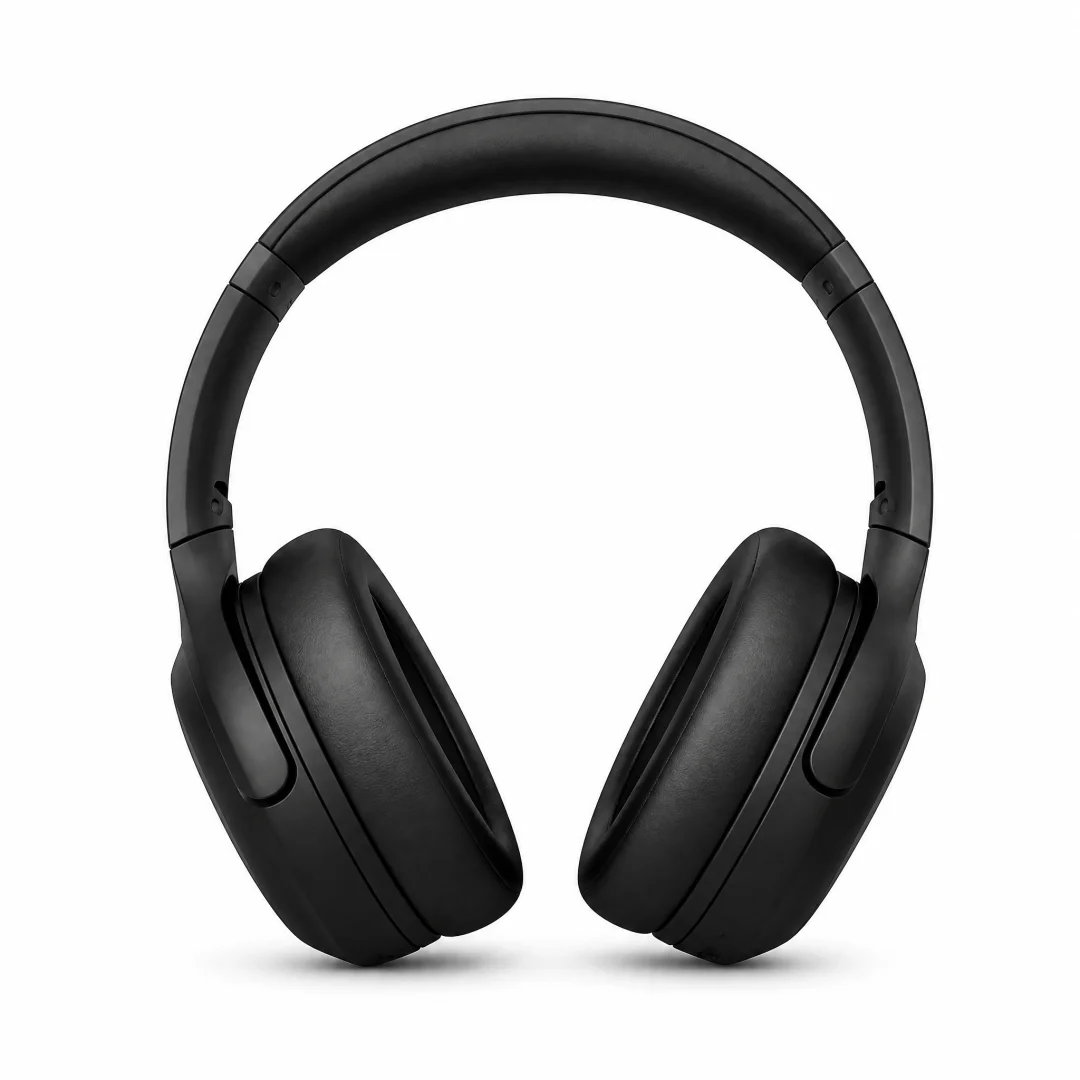
Step 2 — Upload reference image and edit:
Image 1: The base product photo to preserve.
Instruction: Change only the product color from black to burgundy red.
Keep all lighting, shadows, reflections, and background exactly as they are.
Match the new color's material texture (matte plastic) to the existing scene lighting.
No other changes. Aspect ratio 1:1.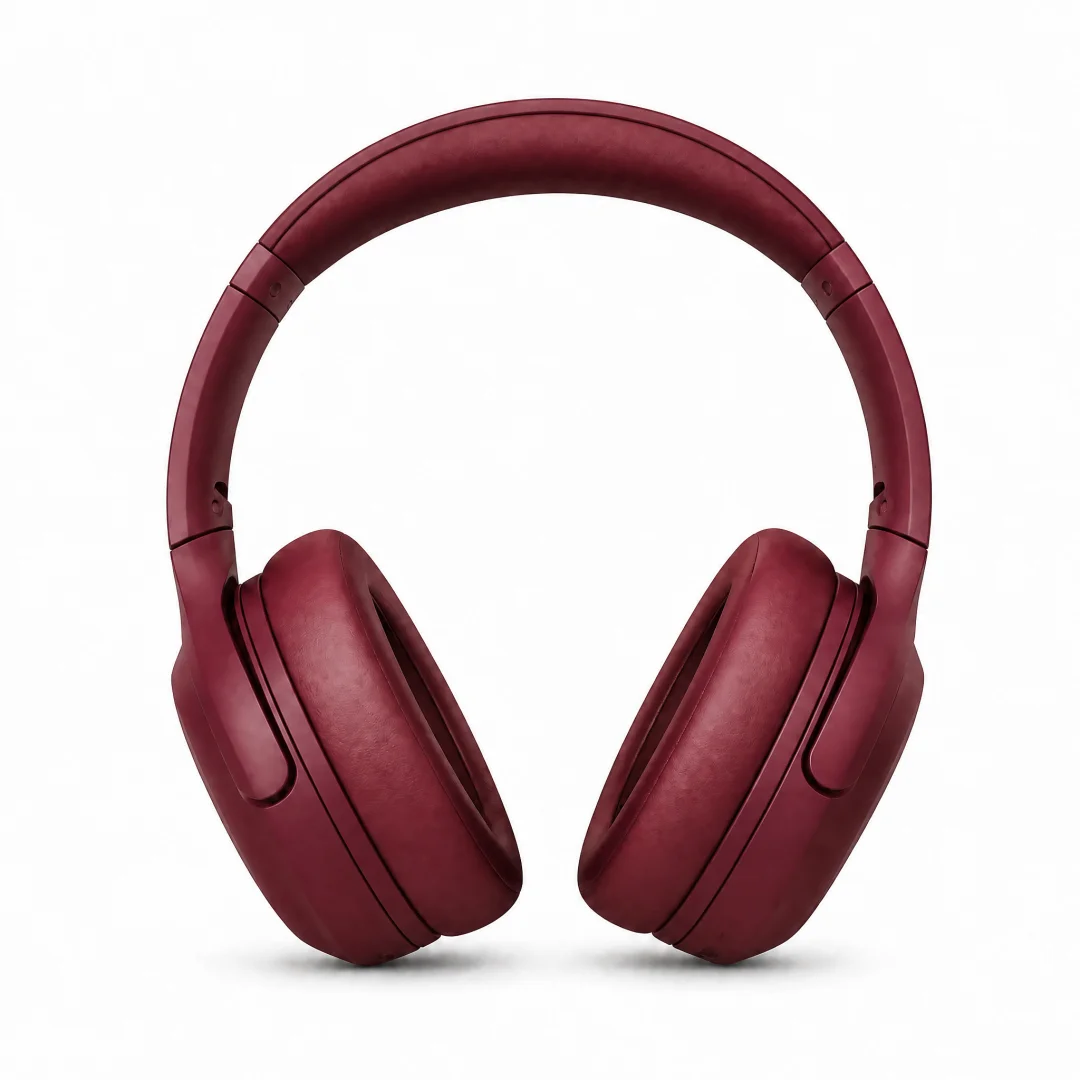
Example B: Model Outfit Change
Step 1 — Generate model reference image:
A young woman in her late 20s, East Asian, standing in a neutral pose against a clean white studio background. She is wearing a simple fitted white t-shirt and dark jeans. Soft three-point lighting, realistic skin texture, full body shot. Fashion catalog photography style. Aspect ratio 3:4.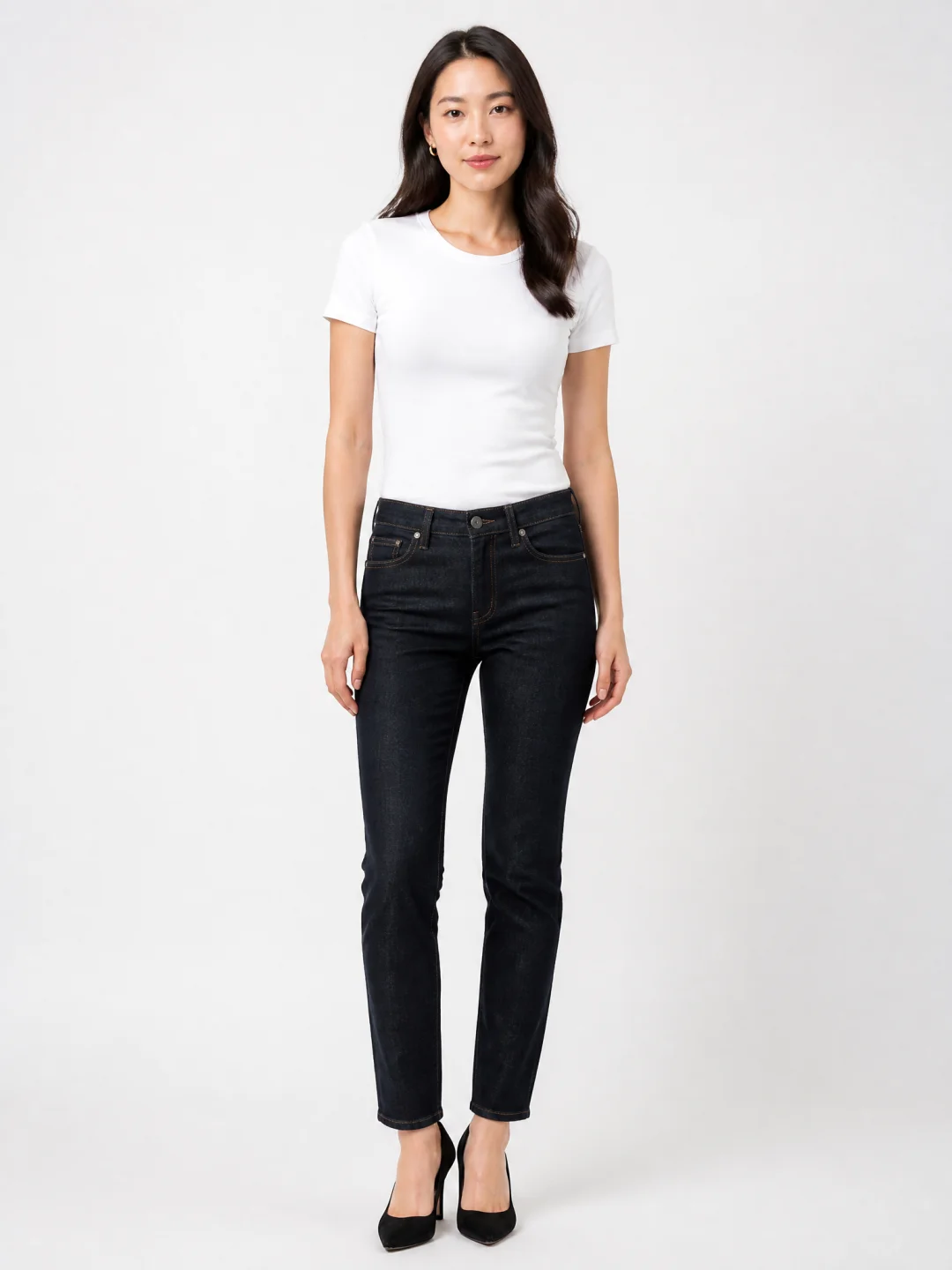
Step 2 — Generate clothing reference image:
A camel wool oversized blazer photographed flat on white background. Visible texture of the wool weave, single button closure, notched lapels. Soft overhead lighting, clean product photography, no model. Aspect ratio 3:2.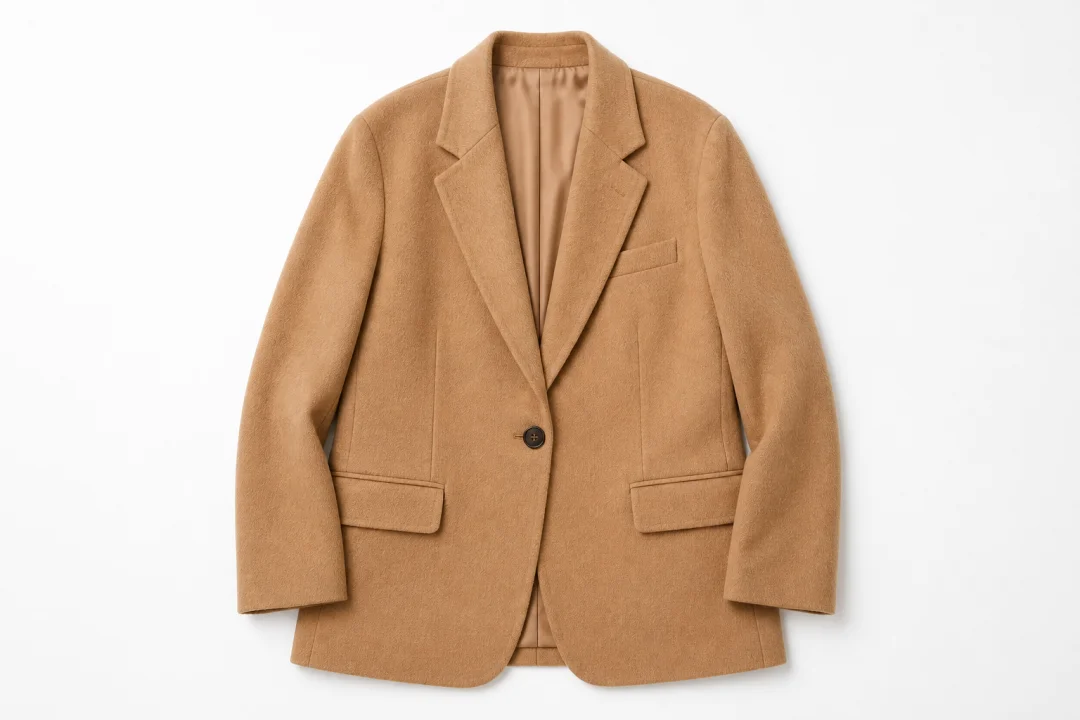
Step 3 — Upload both reference images and edit:
Image 1: The model photo (base scene to preserve).
Image 2: The reference jacket style.
Instruction: Dress the person from Image 1 using the jacket style from Image 2.
Preserve face, pose, background, and lighting from Image 1 exactly.
Match fabric texture to scene lighting. No extra accessories, no watermark. Aspect ratio 3:4.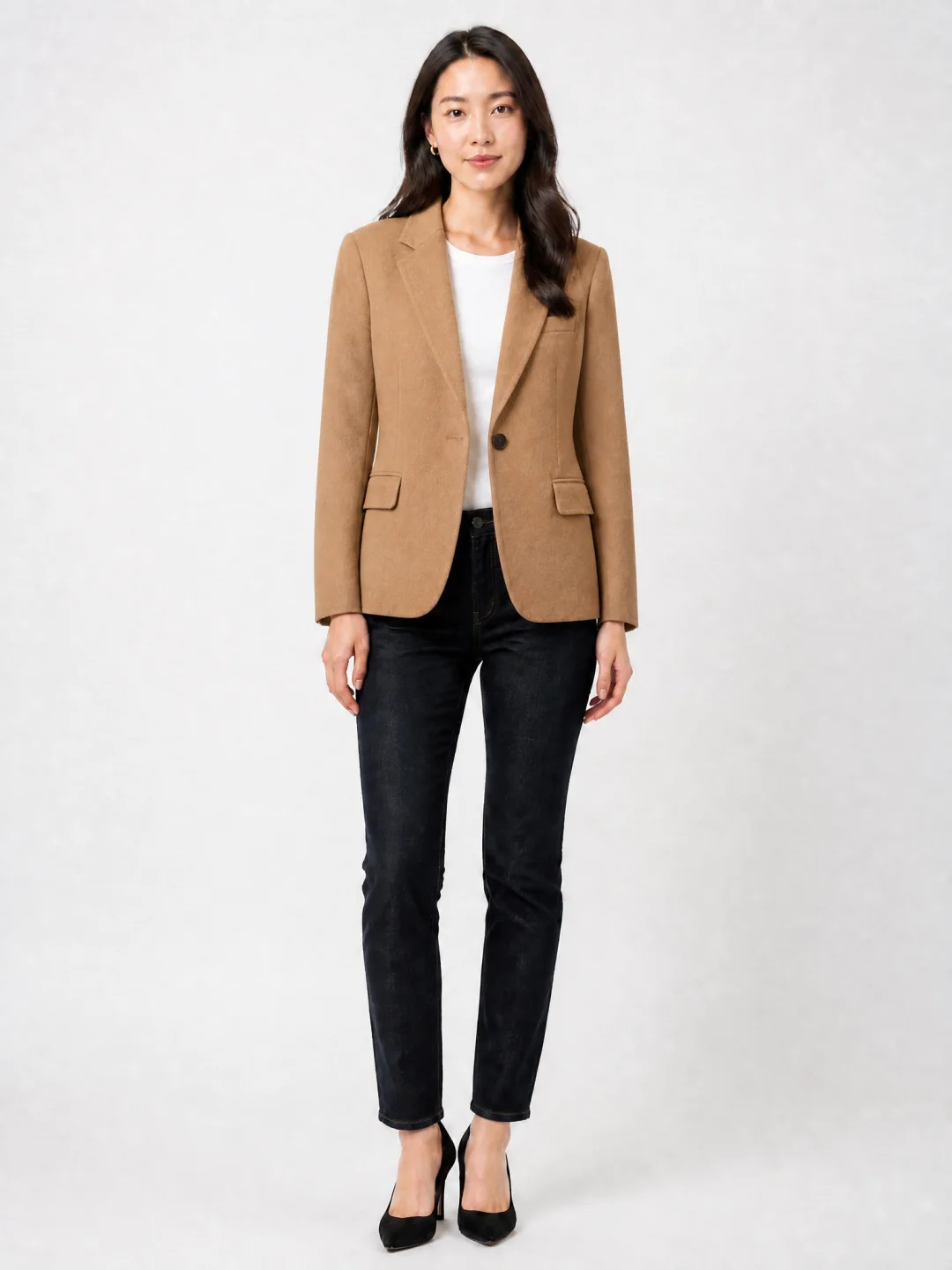
6.3 Advanced Text Rendering
Three rules to ensure accurate text:
- Wrap target text in quotes or ALL CAPS
- Specify font style and position
- Add hard constraints:
Render this text verbatim — no extra characters, no substitutions
Example B: Multilingual Menu
Design a bilingual restaurant menu page for a Japanese ramen shop called "一风堂 (Ippudo)." Left side in Japanese, right side in English. Clean modern layout with black and red color scheme. Items listed: 豚骨拉面 Tonkotsu Ramen ¥980, 味噌拉面 Miso Ramen ¥1050, 塩拉面 Shio Ramen ¥920. Each item has small ingredient icons. Red stamp-style logo at top center. Render all text verbatim, no substitutions. Aspect ratio 4:5.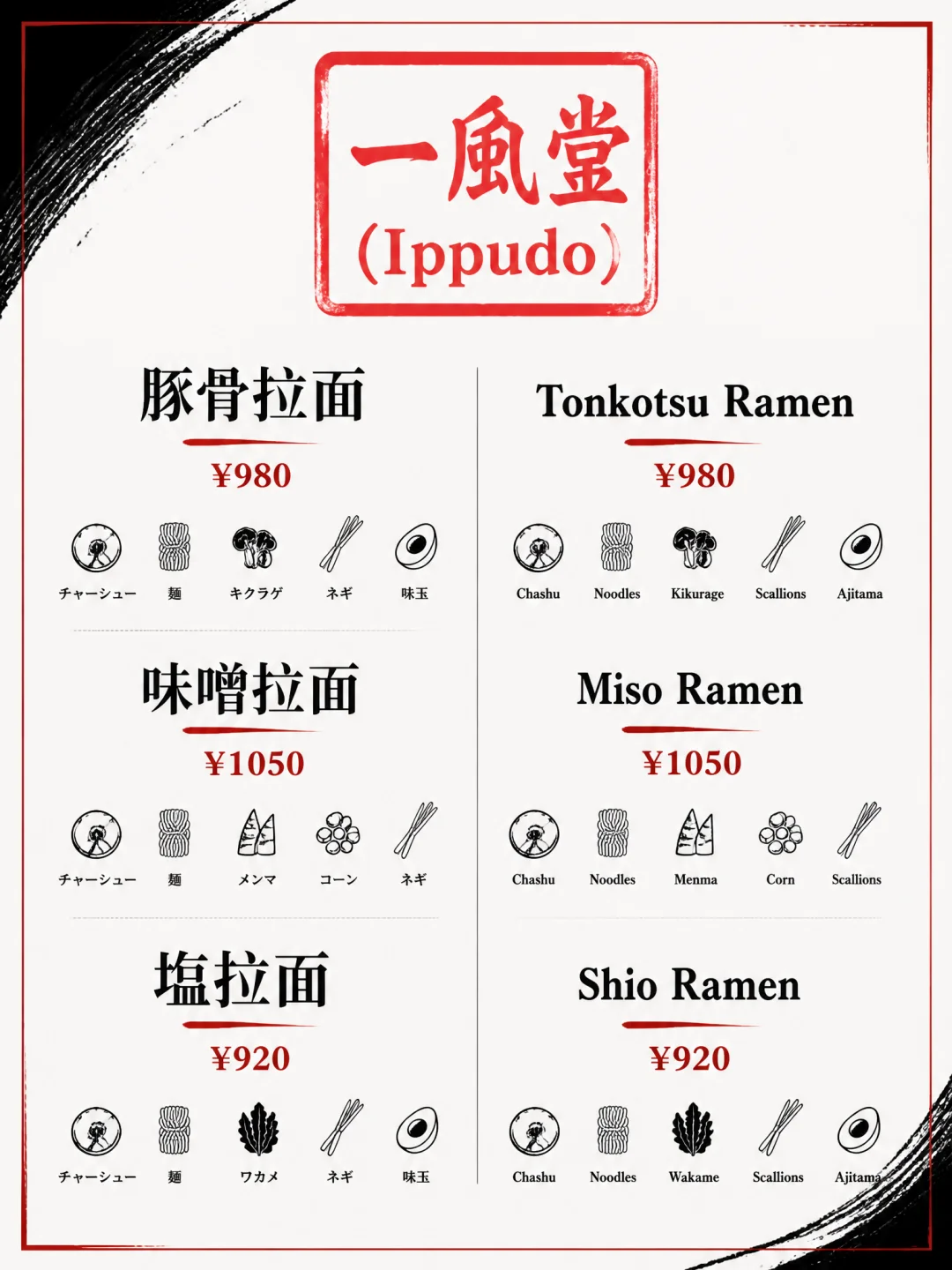
Example C: Brand Identity Mockup
A complete brand identity mockup presentation for "GREEN BOWL" healthy salad restaurant. Light beige background, organized layout showing: business card (front and back), letterhead, takeaway packaging (kraft paper bowl with transparent lid), menu tri-fold, staff apron, Instagram post template. Color palette: grass green #7CB342, tomato red #E54A47, avocado #B5C77E. Logo: minimalist bowl with lettuce leaf. Render all brand text accurately. Aspect ratio 16:9.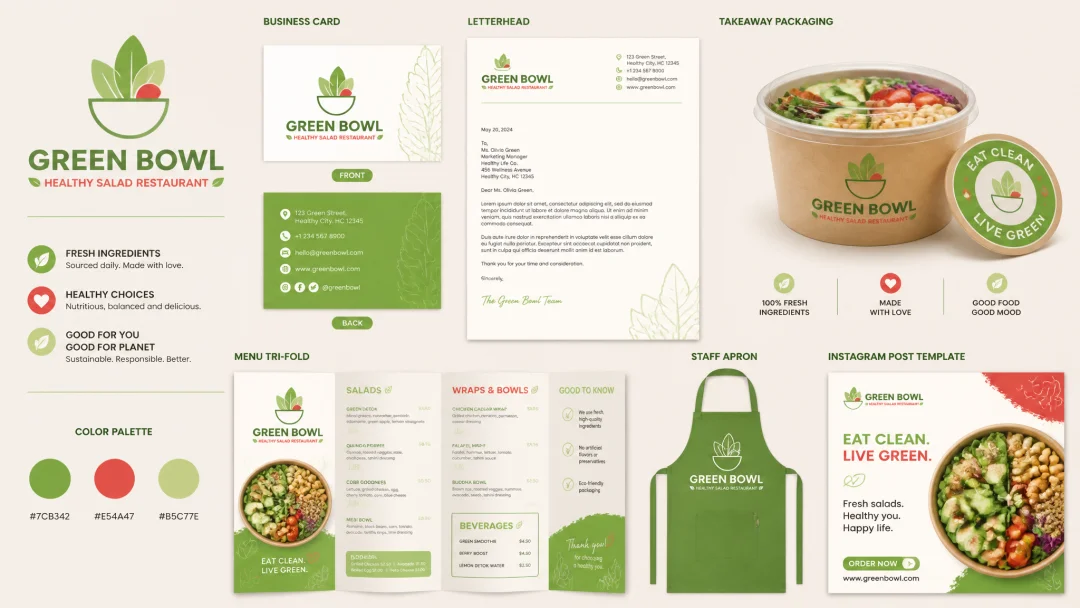
6.4 Negative Prompt System
Build your negative prompt library and add relevant ones after each prompt:
| Category | Common Negative Prompts |
|---|---|
| Text | No extra text, no watermarks, no labels unless requested |
| Style Control | No cartoon style, no anime style, no illustration style |
| Quality | No blurry areas, no distorted features, no extra limbs |
| Composition | No border, no frame, no split screen |
| Portrait | No plastic skin, no perfect symmetry, no beauty retouch |
Important Note: GPT-Image-2's response to negative prompts is less stable than DALL-E 3, and may even "reverse trigger" excluded elements. The community-verified best practice is to convert negative expressions into positive constraints:
Instead of:No extra people in the background
Write:Constraints: only the subject described above, plain background, no additional elements
6.5 Style Tag Locking
Adding a Style: [STYLE_TAG] line at the end of your prompt makes GPT-Image-2 prioritize the corresponding data distribution, significantly improving style consistency.
Common Style Tag Table:
| Style Tag | Style Description | Best For |
|---|---|---|
editorial-magazine |
Magazine layout style | Posters, editorial design |
studio-product |
Studio product photography | Product packaging, e-commerce hero images |
cinematic-anamorphic |
Anamorphic widescreen | Cinematic imagery |
pixar-3d |
Pixar 3D style | Characters, mascots |
kodak-portra-400 |
Kodak Portra film | Realistic portraits |
flat-vector |
Flat vector | UI illustrations, icons |
watercolor-fine-art |
Watercolor fine art | Art illustrations |
architectural-render |
Architectural rendering | Interior/exterior design |
Usage Example:
A minimalist skincare product flat-lay on marble surface, soft natural side lighting, eucalyptus leaves, light beige background. Style: studio-product. Aspect ratio 1:1.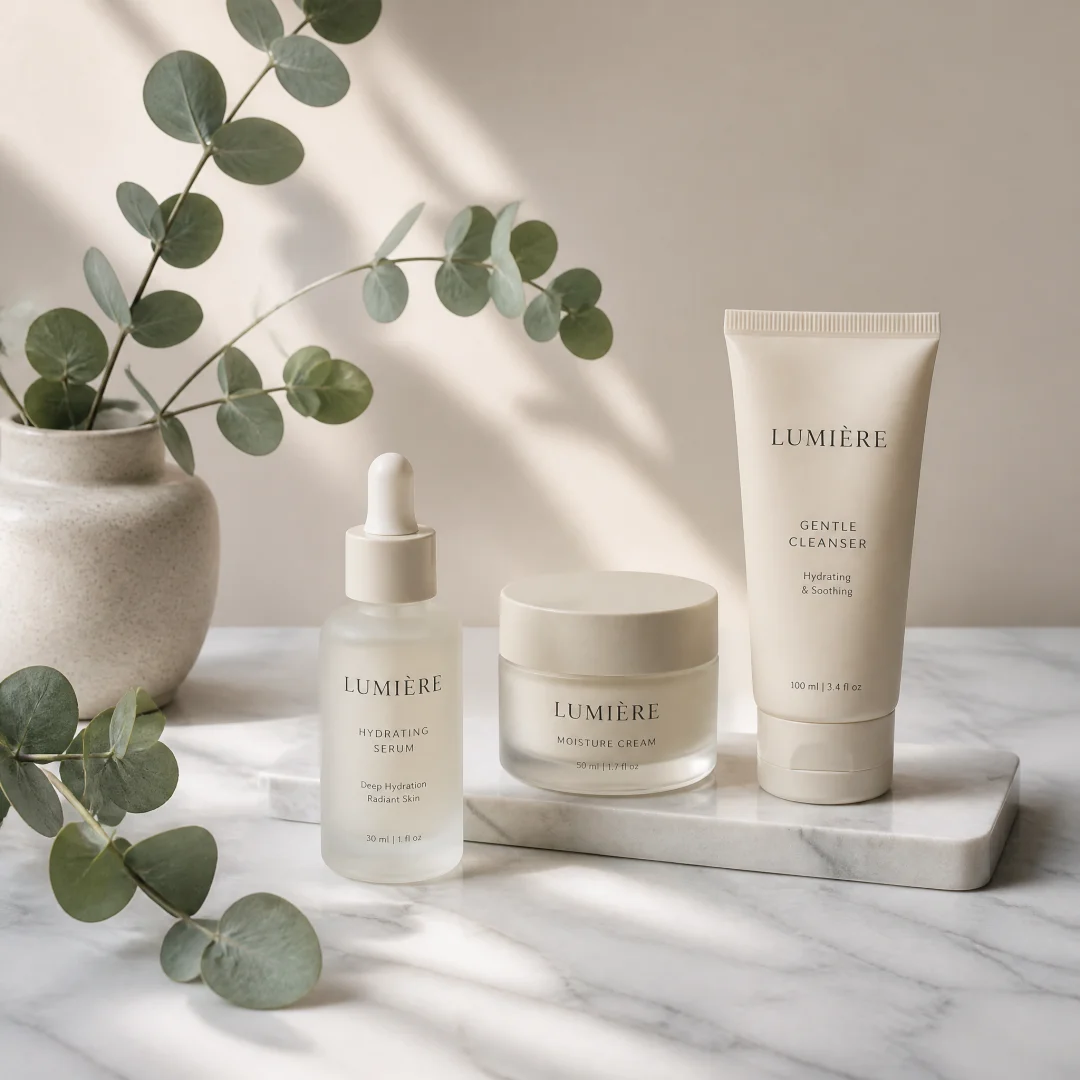
6.6 Positive Constraint Control
GPT-Image-2 tends to "over-render" in complex scenes — adding extra props, additional people, uninvited text. Positive Constraints are much more stable than negative prompts.
Positive Constraint Formula:
Constraints: exactly [N] [elements], no extra props, no additional text beyond what's specified above, no unrequested objects.Practical Comparison:
| Method | Prompt | Effect |
|---|---|---|
| Negative (not recommended) | A product photo. No busy background, no people, no text. |
May trigger excluded elements instead |
| Positive (recommended) | A product photo on clean white background, single product centered. Constraints: only the described product, plain white background, exactly 1 object, no additional elements. |
Precise control over image content |
6.7 Counteracting Default Realism Bias
GPT-Image-2's default tendency is photorealism — even without specifying a style, it gravitates toward "polished but somewhat perfect brochure aesthetics." To get illustration, cartoon, or stylized output, you must actively add explicit style anchors.
| Target Style | Required Anchors |
|---|---|
| Flat Vector | Flat vector illustration with clean lines and limited color palette, no gradients, no shadows |
| Watercolor | Watercolor painting with visible brush strokes and paper texture, wet-on-wet technique |
| Pixel Art | Pixel art in 16-bit retro game style, visible pixel grid, dithered shading |
| Japanese Manga | Japanese manga panel with screen tones, speed lines, black and white with selective screentone |
| Pixar 3D | Pixar 3D animation style, subsurface scattering on skin, stylized proportions, warm lighting |
| Dark Gothic | Dark fantasy art style, chiaroscuro lighting, ornate decorative border, dramatic shadows |
| Ukiyo-e | Ukiyo-e woodblock print style, bold outlines, flat color areas, visible wood grain texture |
6.8 Conversational Iterative Feedback
One of GPT-Image-2's most powerful practical features is multi-turn conversational editing.
Standard Iteration Process:
Round 1: Base Generation
A portrait of a young woman in a cozy coffee shop, natural window light, warm tones.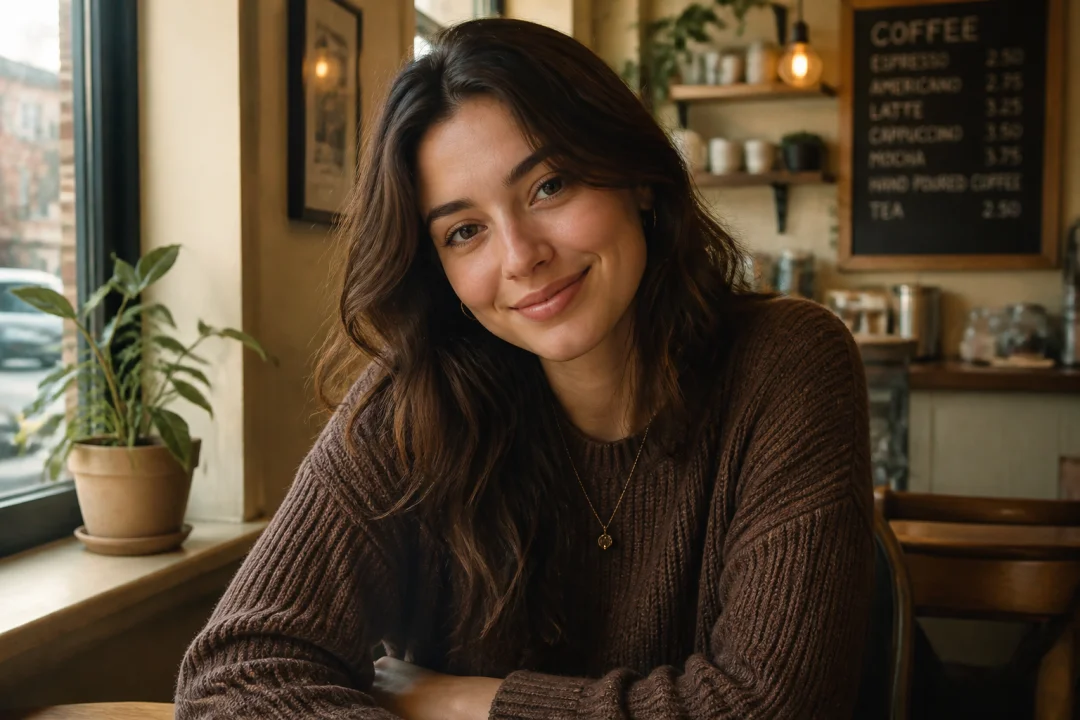
Round 2: Precise Adjustment
Same woman and setting, but change her expression to a confident smile and add a book on the table.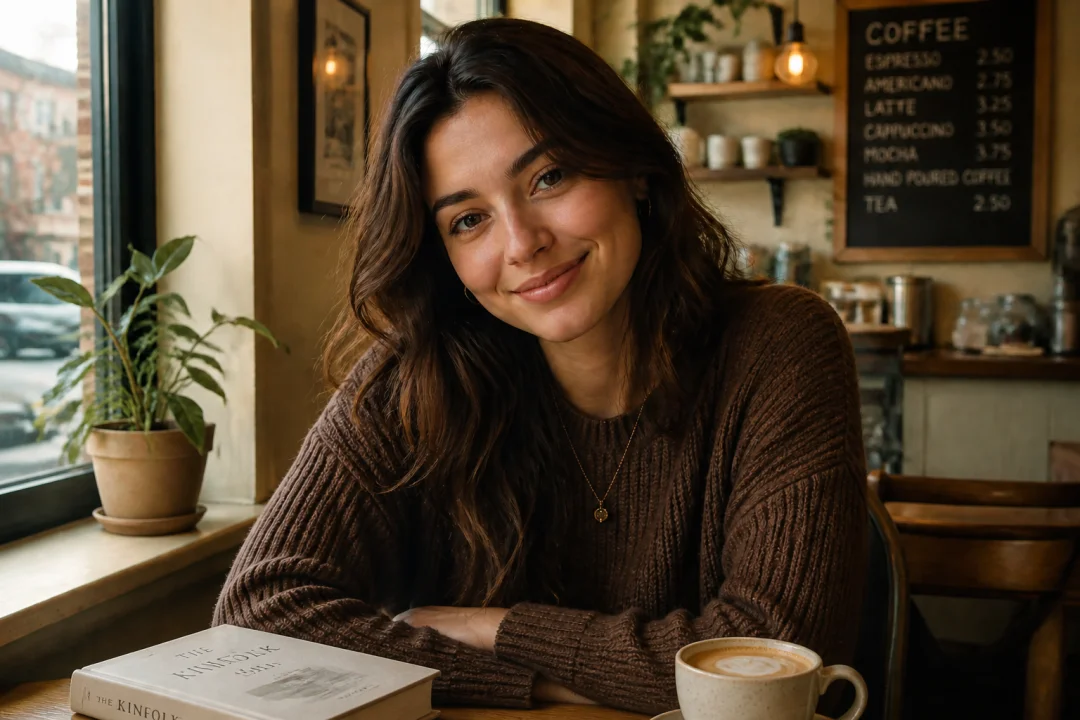
Round 3: Detail Optimization
Keep everything, but make the lighting more dramatic — add golden hour sidelight and shallow depth of field.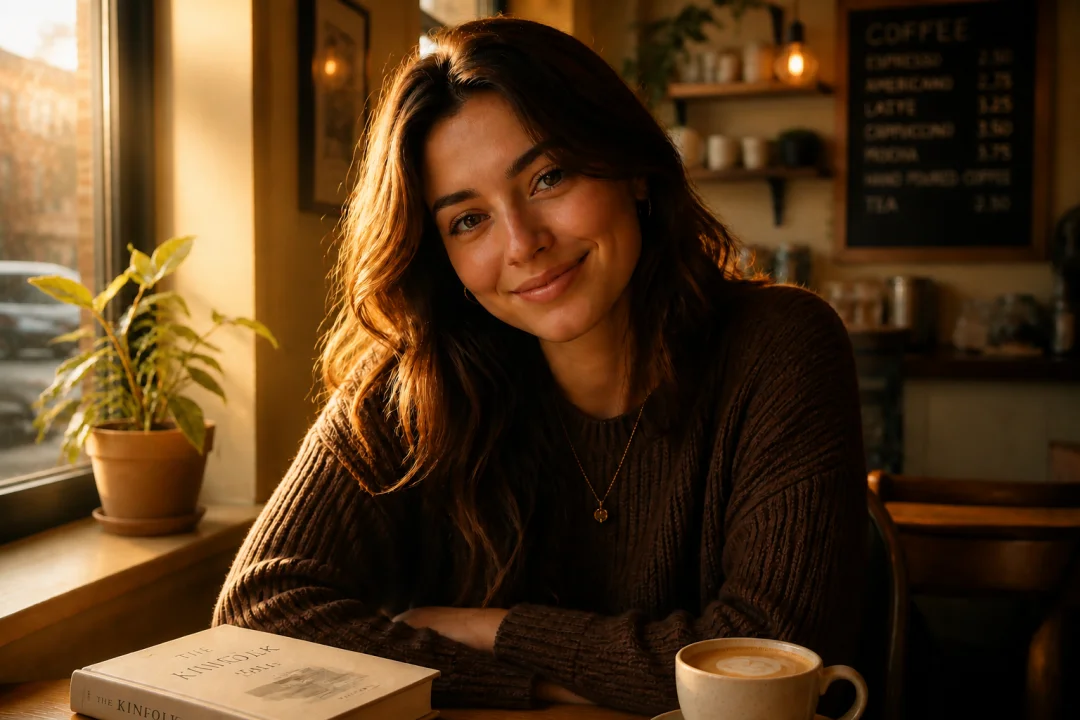
Round 4: Final Polish
Add a subtle film grain and warm color grading, like a 35mm Kodak Portra look. Keep everything else exactly as is.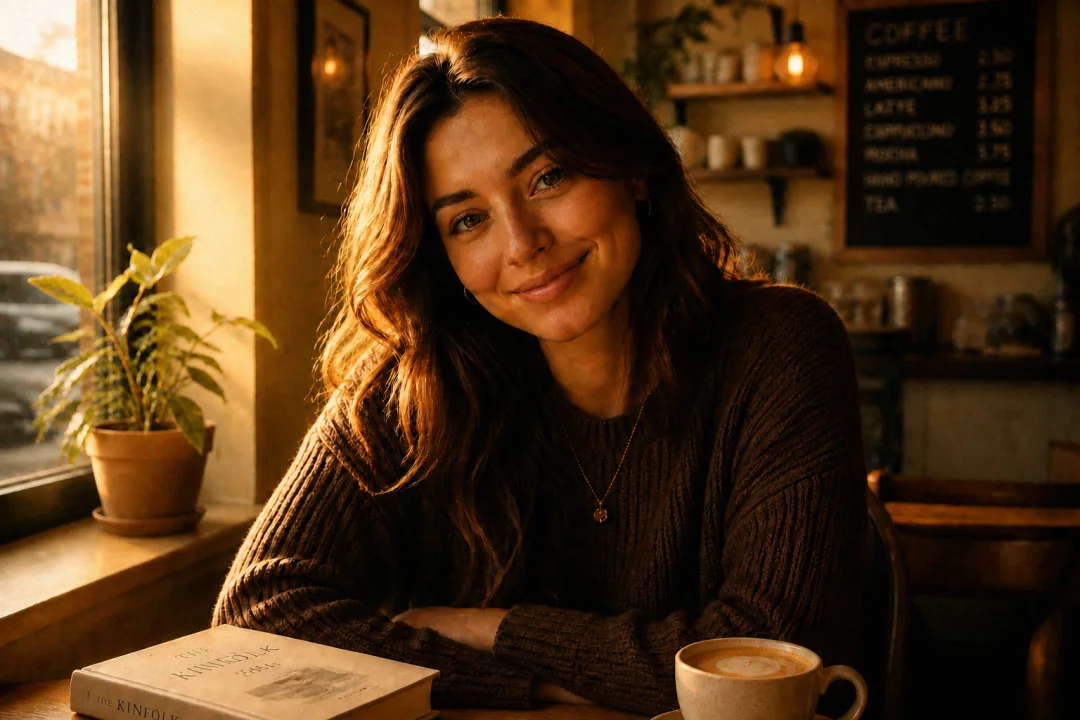
Golden Rules of Iteration:
| Principle | Description |
|---|---|
| Small Steps | Change only one element per round, evaluate before continuing |
| Repeat Anchors | Repeat core style descriptions in each iteration to prevent drift |
| Explicit Preserve | State "Keep everything else as is" in every round |
| Named References | Reference specific previously generated elements |
Iteration vs. One-shot Comparison:
| Method | Success Rate | Result Quality | Time |
|---|---|---|---|
| One-shot long prompt | ~40% | Uncontrollable | Short |
| Conversational iteration | ~85% | Precise and controllable | Medium |
| API edit endpoint | ~90% | Pixel-level precision | Longer |
6.9 Multi-Reference Fusion (Up to 16 Images)
GPT-Image-2's edit mode supports up to 16 reference images.
Reference Image Role Assignment Template:
Image 1: base scene to preserve — the original photo
Image 2: face reference — specific person to match
Image 3: outfit reference — clothing style to apply
Image 4: lighting reference — desired mood and light quality
Image 5: background reference — environment to composite
Image 6: color palette reference — brand colors

Instruction:
Use Image 1 for the base composition and pose.
Apply the face from Image 2, matching facial features exactly.
Dress the subject using the clothing style from Image 3.
Match the lighting mood from Image 4.
Replace the background with the environment from Image 5.
Apply the color palette from Image 6 as overall color grade.
Preserve: face identity, body shape, pose from Image 1.
No extra accessories, no text, no watermarks.
6.10 Project-Level Style Block Method
This is the most effective brand asset production method verified by the community in April 2026. Attach a unified project-level style constraint to each generation:
Project Style Block:
- Brand color palette: deep navy #0f172a, electric cyan #38bdf8, warm cream #fef3c7
- Typography: geometric sans-serif headlines, slab serif body
- Mood: clean, confident, slightly futuristic, never childish
- Constraint: no random people in background, no untitled UI elements
Use Cases:
- Brand material suite generation (Logo, business cards, menus, packaging, merch — all at once)
- E-commerce detail page full asset set (hero image + multi-angle + details + lifestyle + specs + comparison)
- Social media series content (maintaining brand visual consistency)
6.11 Five-Segment Prompt Structure Formula
Through extensive community testing, the following five-segment structure formula performs most consistently on GPT-Image-2:
[Use Case/Intent] + [Subject Description] + [Key Details] + [Exact Text] + [Constraints]| Segment | Content | Example |
|---|---|---|
| 1. Use Case | Tell the model what this image is for | An e-commerce product hero image for a luxury skincare brand's website |
| 2. Subject | Who/what is in the frame, actions, expressions | A frosted glass serum bottle with gold dropper cap, standing upright |
| 3. Key Details | Materials, lighting, environment, style | Soft diffused studio lighting, subtle water droplets, eucalyptus leaves |
| 4. Exact Text | If text appears, specify it precisely | Text: "HYDRA GLOW" in thin uppercase serif at bottom center |
| 5. Constraints | Limit the model's creative freedom | Constraints: exactly 1 product, no extra props, no watermarks |
6.12 Five Practical Principles for Chinese Prompts
GPT-Image-2 has excellent support for Chinese prompts. Based on 50+ test cases, these five principles significantly improve generation quality:
| Principle | Description | Example |
|---|---|---|
| 1. Specify Medium Type | Tell the model the physical format you want | "vertical long image" "VCD cover" "magazine cover" "boarding pass" |
| 2. Anchor Style Era | Provide era, country/region, cultural context | "1980s Hong Kong" "Soviet 1950s" "Republican era 1930s" |
| 3. Describe Core Visual Elements | Main subject/object + action + scene | "Worker raising hammer to smash gear labeled 'tomorrow'" |
| 4. Specify Text Content | Write out the exact text to render | Title "Deadly Code", subtitle "One thought heaven, one thought crash" |
| 5. Define Texture & Color | Material, base color, accent color, overall feel | "Rice paper base with vermillion accents" "Morandi blue palette" |
Key Discovery: GPT-Image-2 has powerful "world knowledge" — when you mention "New Yorker style" or "Xiaohongshu screenshot," the model already understands the full visual conventions behind these concepts.
6.13 Cost Optimization Strategies
GPT-Image-2 uses token-based pricing. High-quality generation costs add up.
Strategy 1: Tiered Quality Usage
| Use Case | Recommended Quality | Estimated Cost |
|---|---|---|
| Quick ideation / drafts | low |
Lowest |
| Social media daily content | medium |
Medium |
| E-commerce product hero images | medium |
Medium |
| Brand materials / print | high |
Higher |
| Dense text / infographics | high |
Highest |
Strategy 2: Batch Generation — Use n=4 to generate 4 variants in a single call, which is more efficient than 4 separate calls, saving approximately 18% cost.
Strategy 3: Preview → Final Workflow
Step 1: quality=low, n=4 → Select best composition
Step 2: quality=medium, n=1 → Confirm details
Step 3: quality=high, n=1 → Final output
Strategy 4: Low-Res Generation + External Upscaling — For most use cases, generating at 1024px combined with professional upscaling tools (like Topaz Gigapixel) is more economical than direct 2048px generation with comparable quality.
6.14 Multi-Platform Adaptation Tips
When the same visual content needs to fit multiple platforms, don't crop — let GPT-Image-2 regenerate.
Same-Session Multi-Ratio Workflow:
Round 1: "Product hero image for Instagram feed. Centered composition, clean white background. Aspect ratio 1:1."

Round 2: "Same product, same setting, same lighting. Adapt to vertical Stories format with space at top for text overlay. Aspect ratio 9:16."

Round 3: "Same product and style. Adapt to LinkedIn banner format with space on right for headline text. Aspect ratio 16:9.| Platform | Best Ratio | Key Prompt Addition |
|---|---|---|
| Instagram Feed | 1:1 or 4:5 | Clean centered composition |
| Instagram Stories | 9:16 | Safe zone for text at top and bottom |
| Xiaohongshu | 3:4 or 9:16 | Aesthetic lifestyle feel, warm color grading |
| 16:9 | Professional corporate style, space for headline |
|
| Twitter/X | 16:9 | Bold visual impact, readable at small size |
| YouTube Thumbnail | 16:9 | High contrast, expressive face or product |
| WeChat Cover | 2.35:1 | Wide panoramic, text-safe area on left third |
6.15 Image-to-Image Workflow
Scenario 1: Style Transfer
Reference image: A brand's existing product photo (desired style and lighting)
Prompt: Generate a new product image of [new product] in the same style, lighting, and composition as the reference image. Match the color palette, shadow softness, and background treatment exactly.
Scenario 2: Scene Variations
Reference image: A product scene photo
Prompt: Create 4 variations of this product scene. Keep the product placement and lighting identical. Change only: 1) Spring garden background, 2) Autumn forest background, 3) Winter snow background, 4) Summer beach background.
Scenario 3: Line Art to Color
Reference image: Hand-drawn sketch or line art
Prompt: Turn this drawing into a photorealistic landscape image. Preserve the exact layout, horizon line, path placement, tree positions, and overall perspective. Use realistic natural materials and golden hour lighting. No people, no buildings, no text.
Scenario 4: Photo to Illustration
Reference image: A photograph
Prompt: Convert this photo into a flat vector illustration style. Preserve the composition and all key elements, but simplify shapes, use limited color palette of 6 colors, clean outlines, no gradients, no photorealistic textures.
6.16 Five Common Prompt Writing Mistakes (Pitfall Guide)
| Mistake | Bad Example | Correct Approach |
|---|---|---|
| Empty Praise | "Beautiful, stunning, cinematic, masterpiece" | Warm orange sidelight from camera left, long shadows, subtle lens flare |
| Back-loading Priority | Putting style descriptions at the end | Put style, subject, and atmosphere at the beginning |
| No Text Constraints | Writing "poster title XXX" without quotes | Wrap in quotes + Render this text verbatim |
| Ignoring Negative Prompts | Only describing what you want | Add Constraints: no extra text, no watermarks |
| Pursuing Perfection in One Shot | Writing ultra-long prompts | Generate a base image first, then iterate conversationally |
6.17 API Developer Guide
Endpoints & Model:
- Generation endpoint:
images.generate, model:gpt-image-2 - Edit endpoint:
images.edit, model:gpt-image-2 - Supported formats: PNG, JPEG, WebP
- Maximum resolution: 2048×2048 (4K up to 4096×4096)
- Batch generation:
n=1~8parameter, up to 8 coherent images per call
Edit API Mask Specification:
- Mask must be PNG format, dimensions must exactly match original image
- Transparent pixels = edit area, opaque pixels = preserve area
- Mask edges should be anti-aliased, 10-15px larger than actual edit area
Async Architecture Recommendation:
User Request → Task Queue → Worker Node → Generate Image → Store in Object Storage → Notify UserError Handling Code Pattern:
import openai
import time

def generate_with_retry(prompt, max_retries=3):
    for attempt in range(max_retries):
        try:
            response = client.images.generate(
                model="gpt-image-2", prompt=prompt, n=1, size="1024x1024"
            )
            return response.data[0].url
        except openai.RateLimitError:
            time.sleep((2 ** attempt) * 5)
        except openai.APITimeoutError:
            time.sleep(10)
        except openai.ContentPolicyViolationError as e:
            log_violation(prompt, str(e))
            raise
Security Notes:
- OpenAI returned image URLs are temporary — immediately save to your own object storage
- Implement per-user spending limits to prevent unexpected high bills
- Add prompt injection protection for user inputs
- Add a content moderation layer on output
7. Ten Tested New Scenes: Viral Use Cases
Part 1 covered 18 classic scenes (Prompt 1-134). This chapter adds ten community-tested new scenes with 50+ brand new prompts.
These scenes come from real-world testing in April-May 2026, covering infographics, vintage posters, magazine covers, social screenshots, product launch posters, kawaii guides, fantasy maps, vintage prints, app UI mockups, and creative carriers.
All prompts have been tested and verified — copy and use directly.
7.1 New Scene 1: Infographic Long Images — The Ultimate Test of Chinese Text Density
Scene Guide: Infographic long images are the most直观 demonstration of GPT-Image-2's generational leap. Stably outputting hundreds of Chinese characters in a vertical long image while maintaining font hierarchy, spacing alignment, color coordination, and modular layout is something previous models completely couldn't do.
Pro Tip: The core structure is [medium: vertical long image] + [topic] + [section structure] + [content list per section] + [color scheme] + [texture description]. Master this template, and any topic can become a beautiful long image.
Prompt 135: Regional Chinese Breakfast Showcase
画一张竖版长图,主题「中国地方早餐大赏」。顶部大字标题配一张冒热气的手绘插画,下方用网格把豆浆油条、胡辣汤、生煎、肠粉、热干面、牛肉粉等十二种早餐分类展示,每种配小插画、起源地、关键食材、吃法口诀。米黄底配暖棕色,整体像设计师做的印刷品。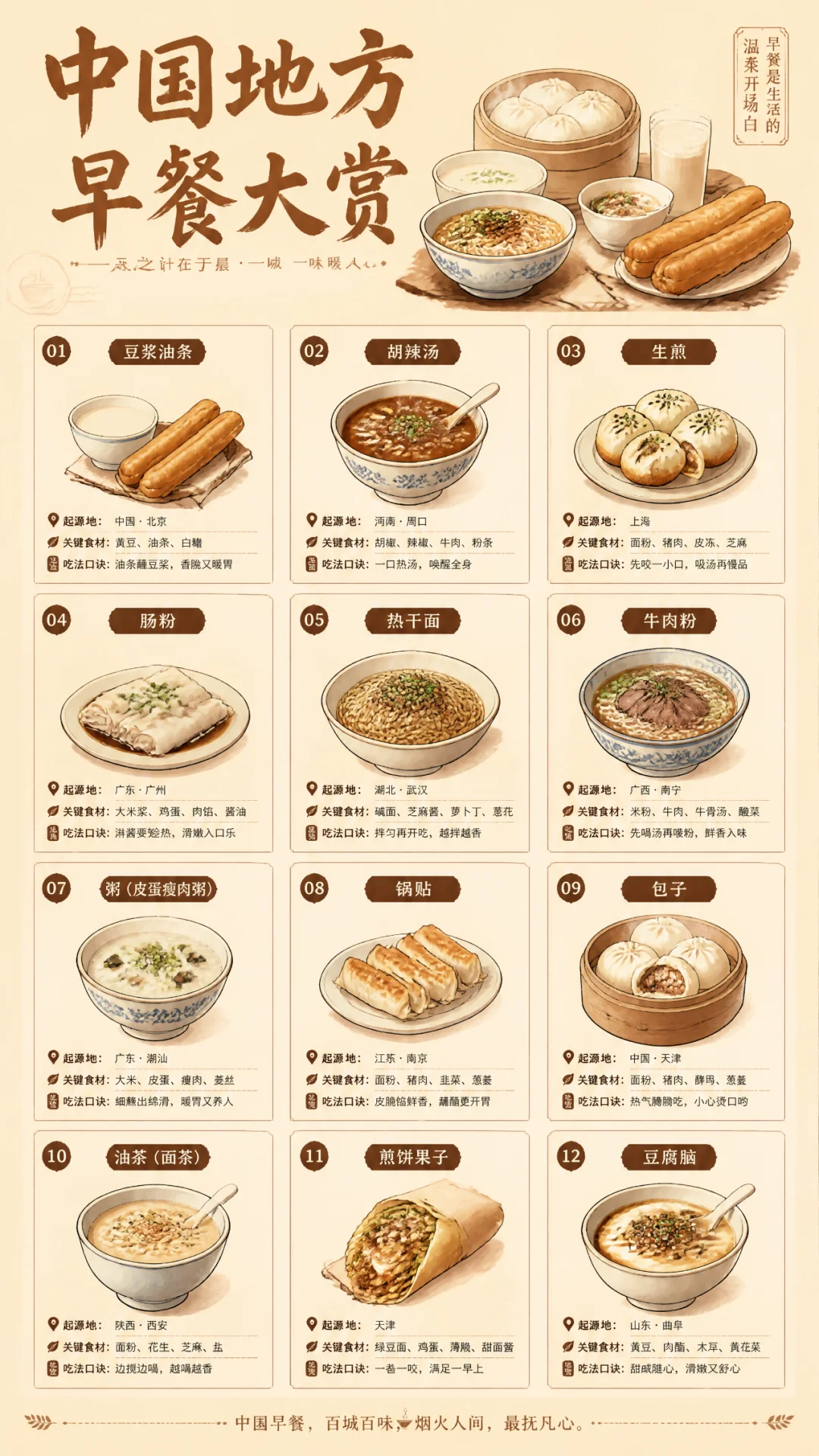
Prompt 136: Complete Camping Gear Checklist
画一张竖版「露营装备完全清单」信息图,分睡眠、烹饪、照明、收纳、应急五个模块,每个模块列七到八件具体装备,配小图标和入门友好度星级。卡其绿主色,纸质感底图。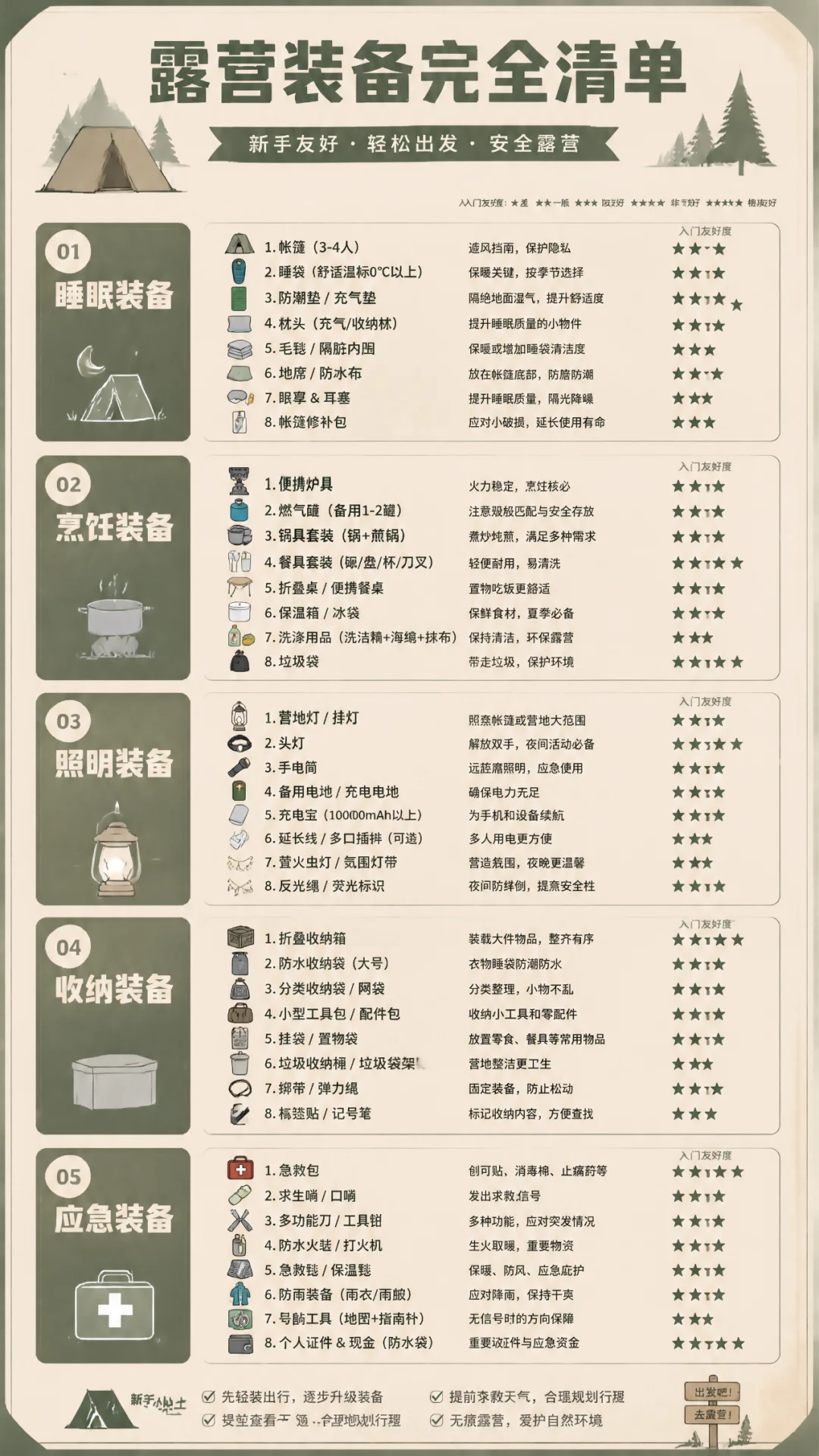
Prompt 137: Sleep Quality Self-Test Infographic
画一张「睡眠质量自测长图」,顶部是入睡时间、夜醒次数、做梦频率三个自测表,中部列九种常见睡眠问题对号入座,底部是睡前仪式清单。莫兰迪蓝配色,像一份体检报告的设计感。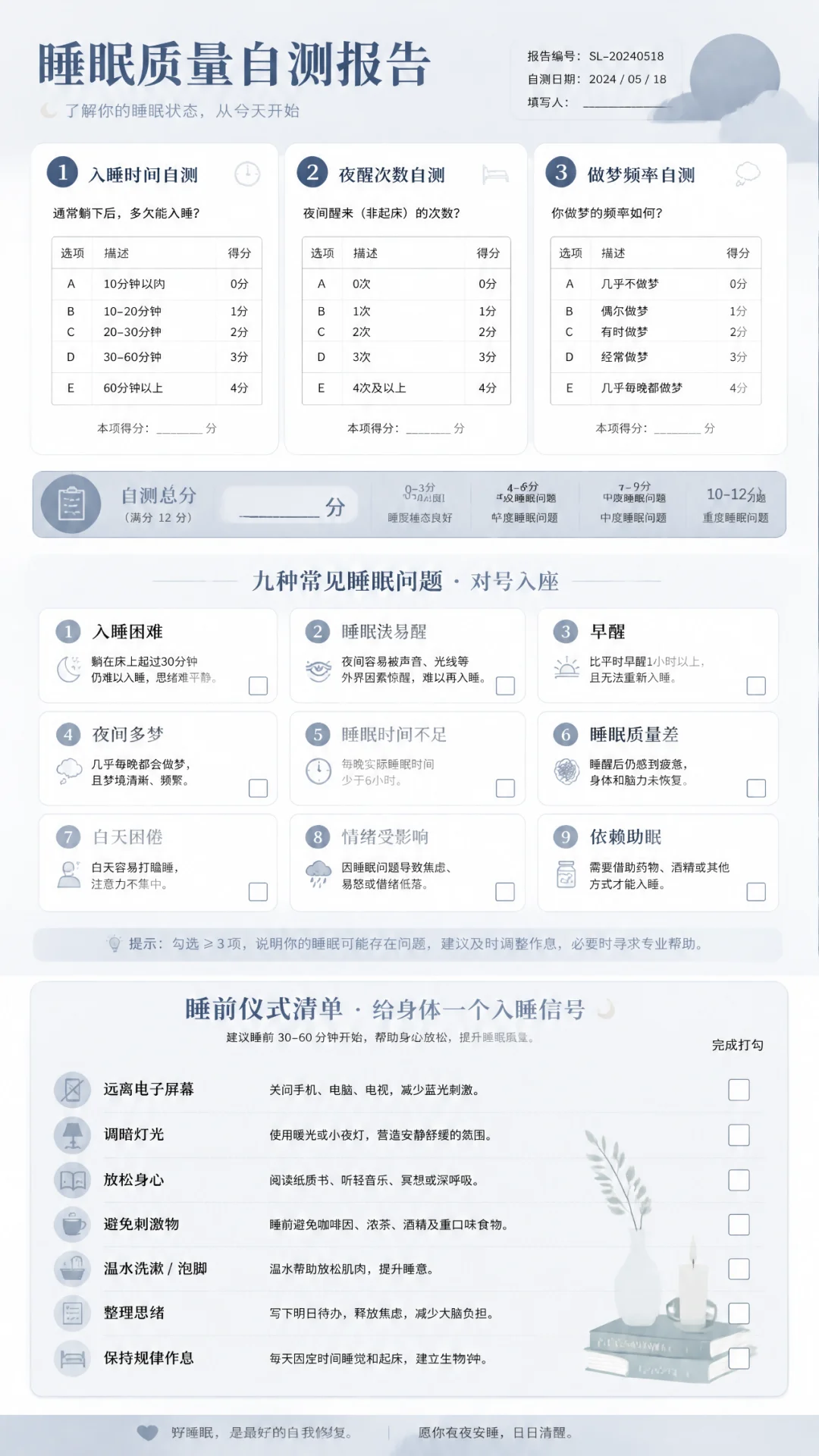
Prompt 138: Chinese Noodle Family Tree
画一张「中式面食家族图谱」竖版长图,像族谱一样展示北方面、南方面、西部面、沿海面四大分支,每支再延伸五到六种面食,配手绘面碗插画。宣纸底色加朱红点缀。
Prompt 139: 24 Solar Terms Outfit Guide
画一张「二十四节气穿搭指南」长图,横向时间轴贯穿整图,每个节气一个小人偶展示当日穿搭,标注气温范围、材质建议、配饰点睛。浅米色底配二十四种渐变色。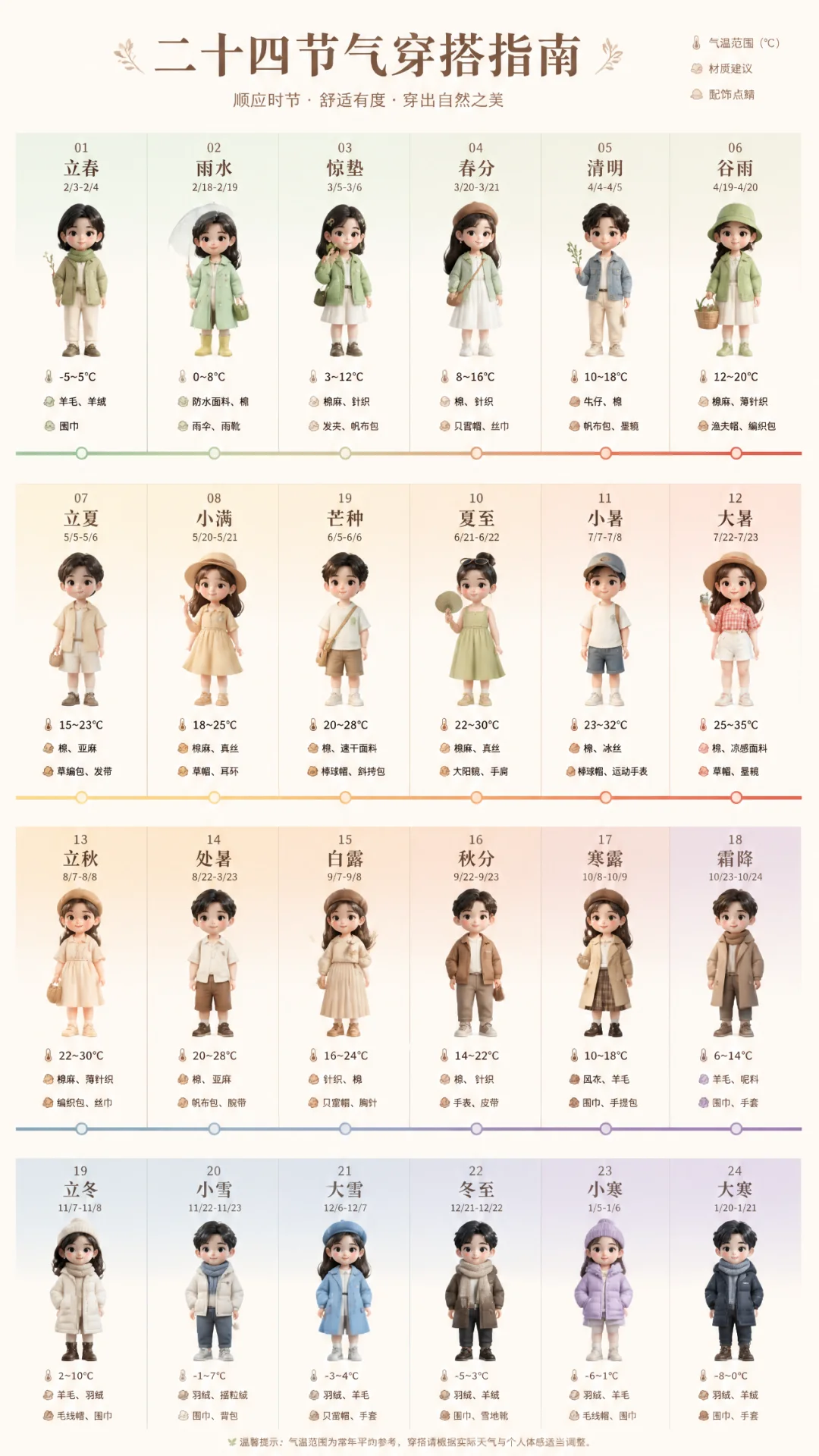
7.2 New Scene 2: Vintage Movie Posters — Period Atmosphere & Style Transfer
Scene Guide: Generate Chinese posters for classic films, requiring accurate reproduction of the film's style, era atmosphere, and precise rendering of title, cast, director, and other text. GPT-Image-2 can match poster design styles from different eras.
Pro Tip: The core structure is [era] + [country/region] + [medium type] + [title] + [protagonist description] + [background] + [subtitle/copy] + [texture description].
Prompt 140: Italian Western Poster
画一张60年代意大利西部片电影海报,标题《赏金Prompter》。主角是一个叼着雪茄穿着风衣的牛仔手里握着一卷羊皮纸,背景是被风沙吹过的荒漠小镇,副标题「一句提示词 十万赏金」,底部导演编剧列表用意大利语呈现,整体手绘油画质感。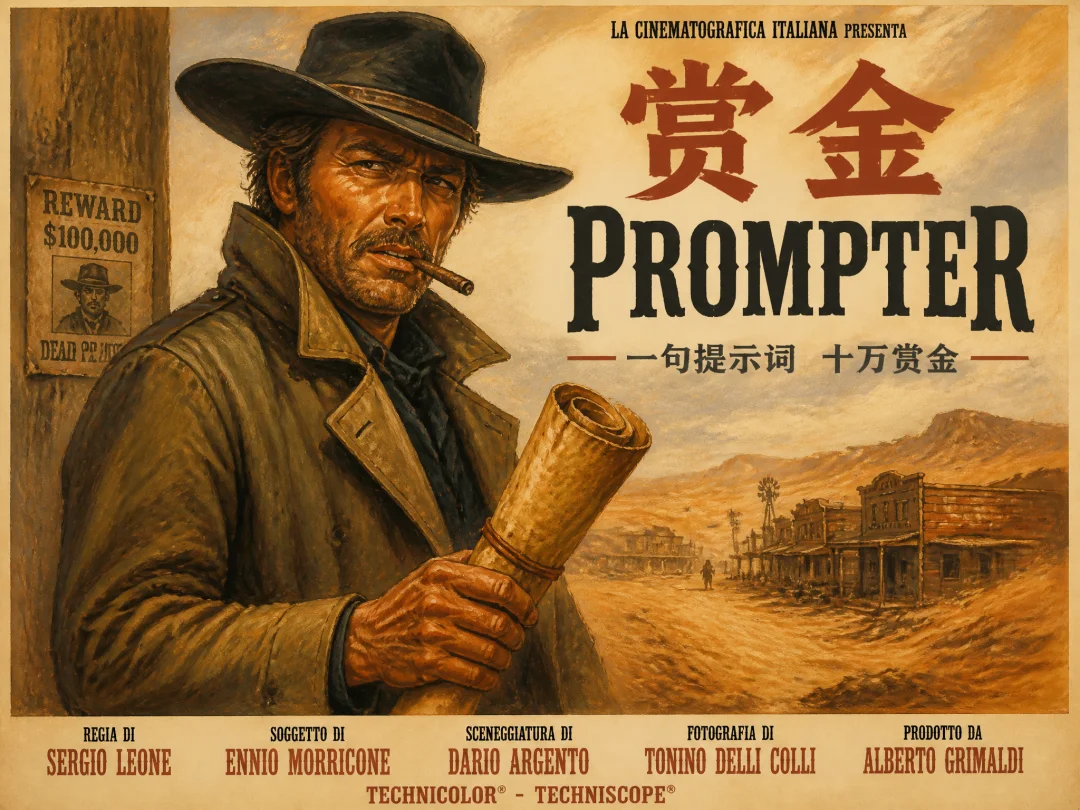
Prompt 141: 1980s Hong Kong Crime Film VCD Cover
画一张80年代港产警匪片VCD封面,标题「夺命代码」。主角戴墨镜穿西装一手握电脑一手持枪,背景爆炸火光和城市夜景。粤语副标题「一念天堂 一念死机」,右下角写满发行信息,四角略微磨损。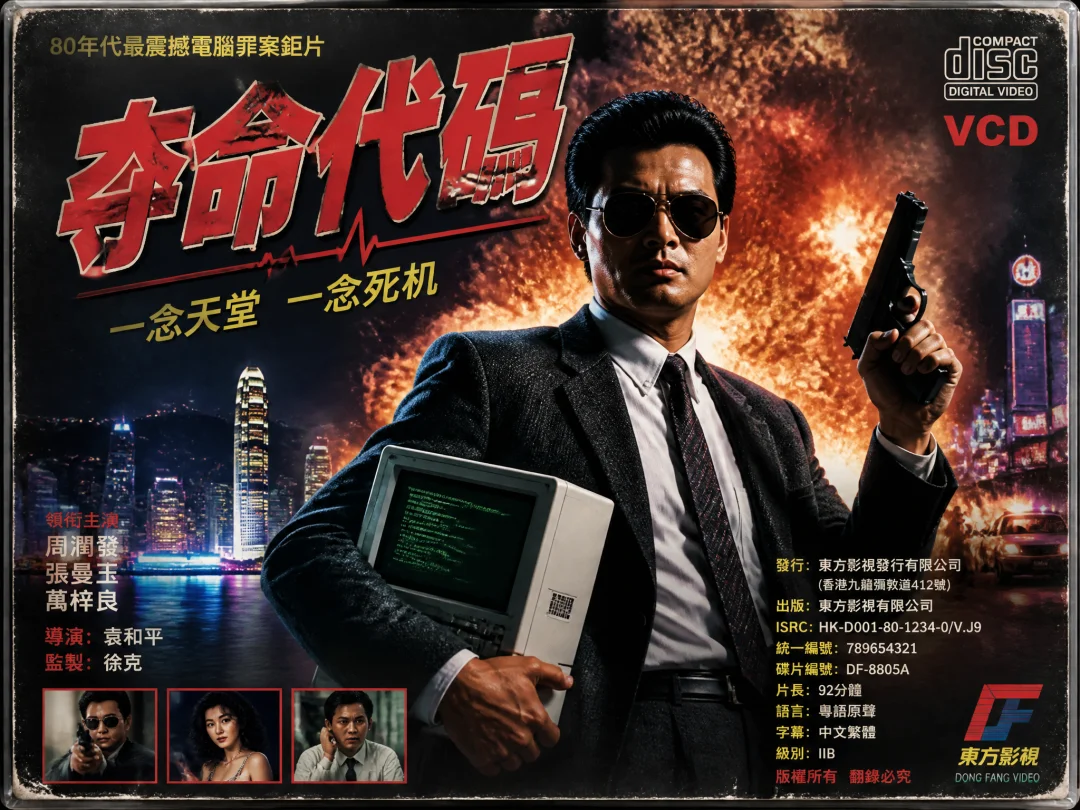
Prompt 142: Soviet Revolutionary Propaganda Poster
画一张苏联1950年代革命宣传海报,主题「向拖延症宣战」。红色背景,一位工人高举锤子砸向标着「明天再说」的齿轮,俄式粗体大字标语贯穿上下,底部镰刀锤子徽记。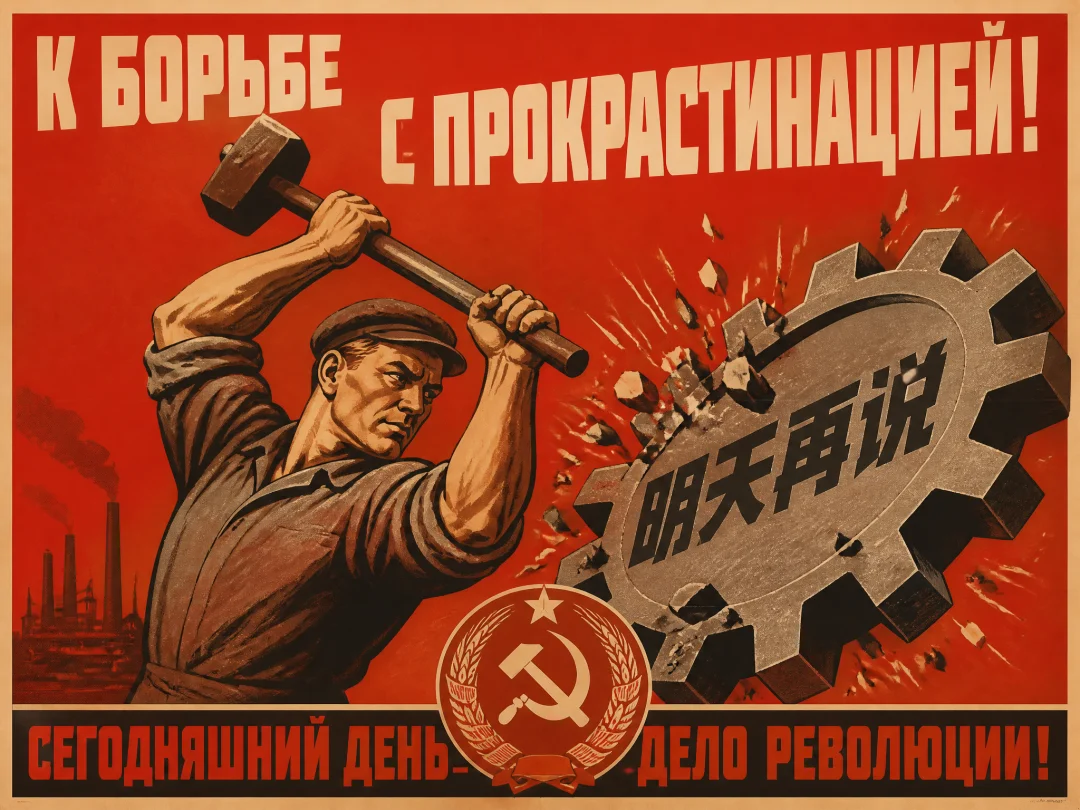
Prompt 143: Old Shanghai Calendar Advertisement
画一张老上海月份牌广告海报,一位旗袍美女半倚藤椅手捧一台发光的打字机,屏幕飘出彩色文字,背景石库门弄堂。顶部横幅四个大字「文思泉涌」,下方民国纪年和小字商号。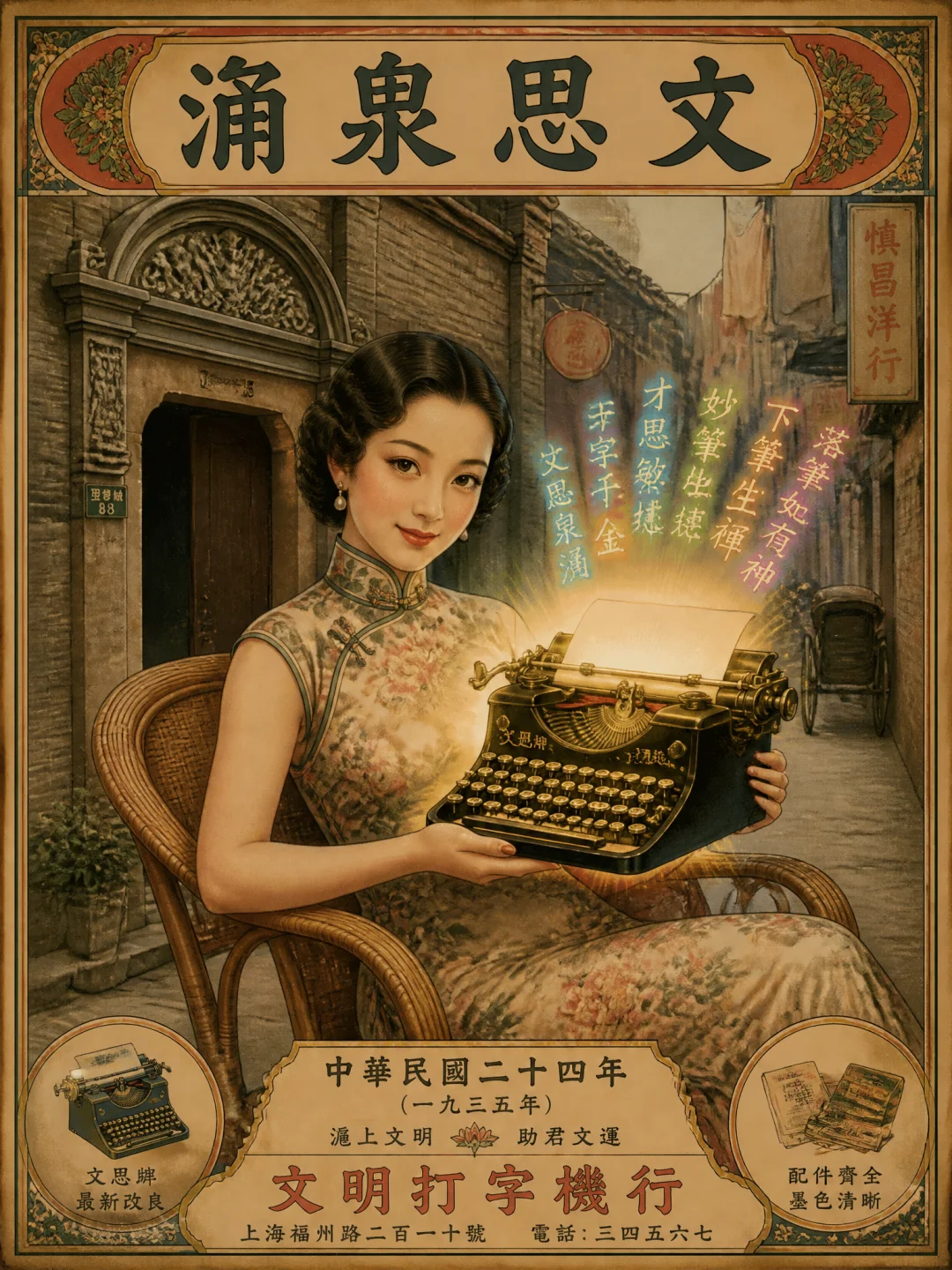
Prompt 144: Republican-Era Newspaper Front Page
画一张民国三十年代报纸头版扫描件,竖排繁体。头条「西洋奇术东渐 沪上学界议论纷纭」,副标题讲一个叫「机器脑」的玩意儿能作诗答题。右上天气农历,版面还有戏院广告、药铺广告、寻人启事,整体泛黄纸质感。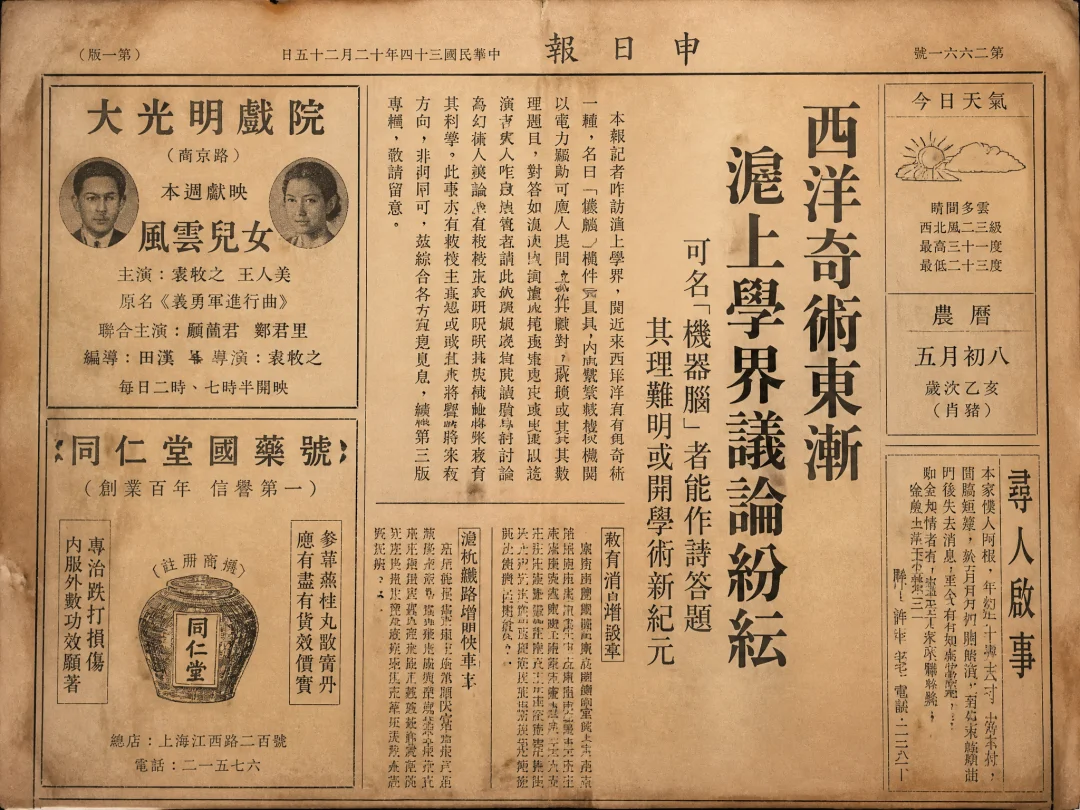
7.3 New Scene 3: Magazine Covers — Complex Layout & Multilingual Typesetting
Scene Guide: Fashion magazine covers require handling multilingual titles, subtitles, issue numbers, barcodes, and other complex elements. GPT-Image-2 generates magazine covers with accurate Chinese-English mixed typesetting and professional layout design.
Pro Tip: The core structure is [magazine type] + [cover person/subject] + [title layout] + [issue info] + [style tag].
Prompt 145: VOGUE Fashion Cover
画一张时尚杂志封面,整体风格模仿VOGUE。封面人物是一位穿着高定礼服的亚洲女性模特,优雅地侧脸看向镜头。大标题用英文衬线字体写着「THE NEW ELEGANCE」,底部小字排布着多期专题预告。整体色调偏暖金色,背景简洁干净,时尚大片质感。Prompt 146: National Geographic Cover
画一张模仿《国家地理》杂志的经典封面。中央是一张极具视觉冲击力的自然摄影作品:一只雪豹在 Himalaya 山脉的悬崖上凝视镜头。顶部有标志性的黄色矩形框,里面写着杂志名「NATIONAL GEOGRAPHIC」。底部排布本期专题标题「最后的雪豹」,排版疏朗大气,纪实摄影风格。整体充满探索与荒野气息。Prompt 147: Tech Magazine Cover
画一张科技杂志封面,风格模仿Wired。中央是一个充满未来感的概念图:一个由发光数据流构成的人形轮廓。大标题用粗体无衬线字体写着「THE AI ERA」,副标题「How Generative Models Are Reshaping Reality」。封面整体以深蓝色和电光紫为主色调,带有强烈的赛博朋克和数字艺术风格。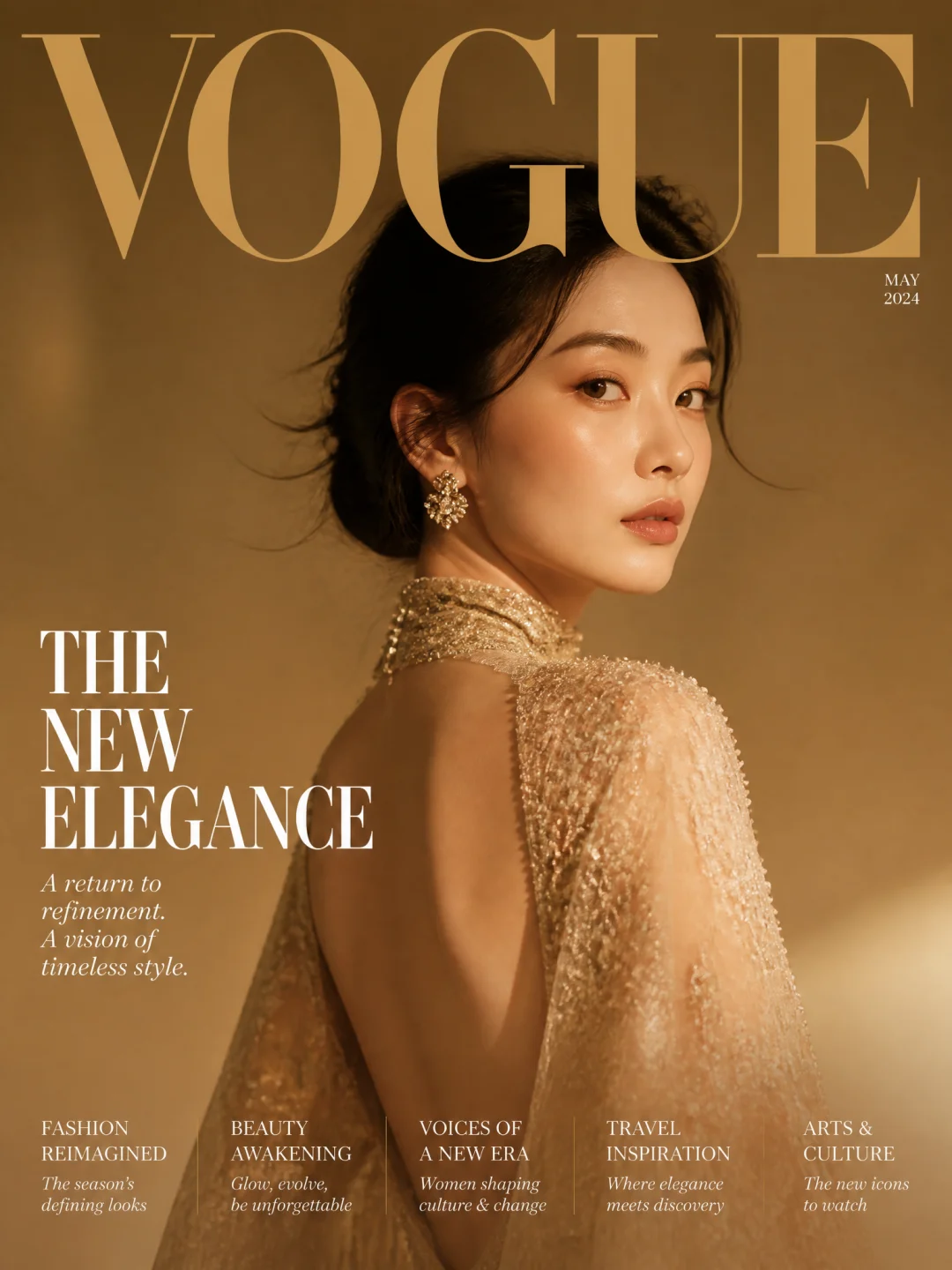
Prompt 148: Food Magazine Cover
画一张高端美食杂志封面,风格类似Bon Appetit。封面中央是一个极具诱惑力的特写镜头:一块完美切开的和牛牛排,汁液丰富,旁边点缀着粗盐和迷迭香。大标题写着「THE ART OF STEAK」,底部排列着本期其他美食专题的标题,排版精致,色彩饱和,充满食欲和高级感。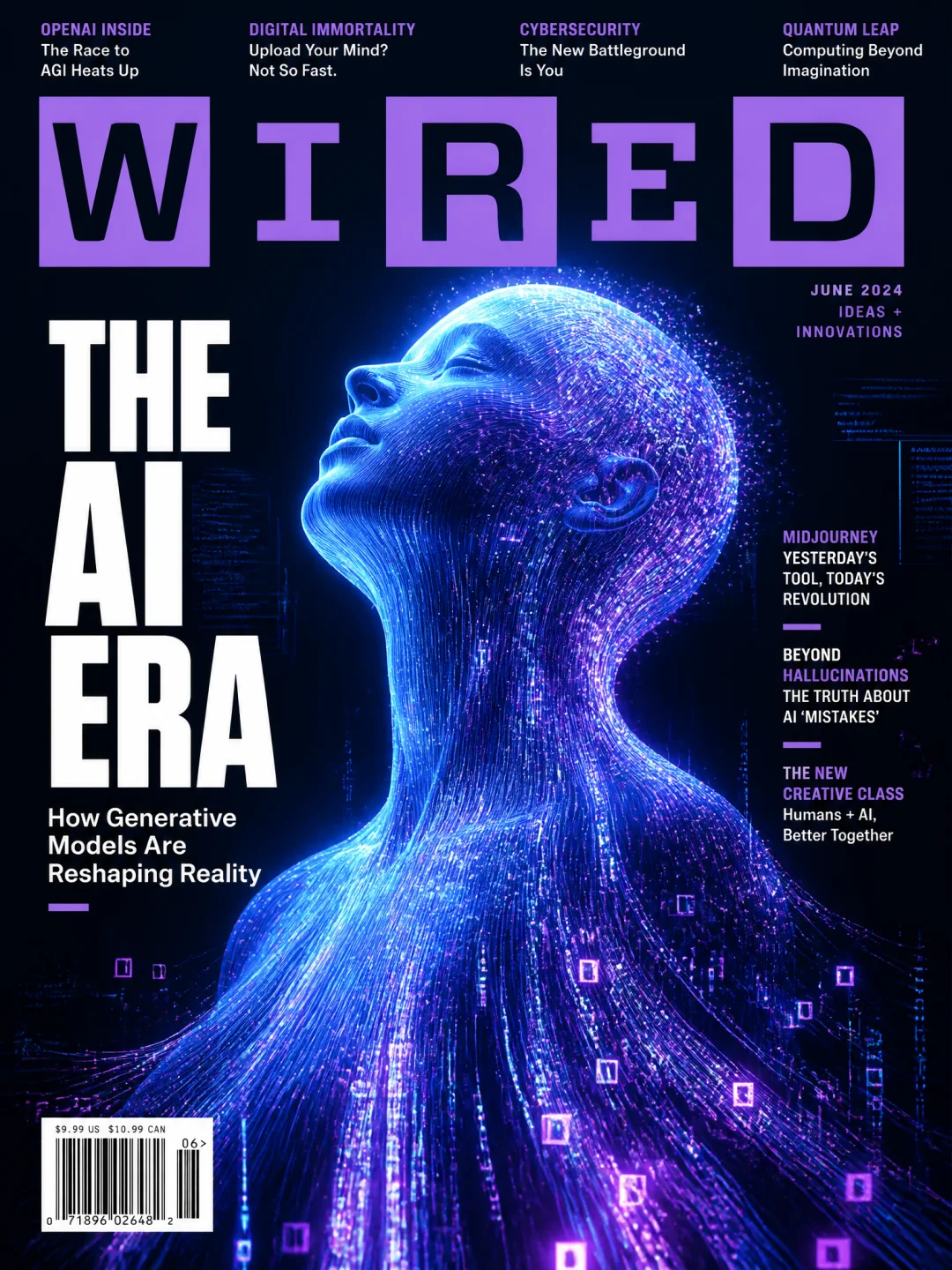
Prompt 149: Lifestyle Magazine Cover
画一张生活方式杂志封面,风格模仿Kinfolk。封面主体是一个极简优雅的室内场景:一张木质餐桌上放着一杯咖啡、一本打开的书和一支钢笔,旁边有一盆龟背竹,阳光透过白色纱帘洒进来。标题「SLOW LIVING」用优雅的衬线字体呈现,整体色调温暖、柔和,充满宁静和治愈感。7.4 New Scene 4: Social Media Screenshots — High-Fidelity Multi-Platform UI
Scene Guide: The difficulty of generating social platform screenshots lies in the precise reproduction of UI details — button placement, tab styles, data formats, avatar layout, dark mode color schemes.
Pro Tip: The core structure is [platform name] + [interface type] + [content description] + [UI element requirements] + [data details] + [mode requirements].
Prompt 150: Xiaohongshu Note Screenshot
画一张小红书笔记截图,标题「救命!让Sam Altman帮我改简历真的会变强吗?」。九宫格配图是ChatGPT对话截图和OMG表情,正文带大量emoji和「#打工人 #AI神器 #求职」话题标签,右下收藏点赞按钮齐全。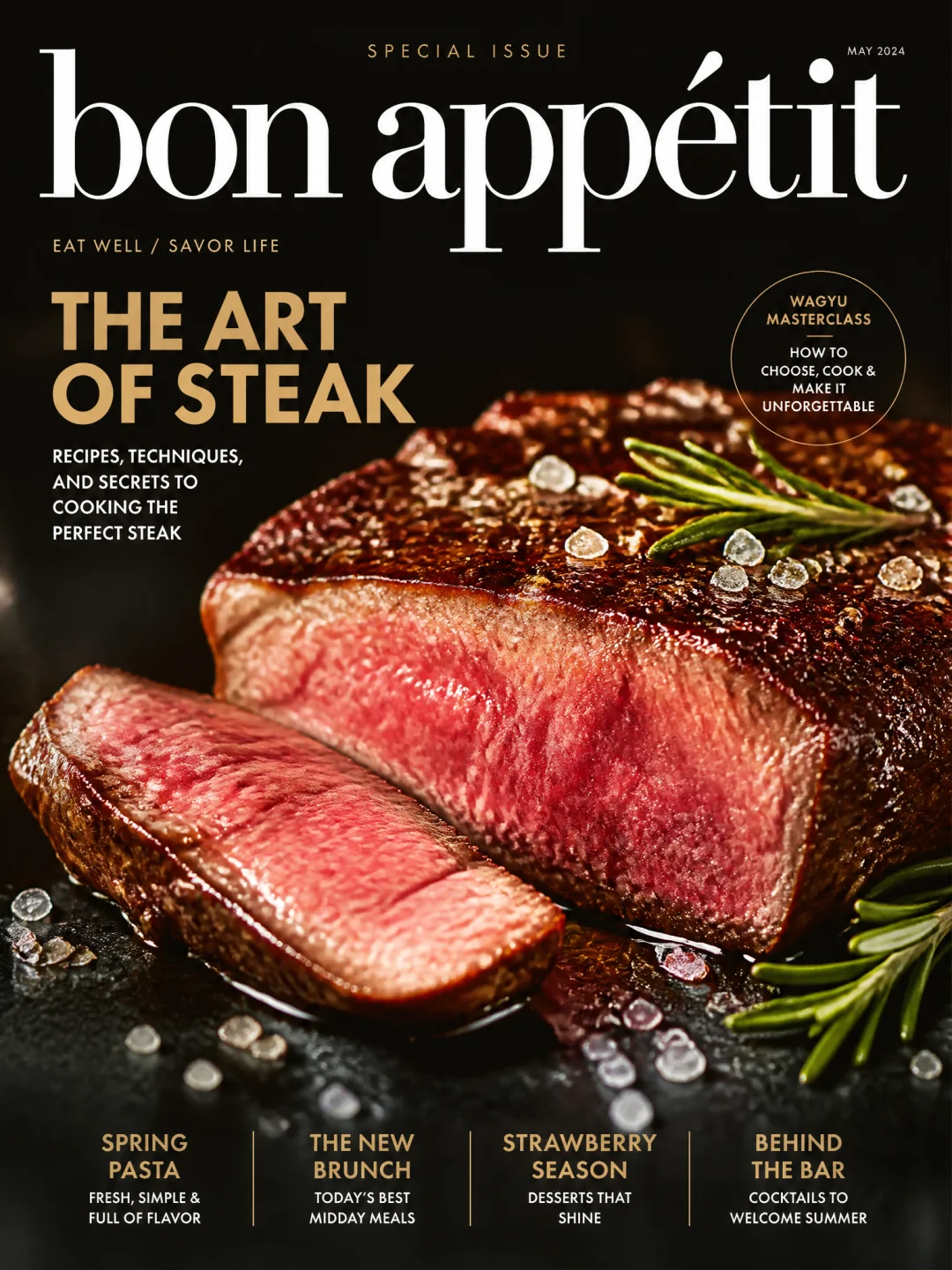
Prompt 151: Douyin Short Video Cover
画一张抖音短视频封面,大字标题占满左半屏「我让AI演我妈唠叨 笑到邻居报警」。右侧主播笑到飙泪的夸张表情大头照,左下点赞数328万,右下话题「#AI整活 #笑不活了」。Prompt 152: X (Twitter) Tweet Screenshot
画一张X推文截图,Sam Altman蓝勾认证发了一句「going to bed. agi can wait.」。下方一万多转发八万多点赞,最热评回复「it literally cannot」,深色模式界面。Prompt 153: Weibo Hot Search Screenshot
画一张微博热搜榜截图,前十条热搜。第一条「马斯克又发推了」带「爆」字标,第三条「GPT把我作业写成文言文」带「沸」字标,第五条「奥特曼和马斯克隔空互怼」带「热」字标,顶部搜索框和底部导航栏完整。Prompt 154: WeChat Moments Screenshot
画一张微信朋友圈截图,好友「产品经理阿杰」发了一张AI生成的绝美风景图,配文「用GPT-Image-2做了一张海报,老板说要给我加薪[狗头]」。评论区有5条互动,有人发「求教程」有人发「这也太强了吧」。整体界面符合微信UI规范,深色模式,底部有「赞」和「评论」按钮。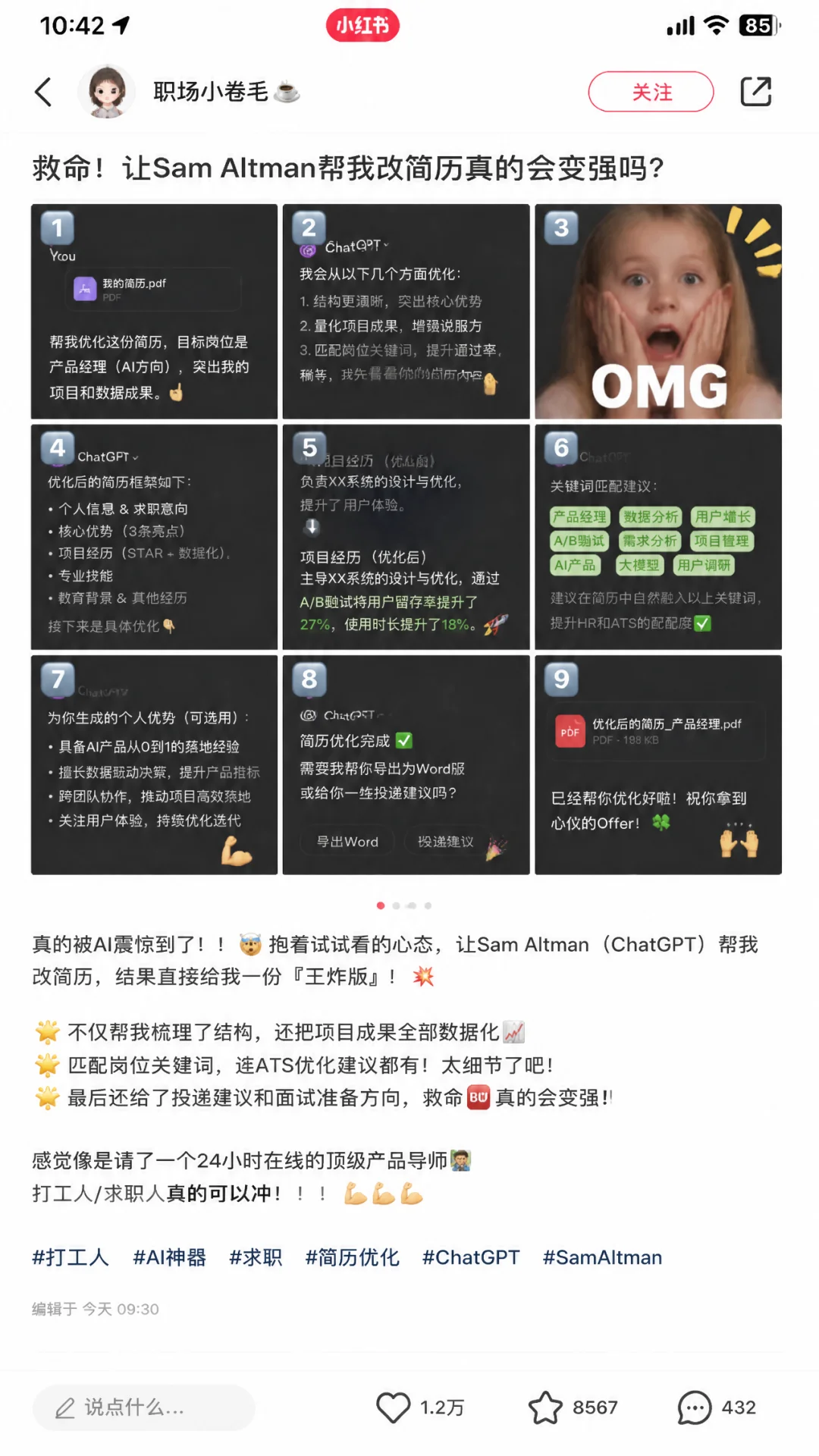
7.5 New Scene 5: Product Launch Posters — Precision Brand Tone
Scene Guide: Product launch posters need to accurately reproduce brand tone while maintaining creativity. GPT-Image-2 has extremely precise understanding of Apple, Tesla, and other brands' visual languages.
Pro Tip: The core structure is [brand reference] + [product description] + [headline copy] + [specs/slogan] + [style tag].
Prompt 155: Apple-Style Minimalist Poster
画一张苹果发布会风格的极简海报,深灰背景。居中一行无衬线白字「Think. Slower.」,下方一行小字「A meditation cushion. By Apple.」,左下角被咬一口的苹果logo,整体留白极多。Prompt 156: Tech Product Launch Poster
画一张虚构新品发布海报,橙色渐变背景。中央一台透明悬浮的未来感音箱,标题「听见未来」,右侧三行参数列表,底部一句slogan「为聆听而生」,整体科技感拉满。Prompt 157: Tesla-Style Product Poster
画一张特斯拉风格的产品发布海报,深色科技感背景带星光粒子。Elon Musk身穿黑色T恤站在画面左侧右手摊开示意,右侧一台银白色Optimus Gen 3人形机器人并肩而立。顶部大字「OPTIMUS GEN 3」,副标题「Almost human. Built in America.」。下方三列参数对照,右下角一个「PRE-ORDER」按钮。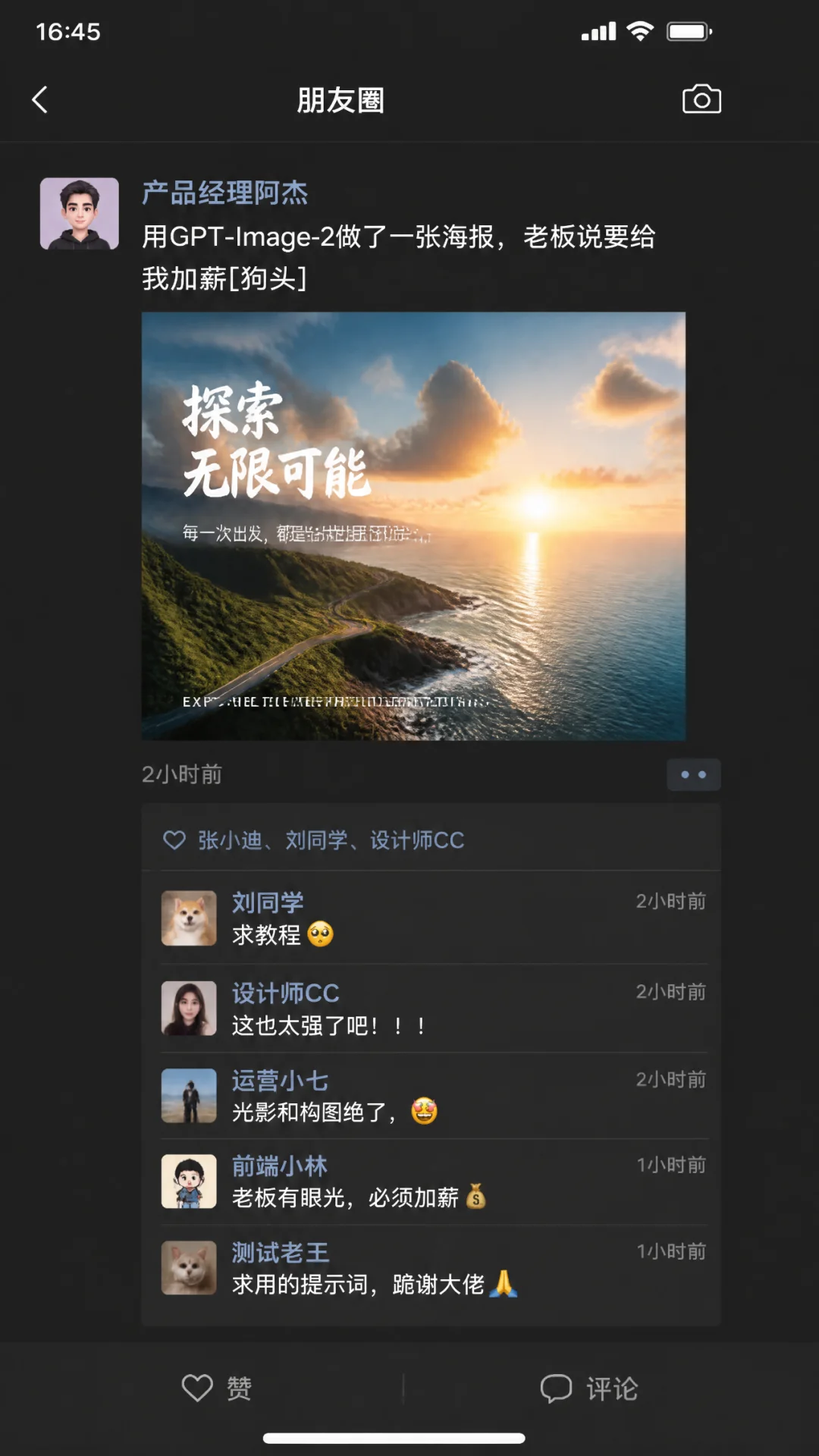
Prompt 158: Chinese Street Art Toy Showcase
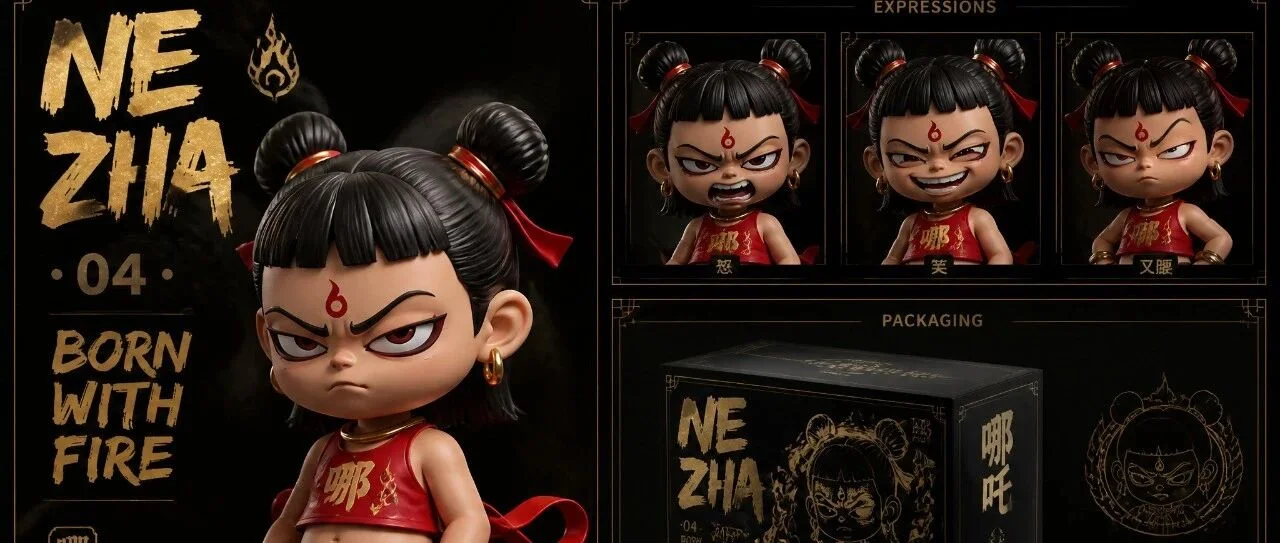
画一张Dirty Harbor Toys风格的国潮潮玩收藏品六宫格展示图,暗色背景金色烫印文字。主图位置一个哪吒Q版潮玩公仔桀骜表情,穿改良版红色肚兜搭配嘻哈宽松裤和红白球鞋。右上三联表情特写(怒、笑、叉腰)。中间是黑金配色产品包装盒设计。右下是配件展示。左上大字「NE ZHA · 04 · BORN WITH FIRE」。
Prompt 159: Coffee Brand New Product Poster
画一张精品咖啡品牌「山地咖啡」的新品发布海报。画面主体是一只手工陶瓷咖啡杯,杯中咖啡液面呈现精致的树叶拉花。背景是雾气缭绕的高海拔咖啡种植园。标题「海拔1800米的风味」用手写风格字体呈现,底部标注产地信息和风味描述(柑橘、焦糖、黑巧克力)。整体色调温暖,以大地色和深绿色为主,质感高级,带有手工匠人的温度感。7.6 New Scene 6: Kawaii Guides — Illustration Consistency & Multi-Panel Narrative
Scene Guide: The core challenge of multi-panel cartoon guides is "consistency" — the character design must not collapse across panels, while expressions and actions must differ in each one. GPT-Image-2's character locking feature plays a key role here.
Pro Tip: The core structure is [guide theme] + [number of panels] + [content list per panel] + [style tag] + [color scheme].
Prompt 160: Cat Personality Classification Guide
画一张「猫咪性格分类图鉴」萌系手绘信息图,九宫格九种不同花色的猫咪。每格配一句性格关键词、日常行为描述、互动建议,暖色系水彩风。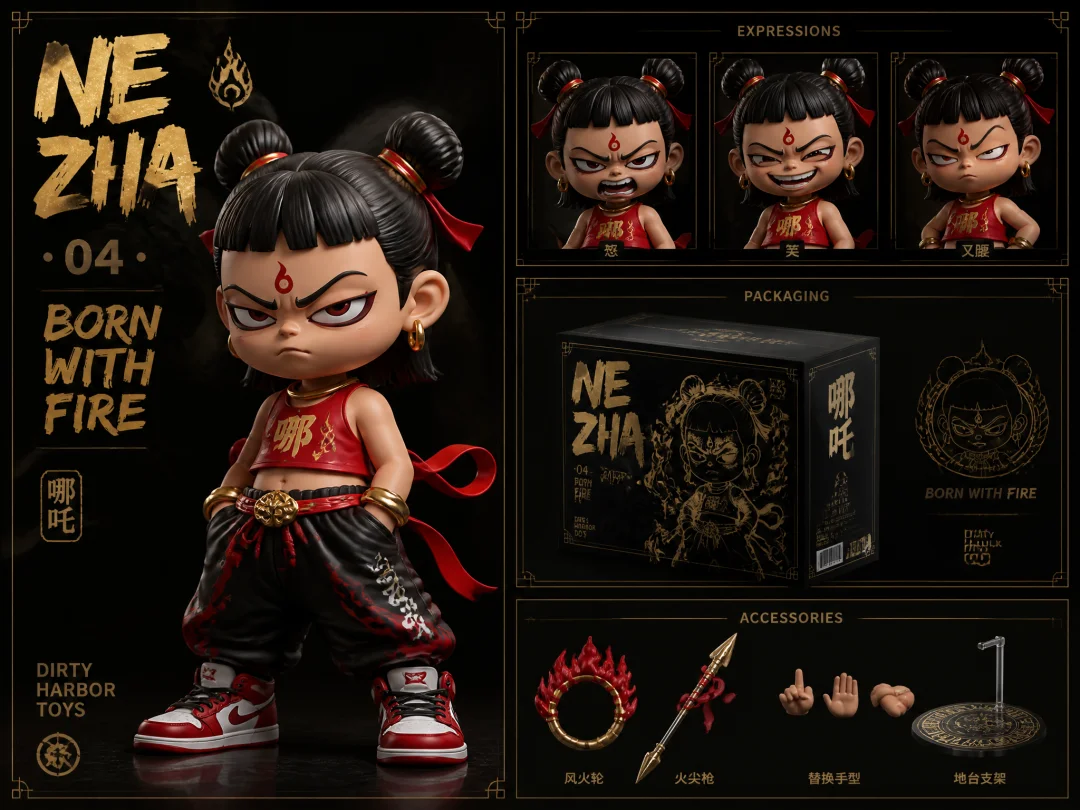
Prompt 161: Adult Bedtime Procrastination Guide
画一张「成年人睡前拖延图鉴」Q版漫画,十二宫格从「再刷五分钟手机」一路拖到「干脆不睡了」。每格一个黑眼圈小人偶和一句内心OS,粉色暖黄配色。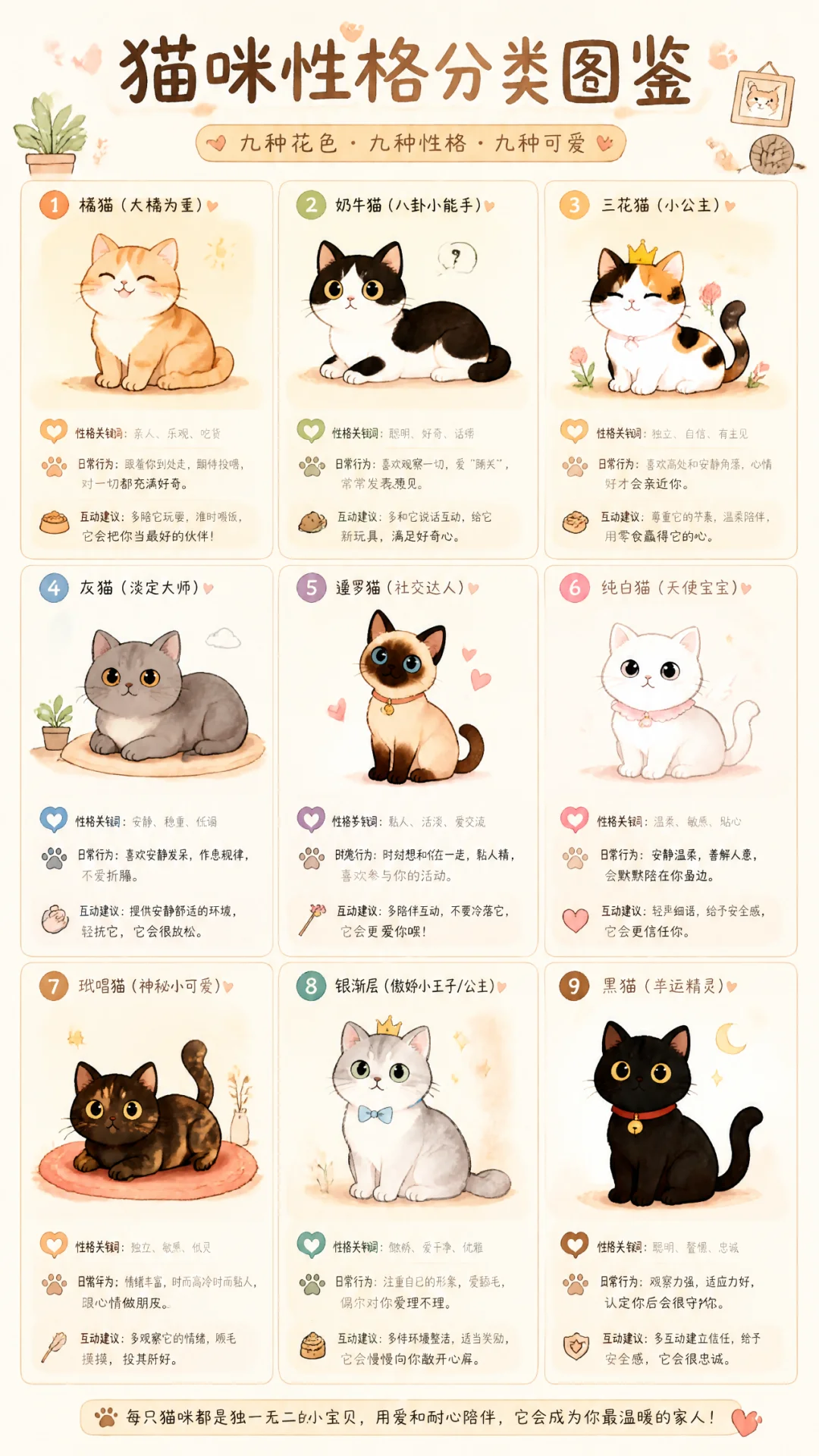
Prompt 162: Six Chinese City Personification Guide
画一张「中国六大城市性格拟人图鉴」萌系手绘,六宫格六个Q版小人分别代表北京、上海、深圳、杭州、成都、广州。每格配性格标签、招牌台词、雷达图(节奏、美食、天气、房价、包容度五个维度),整体像精灵图鉴。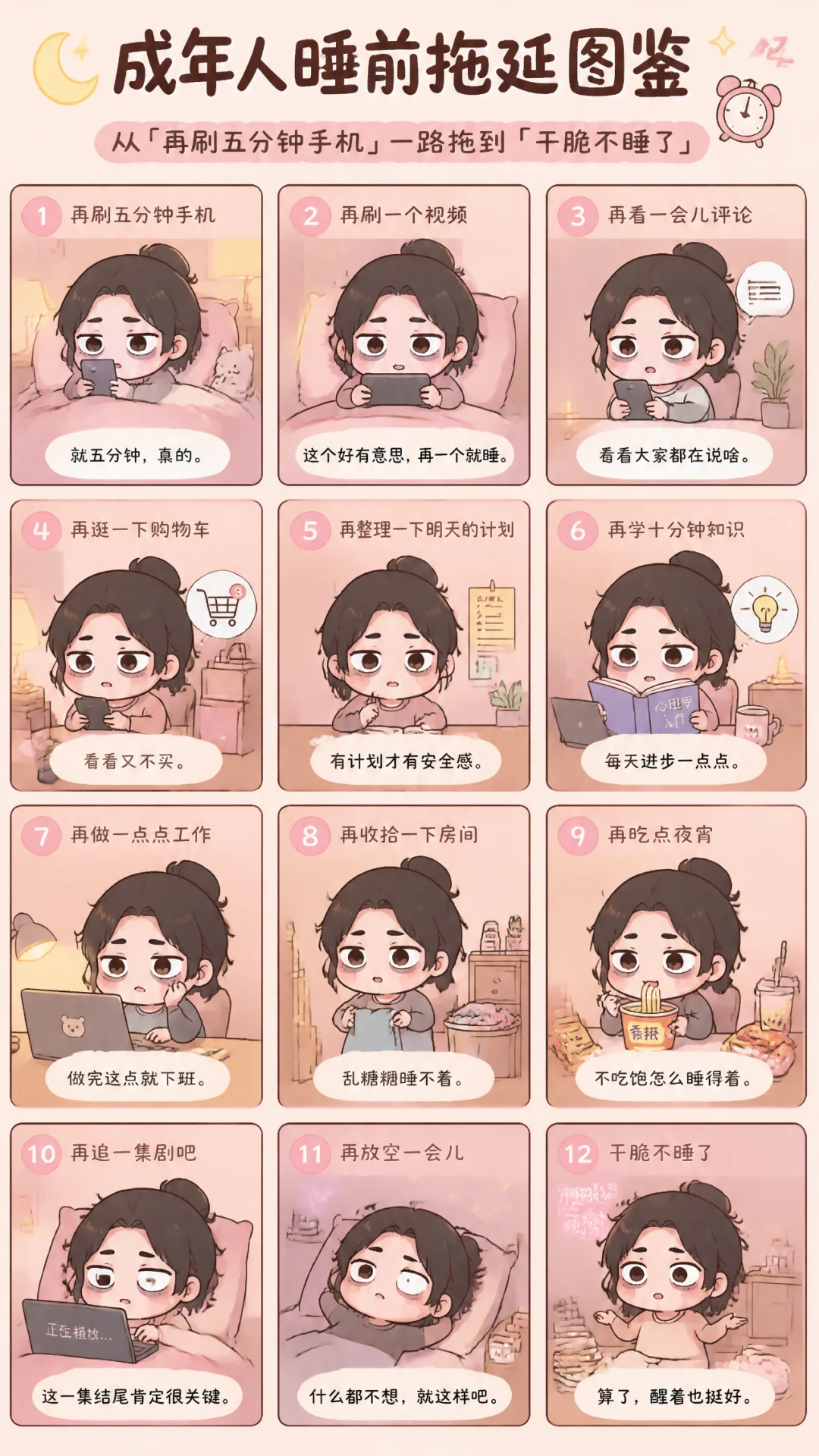
Prompt 163: World Coffee Guide
画一张「世界咖啡图鉴」手绘信息图,十二宫格展示十二种经典咖啡。每格配一杯手绘咖啡杯、咖啡名称(拿铁/卡布奇诺/美式/摩卡/玛奇朵等)、成分比例小图、起源国家国旗、一句风味描述。暖棕色调为主,牛皮纸质感背景。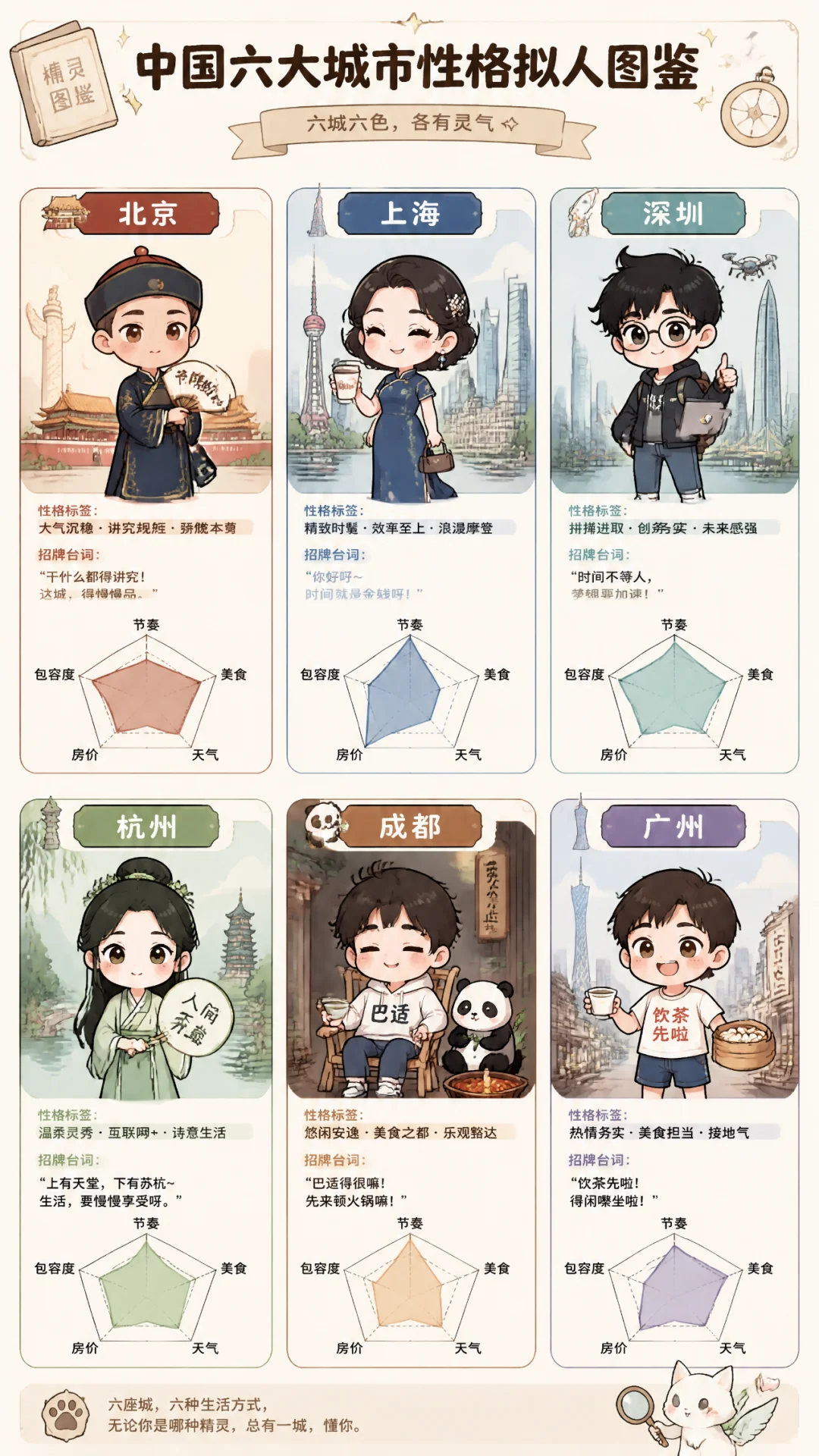
Prompt 164: Office Plant Guide
画一张「办公室好养植物图鉴」手绘信息图,九宫格展示九种适合办公桌的绿植。每格配植物手绘图、名称、养护难度星级、浇水频率、光照需求、一句养护小贴士。清新绿色调为主,水彩插画风格,适合打印贴在办公室。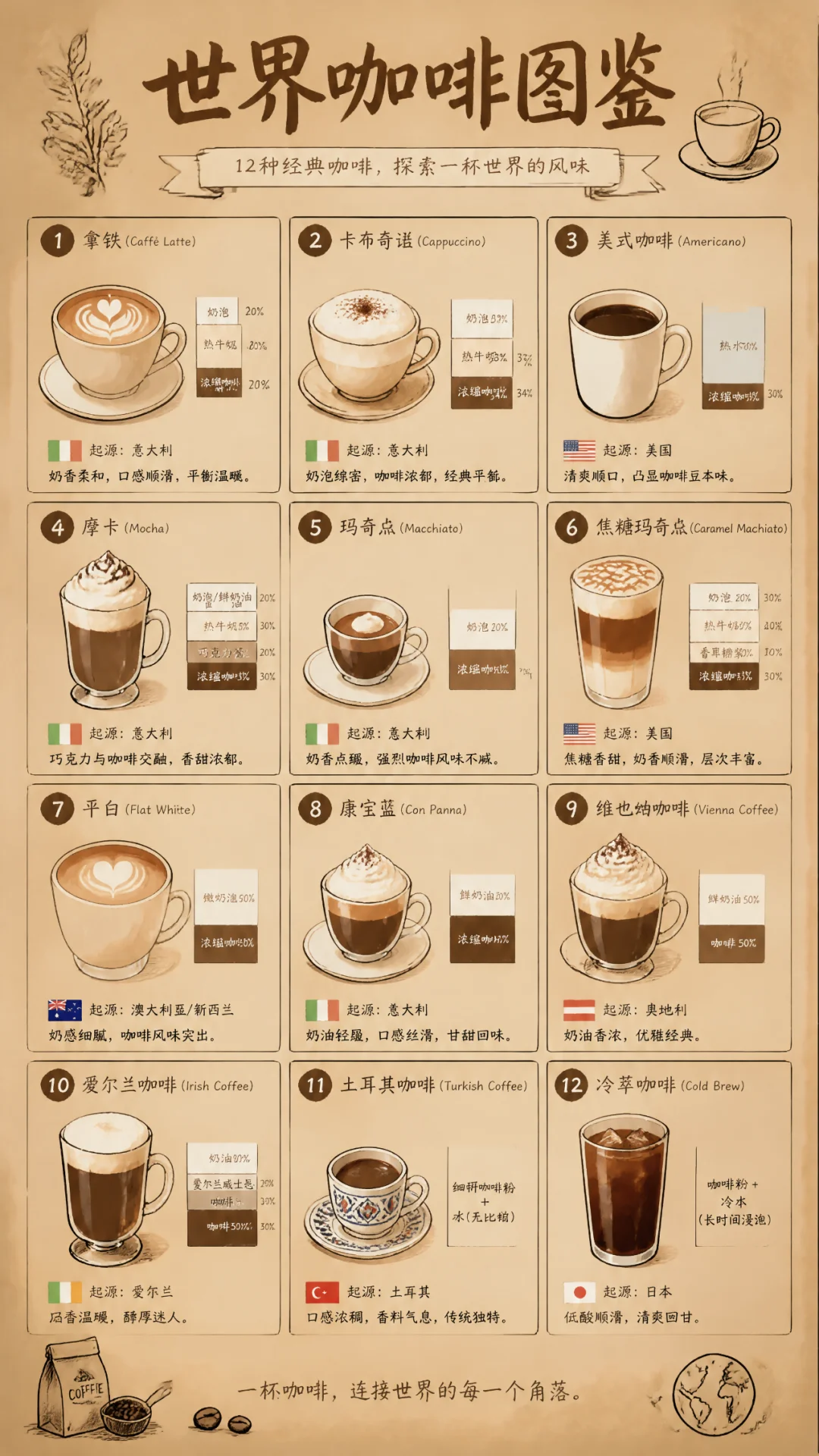
7.7 New Scene 7: Fantasy Maps — Full-Element Construction of Fictional Geography
Scene Guide: Fantasy maps are a comprehensive test of the model's "world knowledge + spatial imagination + layout ability." GPT-Image-2 can generate hand-drawn maps with full elements including legends, compasses, small illustrations, and transliterated place names.
Pro Tip: The core structure is [map type] + [style tag] + [location list] + [decorative elements] + [overall texture].
Prompt 165: Tolkien-Style Fantasy Map
画一张幻想世界手绘地图,托尔金式羊皮卷风格。标注出王国、精灵森林、巨龙之峰、失落之城、黑暗沼泽等十几个地点,每地配小插画和拉丁字母音译地名,四角装饰花纹。Prompt 166: Pokémon-Style Region Map
画一张宝可梦风格的虚构区域地图,分城镇、道路、洞窟、水路四类区域。标注十几个据点,每个据点一个Q版图标,右上方向罗盘,像素风配色。右下角一个训练家小人正在追一只狡猾的百变怪。Prompt 167: RPG Game Level Map
画一张虚构游戏《AGI大冒险》的关卡地图,老式RPG世界地图风格。从新手村「Prompt镇」起步,沿途标注「Token森林」「Hallucination沼泽」「对齐雪山」「AGI火山」四大主线区域,每区一个BOSS图标和难度星级。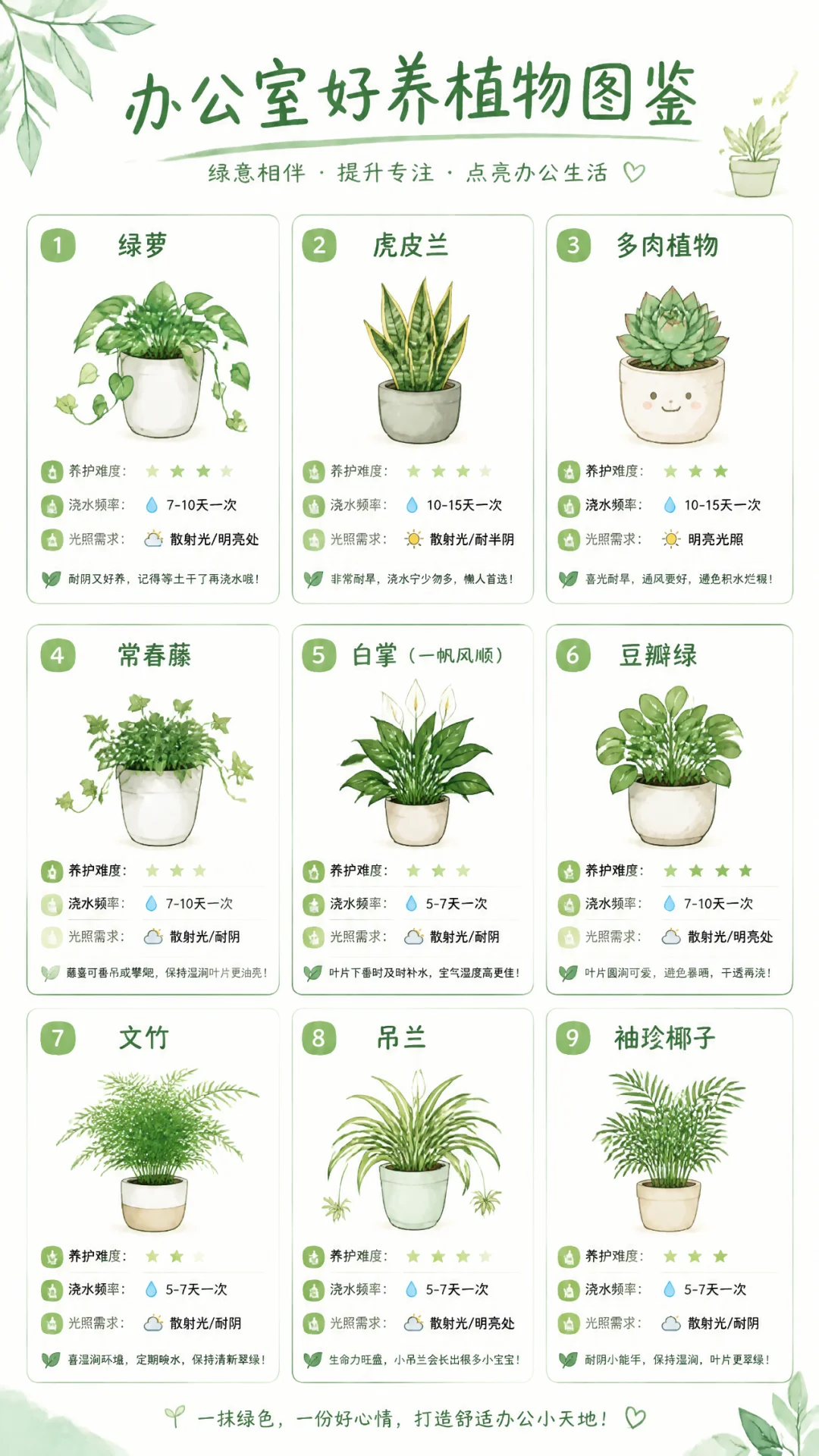
Prompt 168: Dream Map
画一张梦境地图,手绘水彩风。岛屿漂浮在云海中,标注甜梦岛、噩梦海峡、遗忘森林、童年灯塔等诗意地名,每地配一幅小插画,右下角一只拿着船桨的小熊猫。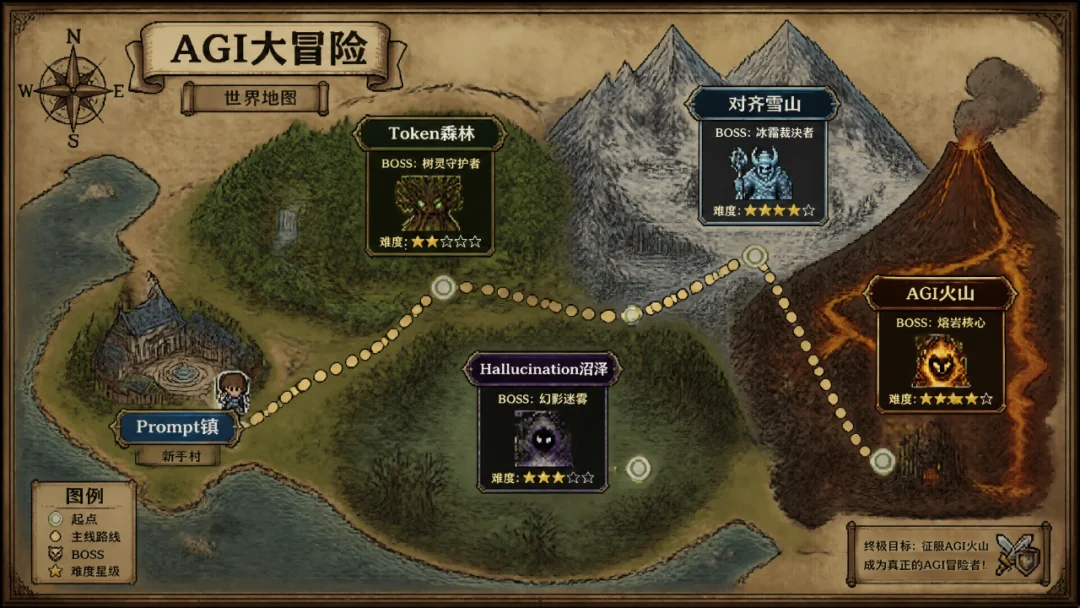
Prompt 169: Emotion City Map
画一张虚构城市《镜中城》的俯瞰地图。运河纵横,六个区域分别代表六种情绪(喜悦、悲伤、愤怒、平静、焦虑、期待),每区建筑风格不同,图例在左下角标明主要地标和交通方式。手绘插画风格,色彩丰富。7.8 New Scene 8: Vintage Prints — Ultimate Material & Texture Simulation
Scene Guide: 1980s certificates, 1990s instruction manuals, Republican-era newspapers — GPT-Image-2's grasp of "world knowledge" for various real-world document formats is astonishing.
Pro Tip: The core structure is [era] + [medium type] + [title/theme] + [text content] + [material texture] + [aging effects].
Prompt 170: 1980s School Blackboard
画一张80年代中学黑板报,粉笔手写字迹。主题「迎接新学期」,配粉笔画的红旗、书本、火箭,角落写着名言警句和值日生名字,黑板木框和粉笔灰细节齐全。Prompt 171: 1990s Appliance Manual
画一张90年代老式家电说明书内页,标题「星河牌智能电视机使用手册」。灰白印刷纸,分「开机步骤」「常见故障」「售后网点」三栏,配简陋线描图解和印刷厂章。Prompt 172: 1980s Vintage Certificate
画一张80年代老式奖状,大红烫金边框。中间毛笔字「先进工作者」,获奖人姓名处写「Sam Altman同志」,底部单位落款「硅谷人民通用人工智能委员会」和日期,背景印有麦穗和五角星纹样,纸张微微泛黄。Prompt 173: Traditional Chinese Medicine Prescription
画一张复古中医处方笺,竖排毛笔字。标题「安神助眠方」,药材清单写着「酸枣仁五钱、柏子仁三钱、远志二钱、合欢皮三钱、夜交藤五钱」,落款处盖着朱红色「杏林春暖」印章。宣纸质感,墨色浓淡分明,右上角有医馆名称「济世堂」和坐诊日期。整体古雅端庄,像是一件文房雅物。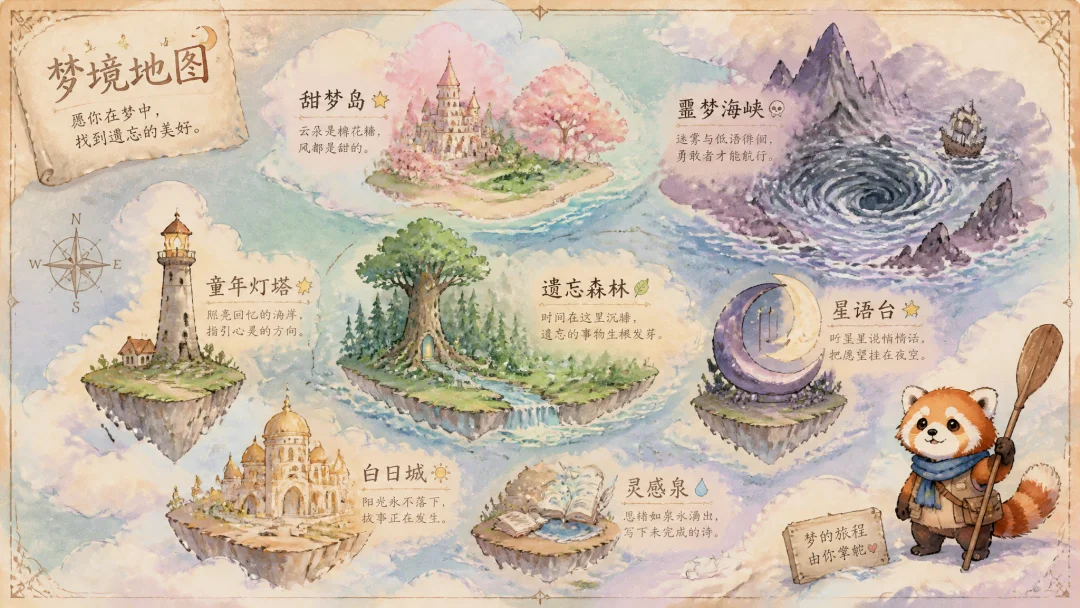
Prompt 174: Vintage Postcard Set
画一套4张复古旅行明信片,每张展示一个虚构的度假胜地:「云端之城」(悬浮在云海中的白色建筑群)、「水晶海滩」(粉色沙滩和透明海水)、「星光沙漠」(夜晚的沙漠中发光的水晶矿石)、「翡翠森林」(会发光的巨型蘑菇森林)。每张明信片右下角有邮戳区域和「WISH YOU WERE HERE」字样,整体色调温暖怀旧,带有做旧纸张纹理和轻微褪色效果。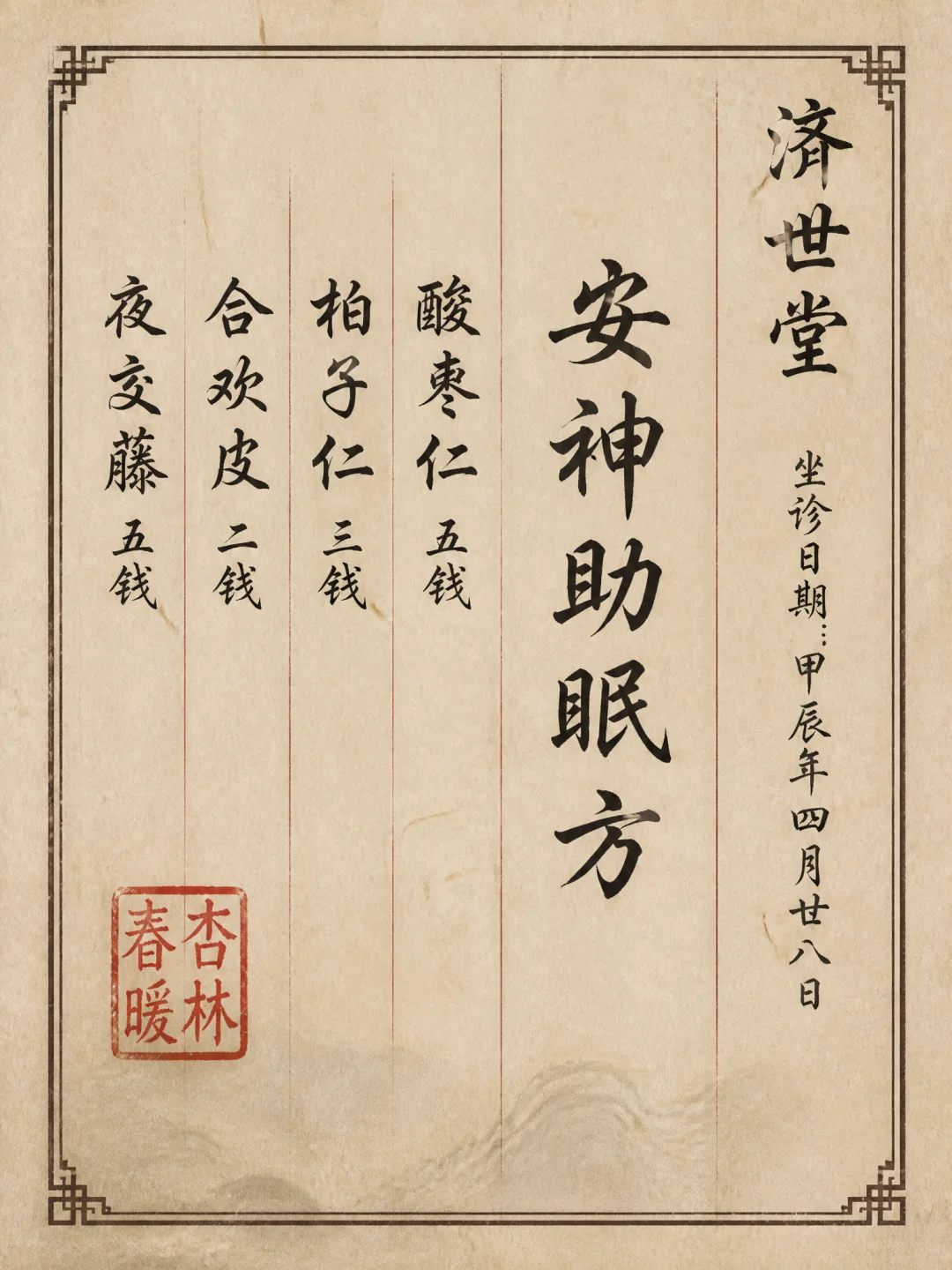
7.9 New Scene 9: App UI Mockups — High-Fidelity UI & Chinese Text Density Limit
Scene Guide: GPT-Image-2 can generate interfaces with complete functional areas, icons, and text labels, even maintaining consistency across different pages. Chinese UI element density remains accurate even at extremely high levels.
Pro Tip: The core structure is [app type] + [page name] + [core function modules] + [data/text content] + [color scheme] + [design specification].
Prompt 175: MMO Game Interface
画一张虚构开放世界MMO游戏《红楼梦Online》的游戏截图,画面精美接近3A大作水准。主角是一位古装女子背影立于中景,大观园街市场景。左上角人物头像血条蓝条显示「林黛玉 Lv.32 HP 1326/1326 MP 856/856」。顶部显示地点「潇湘馆外 (1234, 567)」。右侧任务面板列主线、支线、日常任务。左下系统消息和世界频道聊天记录。右下技能栏六个技能图标。底部经验条。整体中文UI元素密度极高。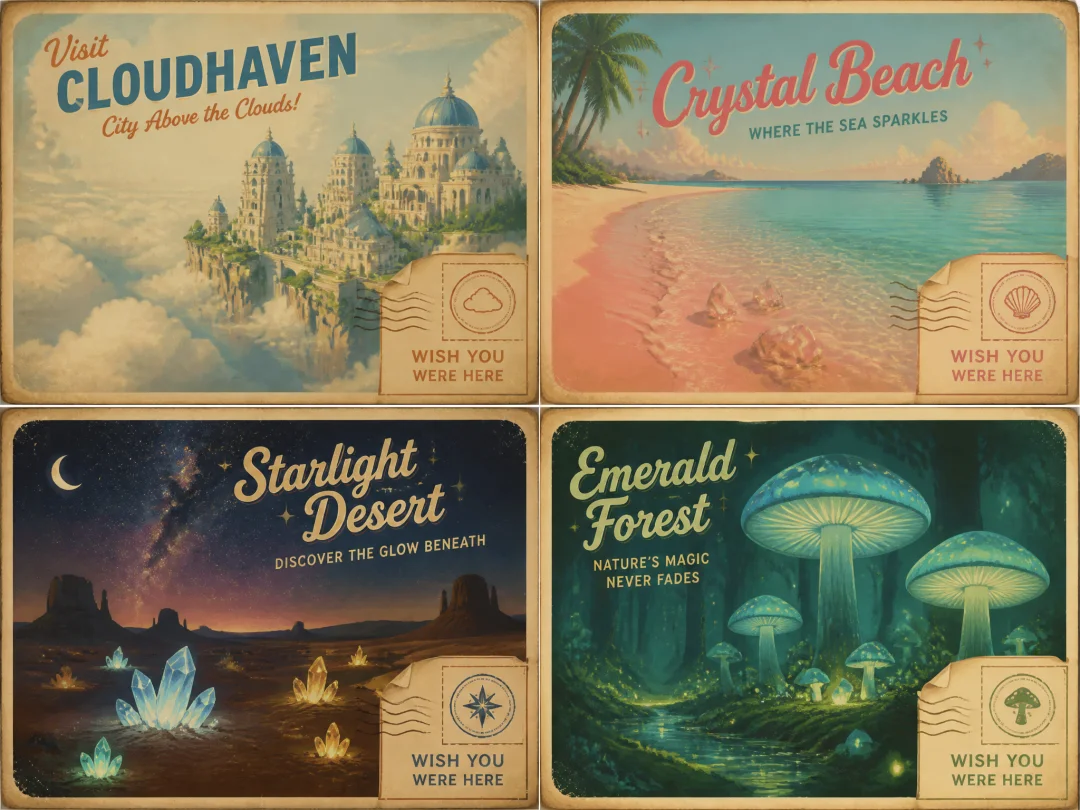
Prompt 176: Budget App Monthly Overview
画一张虚构记账app的月度总览页面。顶部环形图展示支出分类,中部收支柱状图,下方最近交易列表五条,整体莫兰迪配色,右上角设置齿轮。Prompt 177: Task Management App Kanban View
画一张虚构任务管理app的看板视图截图。三列「待办」「进行中」「已完成」,每列三到四张卡片,每张卡片含标题、标签、截止日期、负责人头像,整体扁平化设计。Prompt 178: Reading App Bookshelf Interface
画一张虚构阅读app的书架界面。三行书封网格展示十二本虚构书名,顶部搜索框和筛选标签,右下角悬浮添加按钮,整体米色羊皮纸质感。Prompt 179: Music App Now Playing Page
画一张虚构音乐app的正在播放页面。顶部专辑封面大图是一只戴耳机的橘猫,中部歌曲名「猫叫版《孤勇者》」和歌手名「DJ橘座」,下方进度条和控制按钮,底部歌词滚动区,整体深色模糊玻璃效果。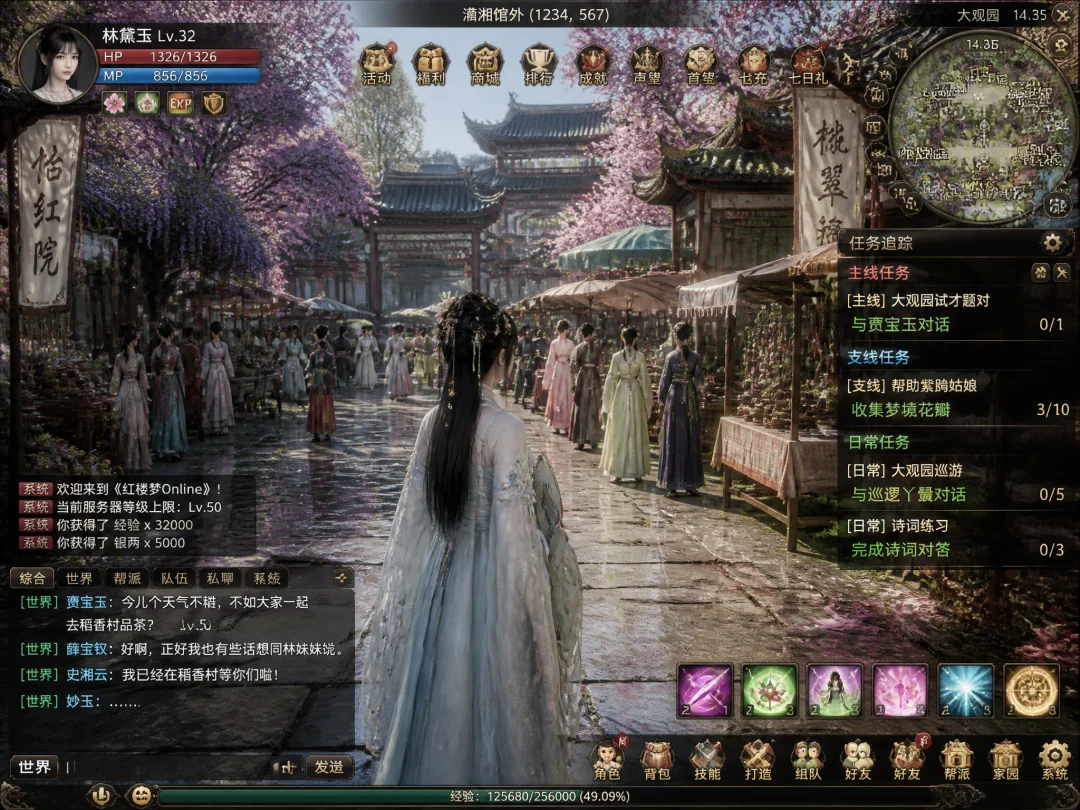
7.10 New Scene 10: Creative Carriers — Infinite Extensions of Everyday Objects
Scene Guide: The final direction is pure "creative fun" — turning Chinese medicine prescriptions, university acceptance letters, physics textbooks, boarding passes, and supermarket price tags into creative canvases. This tests the model's "world knowledge" mastery of various real-world document formats.
Pro Tip: The core structure is [medium type] + [creative theme] + [text content (in quotes)] + [layout details] + [material texture].
Prompt 180: Chinese Medicine Prescription (Creative)
画一张中医药方单,毛笔楷书竖排「拖延症加减方」。药材清单含「决心三钱、专注五钱、番茄钟两枚、deadline一剂」,落款「大聪明堂 执业编号XX001」,宣纸质感带红色印章。Prompt 181: Fictional University Acceptance Letter
画一张虚构大学本科录取通知书,烫金边框。标题「录取通知书」,下方一段文言文贺词,中央专业「梦想学院 · 白日做梦系」,录取人姓名「Sam Altman」,右下钤印和校长手签。Prompt 182: Middle School Physics Textbook Page (Creative)
画一张初中物理课本插图页,章节「第五章 情绪的功与能量」。配严肃的能量守恒示意图但标注的是「开心能」「沮丧能」「咖啡因输入」「打工人熵增」,下方三道课后练习题一本正经。Prompt 183: Fictional Airline Boarding Pass
画一张虚构航空公司的登机牌,标题「梦境航空 Dream Airlines」。乘客姓名「Elon Musk」,起飞地「火星」目的地「地球」,航班号DA420,登机口「枕头3号」,舱位「黄粱一梦」,条形码齐全。Prompt 184: Vintage Supermarket Promotion Poster
画一张复古风超市促销海报,大红价签贴满版面。商品包括「专注力 一斤99元」「快乐 买一送一」「时间 限时特惠」「睡眠 清仓处理」,每件商品配手绘图和「今日限定」小爆炸贴纸,整体九十年代超市风。7.11 Bonus Scene: Grid & Multi-Panel Creations
Scene Guide: Grid layouts (9-grid and beyond) are among the most popular image formats on social media. GPT-Image-2's powerful multi-image consistency makes complex grid layouts possible — unified characters, unified style, unified color palette.
Pro Tip: The core structure of grid prompts is[number of panels] + [grid theme] + [content list per panel] + [unified style anchor] + [cross-panel consistency constraint]. Remember consistency keywords:Consistent character throughout,Same style across all panels,Unified color palette.
Prompt 185: Capsule Wardrobe 9-Grid
A 3x3 grid showing one female model in nine different outfit combinations from a capsule wardrobe. Consistent model face, body type and pose center-frame for all nine. Top row: casual day looks (white tee + jeans / knit sweater + midi skirt / denim jacket + black pants). Middle row: office professional (blazer + trousers / blouse + pencil skirt / turtleneck + wide leg pants). Bottom row: evening elegant (slip dress / wrap dress / tailored jumpsuit). Clean white studio background, soft even lighting. Below each outfit: small text label describing the pieces. Minimalist fashion editorial style. Aspect ratio 1:1.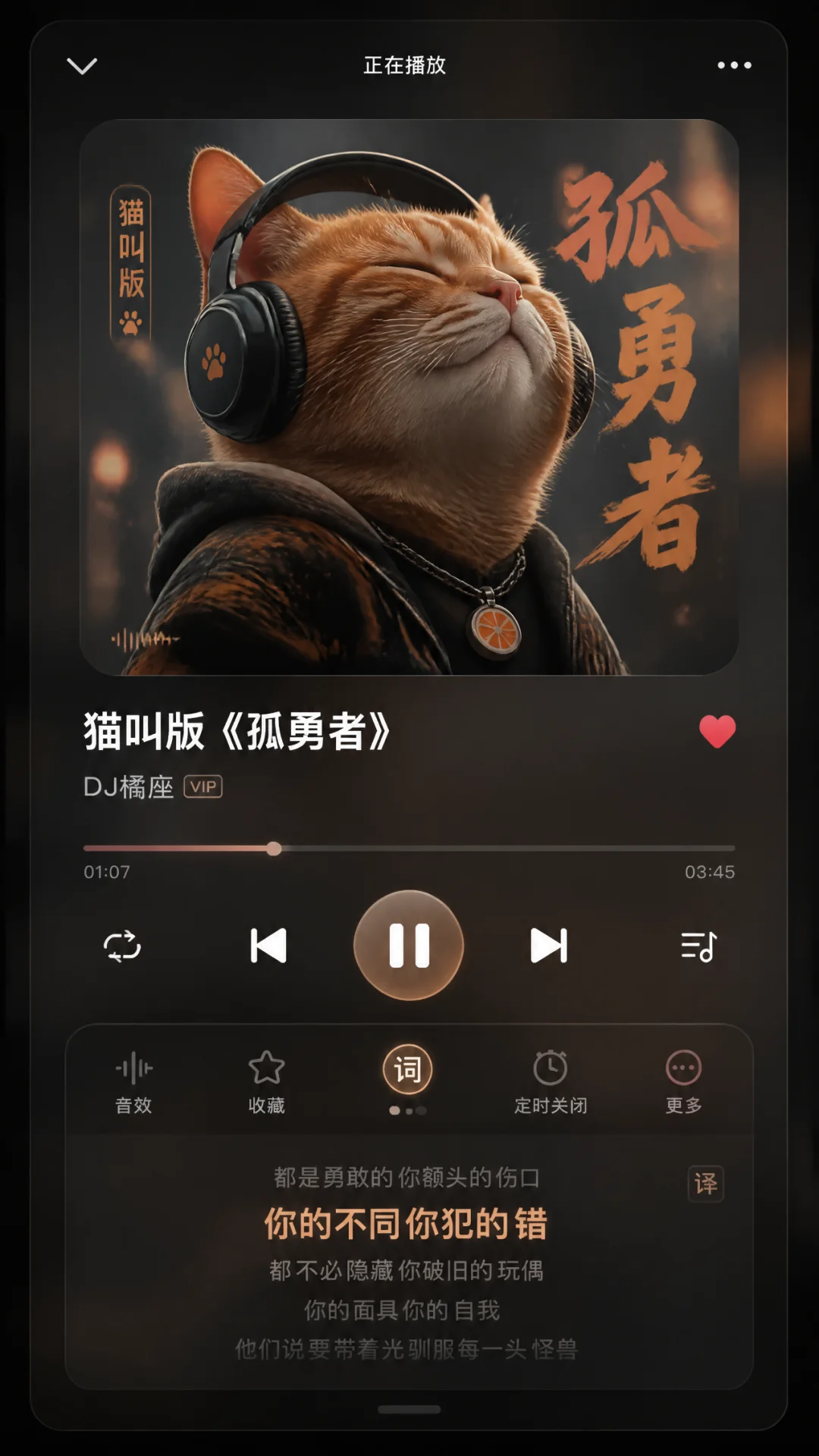
Prompt 186: Cute Pet Costume 9-Grid
A 3x3 grid of a fluffy orange tabby cat wearing different cute costumes. Consistent cat character throughout: round face, big green eyes, chubby cheeks. 1) tiny wizard hat and sparkle wand, 2) astronaut helmet with fishbowl visor, 3) sushi chef headband and apron, 4) detective deerstalker hat and magnifying glass, 5) pirate eye patch and tiny sword, 6) graduation cap and diploma scroll, 7) superhero cape and mask, 8) flower crown and daisy necklace, 9) sleepy pajamas and teddy bear. Each cell has soft pastel background in different color. Kawaii illustration style, thick outlines, cute and expressive. Aspect ratio 1:1.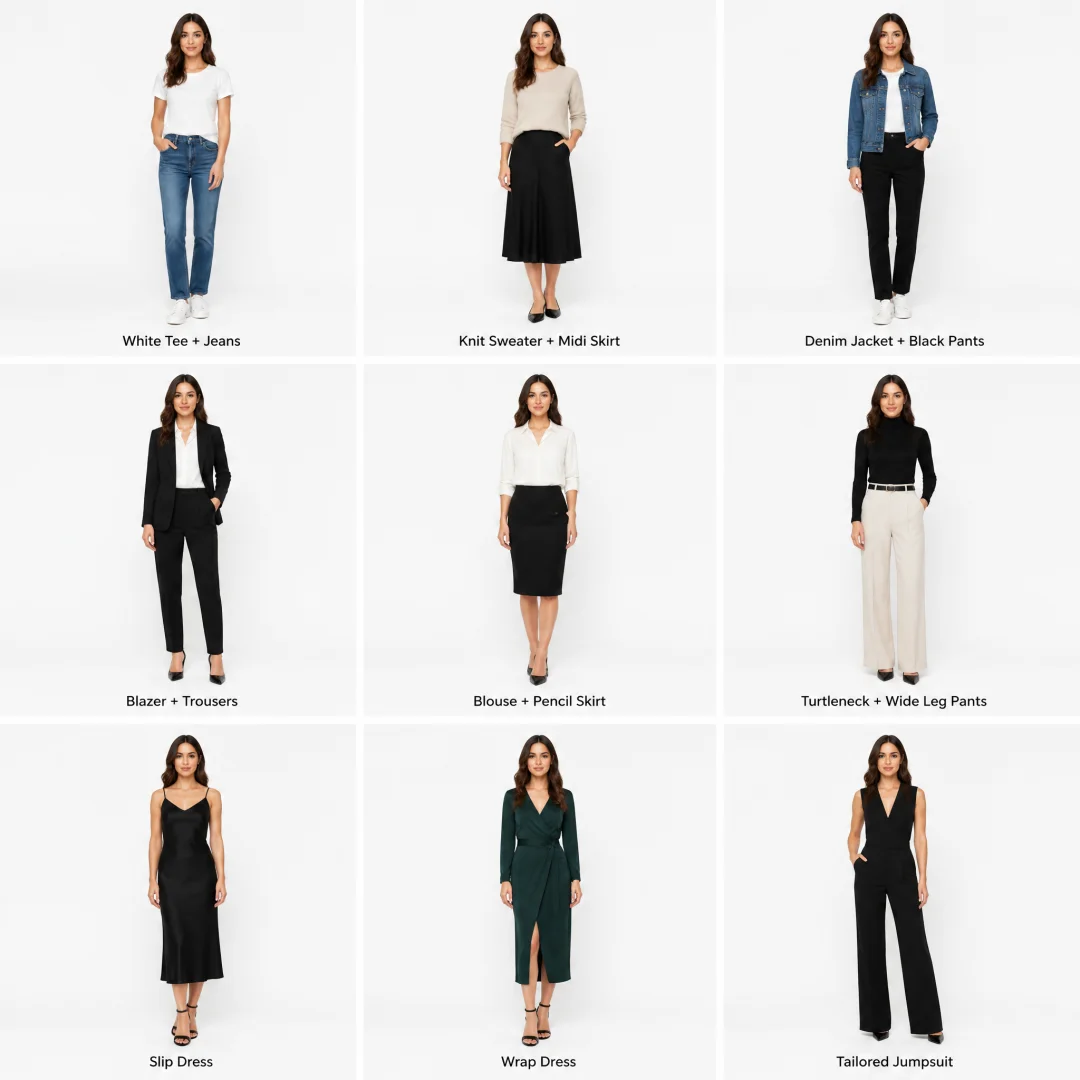
Prompt 187: Zodiac Chibi Characters 12-Grid
A 3x3 grid showing twelve zodiac signs as cute chibi characters (3 rows of 4). Consistent art style throughout: big heads, tiny bodies, sparkling eyes, clean vector lines with soft shading. 1) Aries with fluffy ram horns and red cape, 2) Taurus with golden eye mask and flower crown, 3) Gemini as mirror-image twins holding hands, 4) Cancer with crab claw gloves and moon pendant. Row 2: 5) Leo with magnificent golden mane and sun scepter, 6) Virgo with wheat stalk and book, 7) Libra with balanced scales and rose, 8) Scorpio with scorpion tail and mysterious dark aura. Row 3: 9) Sagittarius with bow and arrow on horseback, 10) Capricorn with mountain goat horns and business suit, 11) Aquarius pouring water from celestial jug, 12) Pisces as two koi fish swimming in dreamy ocean. Each cell has constellation symbols and dates below character. Soft magical gradient backgrounds. Aspect ratio 1:1.Prompt 188: Coffee Brewing Methods 9-Grid
A 3x3 educational infographic grid about coffee brewing methods. Consistent style: warm brown and cream color palette, flat vector illustration, vintage coffee house aesthetic. 1) Espresso — small cup with thick crema, labeled "20-30 seconds, fine grind", 2) Pour Over — V60 dripper with spiral pour, labeled "2-3 minutes, medium grind", 3) French Press — glass beaker with metal plunger, labeled "4 minutes, coarse grind", 4) Cold Brew — mason jar with ice cubes, labeled "12-24 hours, extra coarse", 5) AeroPress — cylinder with plunger device, labeled "1-2 minutes, medium-fine", 6) Moka Pot — octagonal silver stovetop pot, labeled "5 minutes, fine grind", 7) Turkish — small copper cezve with foam, labeled "2-3 minutes, powder grind", 8) Siphon — glass vacuum apparatus with flame, labeled "3 minutes, medium grind", 9) Espresso Tonic — tall glass with espresso and tonic water, labeled "Summer favorite, light roast". Each cell has small icon and flavor profile notes. Aspect ratio 1:1.Prompt 189: Four Seasons 8-Panel
An 8-panel seasonal mood board in two rows of four. Consistent style: soft pastel watercolor, dreamy atmosphere, delicate botanical elements connecting panels. Top row: (1) Spring — cherry blossoms falling on a picnic blanket, soft pink and mint green, warm afternoon light, (2) Early Summer — lavender fields stretching to horizon, honey bees, golden hour glow, (3) Autumn — red maple leaves on a misty mountain path, wooden temple in distance, warm amber tones, (4) Early Winter — first snow on pine branches, steam rising from hot spring, quiet blue-white palette. Bottom row same seasons but indoor cozy scenes: (5) Spring rain on window with tea set and open book, (6) Summer night with mosquito net and watermelon slices, (7) Autumn evening with reading lamp and knitted blanket, (8) Winter hearth with fireplace and hot cocoa. Unified by recurring small bird motif in each panel. Aspect ratio 16:9.Prompt 190: Chinese Internet Slang Translation 6-Panel
A 6-panel comic strip explaining Chinese internet workplace slang. Consistent character throughout: confused new employee (young man with glasses and backpack) and mentor (friendly senior with coffee mug). Panel 1: Boss says "要对齐一下" — mentor translates "Schedule a meeting". Panel 2: "要闭环" — "Finish the task completely". Panel 3: "要有抓手" — "Need concrete deliverables". Panel 4: "要赋能" — "Provide resources and support". Panel 5: "要沉淀" — "Document the learnings". Panel 6: "要复盘" — "Do a post-mortem". Clean flat illustration style, speech bubbles with Chinese text and English translations, office setting with glass walls and plants. Humorous and educational. Aspect ratio 16:9.Prompt 191: Iconic Travel Destinations 12-Grid
A 12-panel grid (4 rows x 3 columns) of iconic Instagram-worthy travel destinations. Consistent style: vibrant saturated colors, golden hour lighting, cinematic composition with leading lines. Row 1: Santorini blue domes with sunset, Kyoto bamboo grove with sun rays, Northern Lights over Icelandic church. Row 2: Machu Picchu misty mountains, Maldives overwater bungalow turquoise water, Parisian cafe with red awning. Row 3: Cappadocia hot air balloons at dawn, Bali rice terraces with palm trees, New York Times Square neon lights. Row 4: Swiss Alps snow village, Tokyo Shibuya crossing rain reflections, Moroccan blue city Chefchaouen. Each panel has small location tag and camera settings caption. Travel photography style, aspirational and wanderlust-inducing. Aspect ratio 16:9.Prompt 192: Breakfast Around the World 16-Grid
A 4x4 grid showing breakfast dishes from 16 different countries. Consistent overhead flat-lay photography style: each dish on its own culturally appropriate tableware, soft natural lighting from top-left, slight shadow for depth. 1) American pancakes with bacon and maple syrup, 2) English full breakfast with beans and black pudding, 3) Japanese miso soup with grilled salmon and rice, 4) Chinese youtiao with soy milk, 5) French croissant with butter and jam, 6) Mexican chilaquiles with avocado, 7) Turkish menemen with flatbread, 8) Korean bibimbap in hot stone bowl, 9) Indian masala dosa with chutneys, 10) Israeli shakshuka in cast iron pan, 11) Vietnamese pho with fresh herbs, 12) Brazilian pão de queijo with coffee, 13) Swedish smörgåsbord open-faced sandwich, 14) Egyptian ful medames with pita, 15) Filipino tapsilog with garlic rice and egg, 16) Moroccan msemen flatbread with mint tea. Each cell has small country flag and dish name label. Food photography style, appetizing and colorful. Aspect ratio 1:1.Prompt 193: Emotional Wellness 6-Panel Comic
A 6-panel emotional wellness comic strip. Consistent character: a cute round blob creature that changes color based on emotion. Panel 1: Blue blob feeling overwhelmed by tasks floating around, caption "When everything feels too much". Panel 2: Blob taking deep breath, turning light green, caption "Pause. Breathe.". Panel 3: Blob writing in journal, soft yellow glow, caption "Name what you feel". Panel 4: Blob doing yoga stretches, flexible pink form, caption "Move your body". Panel 5: Blob talking to friend blob over coffee, warm orange, caption "Share with someone". Panel 6: Golden blob peacefully sleeping under stars, caption "Rest is productive too". Soft watercolor style, rounded panels with gentle transitions, pastel backgrounds matching blob color. Soothing and therapeutic. Aspect ratio 4:5.Prompt 194: Milk Tea Brand 9-Grid Flavor Guide
A 3x3 grid showcasing 9 signature milk tea drinks for a fictional brand "MOON TEA". Consistent style: each drink in clear plastic cup with domed lid, photographed from 45° angle on marble surface, condensation droplets on cup, golden hour side lighting creating warm highlights. 1) Brown Sugar Boba — dark caramel swirl with tapioca pearls visible, 2) Taro Cream — pastel purple with thick taro foam top, 3) Matcha Latte — gradient green with matcha powder dusting, 4) Thai Milk Tea — vibrant orange with condensed milk layer, 5) Strawberry Cheese — pink drink with thick white cheese foam and fresh strawberry slice, 6) Osmanthus Oolong — pale golden tea with dried osmanthus flowers floating, 7) Coconut Tapioca — milky white with sago pearls and coconut flakes, 8) Passion Fruit Green Tea — bright yellow-green with passion fruit seeds, 9) Sesame Latte — layered black sesame and milk with sesame stick garnish. Each cell has small ingredients icon row and sweetness level indicator. Premium food photography, refreshing summer mood. Aspect ratio 1:1.Prompt 195: MBTI Personality Types 16-Grid
A 4x4 grid showing all 16 MBTI personality types as illustrated character portraits. Consistent style: semi-realistic digital painting, each character from waist up, unique but cohesive color scheme. Analysts (NT): INTJ — strategist in dark coat with chess piece, INTP — inventor with messy hair and goggles, ENTJ — confident leader in sharp suit pointing forward, ENTP — debater with playful smirk juggling ideas. Diplomats (NF): INFJ — mystic with closed eyes and glowing orb, INFP — dreamer with flower crown and journal, ENFJ — mentor with warm smile surrounded by people silhouettes, ENFP — campaigner with sparkles and rainbow scarf. Sentinels (SJ): ISTJ — inspector with clipboard and organized desk, ISFJ — defender with protective stance and family photo, ESTJ — executive with checklist and briefcase, ESFJ — consul hosting dinner party. Explorers (SP): ISTP — virtuoso with tools and motorcycle helmet, ISFP — artist with paint-stained hands and canvas, ESTP — entrepreneur with sunglasses and sports car, ESFP — performer on stage with confetti. Each has type letters and nickname below. Dark moody background with subtle type-specific color accents. Aspect ratio 1:1.This concludes all prompts in this article.
• Part 1: 134 prompts (Prompt 1-134), covering 18 classic scenes
• Part 2: 61 brand new prompts (Prompt 135-195), covering ten tested new scenes + grid/multi-panel bonus
8. Commercial Workflow
8.1 Batch E-Commerce Image Production
For e-commerce operators who need large volumes of product images, here's the recommended GPT-Image-2 workflow:
- Template Creation: Build a standard prompt template for each product category
- Variable Substitution: Use placeholders to swap product names, materials, colors, etc.
- Batch Generation: Use the API or ChatGPT's conversational ability to quickly generate series
- Quality Selection: Choose the best result from 4 candidate images
- Unified Post-Processing: Maintain consistent color tone and style
Efficiency Tips:
- Use
n=4for batch generation during exploration, saving ~18% cost - Use
n=1for fine-tuning during finalization - Keep background, lighting, and composition consistent — only swap the subject
8.2 Brand Visual Consistency
Brand asset consistency is critical. When using GPT-Image-2:
- Create a Brand Style Card: Include color palette, fonts, logo style reference
- Upload Reference Images: Use up to 16 reference images in edit mode
- Explicitly Name Roles: "Image 1: Brand logo file, Image 2: Brand color palette"
- Use Preservation Instructions: "Preserve brand colors, logo placement, and typography style"
Project-Level Style Block (April 2026 community best practice):
Project Style Block:
- Brand color palette: deep navy #0f172a, electric cyan #38bdf8, warm cream #fef3c7
- Typography: geometric sans-serif headlines, slab serif body
- Mood: clean, confident, slightly futuristic, never childish
- Constraint: no random people in background, no untitled UI elements
8.3 Content Marketing Batch Production
For social media operators:
- Generate at 1:1 for Instagram feed
- Adapt to 9:16 for Stories in the same session
- Adapt to 16:9 for LinkedIn
- Use Thinking Mode for 8-image series consistency
Time & Cost Estimate (real-world data):
- 6 brand material types (Logo, business card, menu, packaging, apron, poster)
- Concept exploration + composition iteration: ~60 drafts
- Style convergence + text refinement + final output: ~24 final images
- Total token cost: about the price of a cup of coffee
- Manual labor: compressed to under 1 day
8.4 API Development Integration Points
For developers:
- Model ID:
gpt-image-2 - Available endpoints:
images.generate(generation) andimages.edit(editing) - Supported formats: PNG, JPEG, WebP
- Maximum resolution: 2048×2048 (4K up to 4096×4096)
- Batch generation:
n=1~8, up to 8 coherent images per call - Transparent backgrounds not supported (use gpt-image-1.5 for that)
- Token-based pricing — higher quality costs more
E-Commerce Detail Page Killer Use Case: Generate "product white background + 3 lifestyle images + 2 detail close-ups + 2 usage scenarios" in one go, forming a complete detail page visual asset set with full visual consistency.
9. FAQ
Q1: Does GPT-Image-2 support Chinese prompts?
A: Yes. However, community testing shows English prompts have a slight edge in "detail control precision," mainly because the training data has a higher proportion of English. We recommend writing the core structure (subject, lens, constraints) in English, and wrapping any Chinese text that needs to appear in the image in quotes.
Five Practical Principles for Chinese Prompts:
- Specify the medium type (vertical long image / VCD cover / boarding pass)
- Anchor the style era (1980s Hong Kong / Republican era 1930s)
- Describe core visual elements (subject + action + scene)
- Specify text content (write out the exact text to render)
- Define texture and color scheme (rice paper base / Morandi blue palette)
Q2: Generated images with text always have spelling errors. What to do?
A: Three-step troubleshooting:
- Put the target text inside English double quotes
- Limit total word count per image to 5 or fewer
- Add this line at the end of the prompt:
Render this text verbatim — no extra characters, no substitutions
After implementing all three steps, tested spelling accuracy improves from ~70% to 95%+.
Q3: How to improve character consistency?
A: Enable Thinking Mode and describe the character's fixed features in detail (hair color, eye color, clothing, body type) in the prompt. For series images, use the same seed prompt structure, only changing actions and scenes. Use n=4~8 for batch generation — up to 8 coherent images in a single call.
Q4: Images look AI-generated/plastic. How to make them more realistic?
A: Add one of these keywords: photorealistic, RAW photo, iPhone snapshot, film grain. Also describe real "imperfections": pores, slight asymmetry, natural light variations.
Q5: How to control costs?
A: Strategic quality settings:
low: Quick ideation, batch preview (lowest cost)medium: Most production work (balanced choice)high: Dense text, infographics, print materials (use only when necessary)
Cost Comparison:
- Hiring a designer: ¥150-400/image
- GPT-Image-2 API: ~¥0.21/image (high quality)
- Savings: 99.9%
Q6: GPT-Image-2 vs. Midjourney — which to choose?
A:
| Dimension | GPT-Image-2 | Midjourney v7 |
|---|---|---|
| Text Rendering | 99% accuracy | Still has notable weaknesses |
| Artistic Beauty | Realistic and precise | Gallery-level aesthetics |
| API Access | Full REST API | No official API |
| Chinese Support | Excellent | Fair, English recommended |
| Batch Generation | n=1~8 coherent output | Not supported |
| Multi-turn Editing | Conversational iteration | Not supported |
| Cost | Token-based, flexible | Subscription, $10-120/month |
Selection Guide:
- Text-heavy images (menus/posters/infographics) → GPT-Image-2
- Artistic stylization (illustrations/concept art) → Midjourney
- Products needing API integration → GPT-Image-2
- High-end fashion/luxury photography → Midjourney
- Best practice: Multi-model routing — simple tasks with GPT-Image-2, refined creation with Midjourney
Q7: Can it be used for commercial purposes?
A: According to OpenAI's Terms of Service, images generated through the API or ChatGPT Plus can be used commercially. However, we recommend checking the latest usage policies for complete information. Content involving real people's faces or trademark infringement will be rejected.
10. Quick Reference Appendix
10.1 Common Aspect Ratios
| Ratio | Best For |
|---|---|
| 1:1 | Instagram feed, avatars, product hero images |
| 4:5 | Instagram vertical, e-commerce detail pages |
| 9:16 | Short video covers, Stories, Xiaohongshu |
| 16:9 | Banner ads, presentations, YouTube thumbnails |
| 3:2 | Photography, e-commerce main images |
| 2:3 | Posters, book covers, flyers |
| 21:9 | Ultra-wide banners, cinematic imagery |
| 2.35:1 | WeChat official account cover (900x383) |
10.2 Style Keywords
| Style | Keywords |
|---|---|
| Photorealistic | photorealistic, RAW, 8K, shot on [camera model] |
| Film | film grain, Kodak Portra 400, 35mm, analog |
| Cinematic | cinematic, anamorphic lens flare, color grading |
| Watercolor | watercolor, wet-on-wet, transparent washes |
| Oil Painting | oil painting, impasto, canvas texture, brushstrokes |
| Flat Vector | flat vector, clean lines, limited color palette |
| Pixel Art | pixel art, 16-bit retro game style, dithered |
| Cyberpunk | cyberpunk, neon, rain-soaked, holographic |
| Retro Poster | retro poster, vintage illustration, limited palette |
| Art Nouveau | Art Nouveau, organic lines, decorative border |
| Ink Wash | sumi-e, ink wash, rice paper, brushstrokes |
| 3D Render | Octane render, photorealistic 3D, PBR materials |
| Guochao (Chinese Trend) | Guochao, traditional Chinese elements, modern fusion |
| Vintage Print | aged paper, yellowed texture, vintage print, 1980s |
10.3 Lighting Keywords
| Lighting Type | Description |
|---|---|
| Golden Hour | golden hour, warm sidelight, long shadows |
| Overcast | overcast, soft diffused light, no hard shadows |
| Studio | three-point lighting, softbox, key light at [direction] |
| Neon | neon lighting, cyan and magenta, reflective wet surface |
| Natural Window | natural window light, soft morning light, gentle shadows |
| Dramatic | chiaroscuro, dramatic side lighting, deep shadows |
| Backlit | backlit, rim lighting, silhouette, glowing edges |
| Ambient | ambient light, cool fill, warm practical lights |
10.4 Camera/Lens Keywords
| Effect | Keywords |
|---|---|
| Portrait Bokeh | 85mm lens, f/1.8, shallow depth of field, creamy bokeh |
| Wide-Angle | 24mm wide-angle, architectural distortion, expansive |
| Street | 35mm lens, f/2.8, documentary style, candid |
| Macro | macro lens, extreme close-up, detail texture |
| Telephoto Compression | 200mm telephoto, compressed perspective, isolated subject |
| Tilt-Shift | tilt-shift, miniature effect, selective focus |
| Film Camera | Contax T2, Leica M6, medium format, Hasselblad |
| Cinematic | anamorphic lens, 2.39:1 ratio, horizontal flare |
10.5 Negative Prompt Templates
General (recommended for all prompts):
No extra text, no watermarks, no logos, no labels unless specifically requested.

Portrait-specific:
No plastic skin, no perfect symmetry, no beauty retouch, no distorted hands or fingers.

Product-specific:
No reflections unless requested, no background clutter, no color cast.

Illustration-specific:
No photorealistic elements, no 3D rendering style, keep flat illustration style.
End of Article.
References & Resources
The following resources were referenced during the writing of this article. Readers can explore them for more details.
| Source | Link | Description |
|---|---|---|
| OpenAI GPT-Image-2 Official Announcement | https://openai.com | Model release, technical details, pricing |
| OpenAI API Docs - Images | https://platform.openai.com/docs/guides/images | API methods, parameters, code examples |
| OpenAI Usage Policies | https://openai.com/policies/usage-policies/ | Commercial use license, content restrictions |
| Reddit r/OpenAI | https://www.reddit.com/r/OpenAI/ | Global user case sharing and discussion |
| PromptBase | https://promptbase.com/ | High-quality prompt marketplace |
| LiblibAI Model Community | https://www.liblib.art/ | Chinese AI art community and model resources |
Author's Note: The prompts and techniques in this article are based on testing during April-May 2026. OpenAI may update model behavior at any time, so readers are advised to verify during actual use. Some third-party links may become outdated over time.